Author: oowoah

  • How Can You Keep Unanswered Questions Visible During a VR Workshop?

    How Can You Keep Unanswered Questions Visible During a VR Workshop?

    Unanswered questions deserve a clear place in a VR workshop. Without one, useful points can disappear between presentations, discussion and the next activity. A visible question list helps the group distinguish an issue that needs more work from a decision already made. The method can be simple: capture the question, identify why it matters and agree who will take it forward. The shared environment supports the conversation, while the facilitator maintains the structure. ## Separate questions from ideas and actions A suggestion, a question and an agreed task are different things. If they are recorded together without labels, participants may leave with incompatible understandings. An idea to explore a new approach is not automatically a commitment to adopt it. A question about a cost is not a confirmed instruction to purchase something.

    Create clear headings for those categories before the workshop begins. The format might use a prepared presentation view or the note-taking tools available in your setup. Choose something the group can understand quickly. The aim is to support attention rather than make everyone learn an elaborate classification system during the session. ## Capture the wording while the context is fresh A useful question is specific enough for someone to answer later. We need more information is too broad. Identify which information is missing and how it affects the discussion. If the wording is unclear, ask the person who raised it to explain briefly before the group moves on to another topic.

    For an illustrative service-design workshop, the question might concern which team currently approves a request. That can be checked with the relevant people. A vague note about process problems would be much harder to resolve. A few extra words at the time can prevent a long investigation into what the original question meant. ## Keep the list available without interrupting every activity A question list should preserve important points without forcing the workshop to solve each one immediately. Explain when it will be reviewed. That reassures participants that their contribution has been captured while allowing the current exercise to continue. The list becomes a practical holding place rather than an excuse to avoid difficult issues.

    Use clear spoken references when adding or revisiting an item. If someone cannot follow the displayed text, summarise it aloud. Check that the chosen format remains readable in the actual headset view. What feels visible to the facilitator may not be equally easy for everyone else to follow. ## Assign ownership before the group leaves An unanswered question needs an owner and a sensible next step. The owner may need to gather information, consult another team or arrange a specialist discussion. Confirm what they are being asked to do and when the result is needed. Avoid assigning responsibility to a vague collective such as everyone.

    Not every question requires action. Some may be outside the workshop's scope or no longer relevant after another decision. Mark those outcomes honestly. A useful record distinguishes an intentionally closed point from something that has simply been forgotten. That distinction makes follow-up easier to trust. ## Review the workshop record with care OowOah's published VR Meeting Rooms information includes meeting notes and transcripts. These can support a review, but the group should still check that questions, decisions and responsibilities have been represented accurately. A summary that merges an unresolved issue with a conclusion can create avoidable confusion later.

    Explore the current meeting-room tools and plan a simple capture method before your next workshop. End by reading back the few questions that remain open. A visible list becomes valuable when it leads to clear ownership and an understandable next step.

    Explore the next step

    How Do You Turn a VR Workshop into a Clear Decision Record?

    For a project review involving a real location, explore Quantum Leap’s first-person viewing approach alongside the meeting-room information.

    Discuss your plans through OowOah’s contact page or email info@oowoah.com.
  • How Do You Plan a Live VR Author Reading for a Remote Audience?

    How Do You Plan a Live VR Author Reading for a Remote Audience?

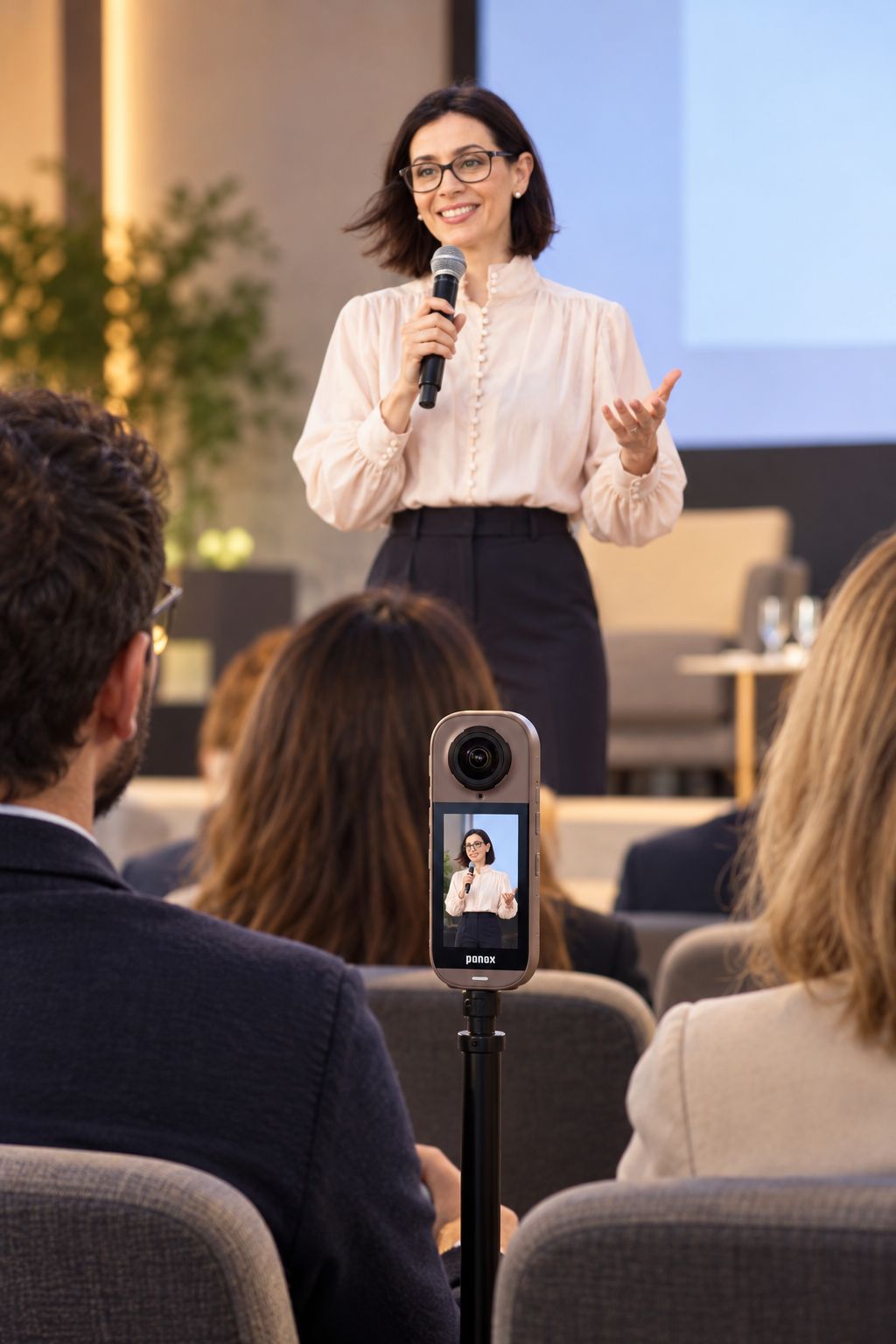
    A Live VR author reading could let remote viewers experience a real literary event through a compatible headset and 360° camera. The format can convey the setting, the speaker and the atmosphere around the reading. It still needs careful planning around sound, programme and permissions. OowOah Live VR provides the event-viewing context; the author and organiser decide what will be read, how it will be presented and what the audience is being offered. ## Choose a reading that works when heard A passage needs to be understandable without assuming every listener has already read the book. A brief introduction can establish the characters or situation, then let the writing do its work. Avoid spending so long explaining the background that the advertised reading becomes only a small part of the event.

    For an illustrative programme, an author might introduce the work, read a selected passage and discuss the writing afterwards. The exact balance should fit the book and audience. This is a planning example rather than a claim that OowOah has already booked or announced a particular author event. ## Give the camera a useful place in the room A 360° viewpoint should let the remote audience follow the author and understand the setting without obstructing the physical audience. Test the actual position with a headset viewer. A convenient location for cables is not necessarily a good listening or viewing position, and a striking room does not automatically create a clear performance.

    Keep the visual plan realistic. If the author displays a page or illustration, check whether it can be understood through the camera view. A small detail held towards the venue audience may not be readable remotely. Decide whether a larger display or an agreed supporting resource would help before building the programme around it. ## Put speech clarity ahead of atmosphere An author reading depends on words being heard clearly. Test the voice through the broadcast setup, including softer passages and changes in position. Room sound alone may not give remote viewers the same intelligibility as people seated nearby. Listen from the audience side rather than relying only on what the venue team hears.

    If the event includes questions from the room, plan how they will reach remote listeners. A host can repeat a question before the author answers, where appropriate. If remote questions are offered, explain the supported submission route and how they will be selected. Do not advertise open interaction without an agreed practical process. ## Agree what can be broadcast and recorded The organiser should establish the relevant permissions for the text, performance and any supporting material. A public reading and an on-demand replay are different uses that need to be discussed. An agreement for one should not silently be treated as permission for every later format or promotional extract.

    Make the listing specific about what is included. If a replay will be available, explain the actual arrangement once it is confirmed. If it will not, describe the live experience without implying otherwise. Readers and fans should be able to understand the offer before choosing whether to book. ## End with a clear route to the work Tell the audience where they can find the author's official information or the publication discussed. A remote viewer may not have access to a book table or a conversation after the venue event. A clear spoken signpost and an agreed written link can make the next step easier without turning the reading into a long sales pitch.

    Explore OowOah's Live VR host information if you are considering a literary event. Bring a practical outline of the programme, venue and audience when enquiring. The strongest format gives the writing space while making the remote experience clear from the first introduction to the final goodbye.

    Explore the next step

    How Can You Decide Which Parts of a Seminar Suit Live 360° Viewing?

    For current audience preparation and supported viewing requirements, read OowOah’s viewing guide. Explore Live VR event information for published event details as they become available.

    Discuss your plans through OowOah’s contact page or email info@oowoah.com.

  • How Can a Remote Observer Ask Clearer Questions During a First-Person Stream?

    How Can a Remote Observer Ask Clearer Questions During a First-Person Stream?

    A clear question during a first-person stream identifies a visible reference and explains what the observer needs to understand. The person on location cannot see the observer's thoughts or know which detail has caught their attention. Quantum Leap supplies a live view within an OowOah VR Meeting Room, but useful collaboration still depends on ordinary communication. Precise, manageable requests help turn a shared image into a productive discussion. ## Name the part you mean Replace vague words such as there or that one with an identifiable reference. Use a label, position or previously agreed name. If several similar objects are visible, establish which one you are discussing before asking for more detail. A few extra words can prevent repeated repositioning and an answer about the wrong item.

    For an illustrative room walkthrough, ask about the door beside a named feature rather than the door on the left if the viewpoint may turn. Left and right can change as the person moves. A stable reference makes the request easier to follow and provides clearer wording for any notes created afterwards. ## Explain the question behind the request Saying what you need to understand can help the on-location person choose a useful view. A request for a closer look may concern a label, a finish or the relationship between two objects. Those purposes call for different framing. Clear intent can reduce the amount of movement needed to reach the relevant information.

    Keep the request bounded. Asking someone to show everything may create an unstructured tour while leaving the important question unanswered. A sequence of specific requests is easier to coordinate, especially when several people are observing. The facilitator can collect additional questions rather than allowing them to compete for attention at once. ## Confirm what you can and cannot see When the view changes, say whether the relevant detail is now understandable. If it remains unclear, describe the limitation: text is too small, the angle hides an edge or another object obstructs the area. That feedback is more useful than repeatedly saying the picture is not good enough.

    Do not turn a partial view into certainty. An apparent mark may be a reflection, and a visible arrangement may not establish a precise measurement. If the question needs another source of information, record that need. The live stream supports a conversation; it does not eliminate the limits of looking through a camera. ## Respect the on-location person's situation The observer may not see everything affecting movement, access or the surrounding work. Requests should remain within the agreed review plan and site procedures. The person on location needs to be able to pause, explain a constraint or decline an unsuitable movement without pressure from the remote group.

    Avoid stacking instructions. Give one clear request, wait for confirmation and then continue. This keeps the interaction easier to follow and reduces the chance that the person acts on an earlier request after the group has already moved to another point. Good pacing benefits the information as well as the participants. ## End each question with a shared understanding Summarise the observation before leaving the topic. Ask whether anyone interprets the view differently or needs a follow-up check. Separate what was shown from what has been inferred. That distinction makes a later record more useful, particularly when a meeting involves people with different expertise or responsibilities.

    Explore OowOah's Quantum Leap information to understand how the live view enters the meeting environment. For a trial, choose one real task and practise a few clear questions. The best remote observer helps the person on location understand the purpose of the request, not just the movement they are being asked to make.

    Explore the next step

    How Do You Turn a Quantum Leap Walkthrough into a Useful Follow-Up List?

    See how the shared discussion environment works in OowOah VR Meeting Rooms, then describe your intended live-viewing task when enquiring.

    Discuss your plans through OowOah’s contact page or email info@oowoah.com.

  • How Do You Turn a VR Workshop into a Clear Decision Record?

    How Do You Turn a VR Workshop into a Clear Decision Record?

    A useful decision record explains what was agreed, why it was agreed and what happens next. It is different from a transcript, which may contain the whole discussion, or a general summary, which may describe themes without establishing a conclusion. After a VR workshop, a short structured record can help people act without replaying the entire meeting. The format matters more than whether the discussion happened in a physical room or an immersive one. ## Begin with the exact decision State the conclusion in plain language. An imagined workshop might recommend one process for a trial rather than approve a permanent change. Those are different decisions and should be recorded differently. Include the scope so a later reader understands where the agreement applies and what remains outside it.

    Identify who had authority to make the decision. If the group produced a recommendation for another person to approve, say so. A persuasive discussion does not automatically create formal permission. This distinction can prevent a useful workshop from being remembered later as approval for work that was never actually authorised. ## Preserve the reasons without reproducing every comment Record the main criteria and evidence behind the conclusion. The aim is to make the choice understandable to someone who was not present. A short explanation of the alternatives considered can be useful, especially when a rejected option may be raised again in a future meeting.

    Avoid turning the record into a minute-by-minute narrative. Most readers need to know which points changed the decision, not the order in which everybody spoke. Keep personal observations separate from confirmed facts. If an assumption was necessary, identify it and explain whether it needs to be checked before implementation. ## Make conditions and open questions explicit A decision may depend on a further check, a resource becoming available or another team's agreement. Place those conditions beside the conclusion rather than burying them in a long paragraph. Otherwise, someone may act on the headline while missing the qualification that made the agreement possible.

    Open questions should also remain visible. Give each one an owner and a route to resolution. If the group deliberately postponed a decision, record the reason and the information needed for a follow-up. A clear deferral is more useful than wording that implies consensus where none existed. ## Use notes and recordings as supporting material OowOah's meeting-room page describes AI meeting notes, recordings and searchable transcripts. These can provide material for checking a draft record. They are different resources with different purposes: finding a spoken detail, reviewing the session and communicating the final decision are not interchangeable tasks.

    Ask the appropriate participants to review the record before it becomes the working reference. Check names, dates, commitments and any statement that changes the next action. Follow the organisation's arrangements for access and recording. A well-written record should make the result clear without requiring every recipient to see all of the underlying conversation. ## Confirm the action and the review point State who will do what next and when the group will assess progress. An action such as review the proposal is incomplete unless the expected outcome is understood. The owner should know whether they are gathering comments, preparing a revision or seeking a formal approval. Clear wording reduces the need for another meeting just to interpret the first.

    Explore OowOah VR Meeting Rooms if your team wants a shared environment for workshops and presentations. Bring a decision-record template into the process from the beginning. The best summary is the one people can use confidently after the headsets have been put away.

    Explore the next step

    How Can You Keep Unanswered Questions Visible During a VR Workshop?

    For a project review involving a real location, explore Quantum Leap’s first-person viewing approach alongside the meeting-room information.

    Discuss your plans through OowOah’s contact page or email info@oowoah.com.
  • What Should a Speaker Say at the Start of a Live VR Session?

    What Should a Speaker Say at the Start of a Live VR Session?

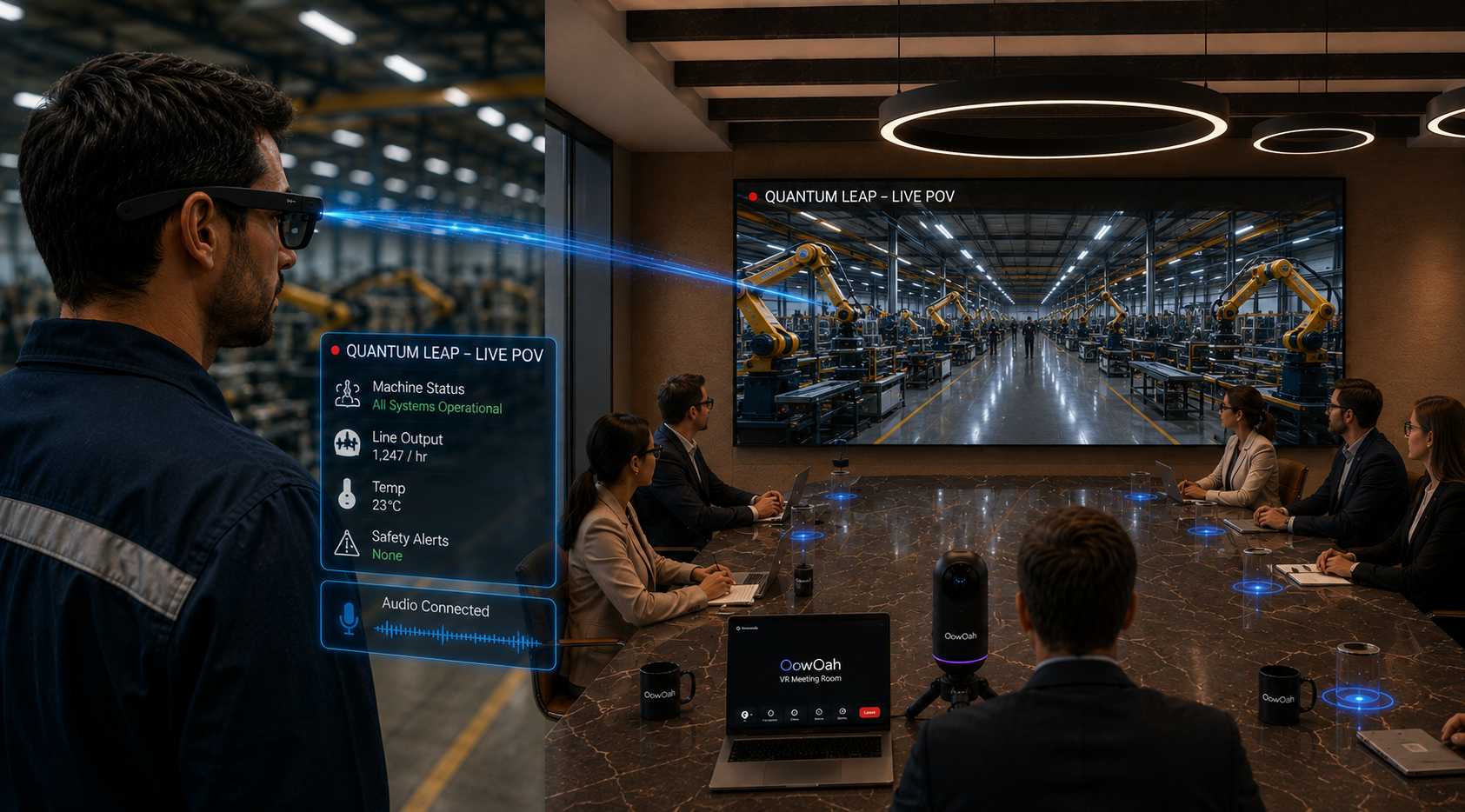
    The opening of a Live VR session should tell people what they are joining, who is speaking and how the event will run. A remote viewer may arrive without the signs, programme and informal explanations available inside the venue. A clear introduction helps close that information gap. It does not need to become a technical lecture; a few well-chosen sentences can establish the experience and let the presentation begin. ## Confirm the session and introduce the people State the event title and introduce the main speaker and host. If the programme includes guests, explain their roles when they appear. This helps a viewer who has joined near the start understand the setting without relying on a small projected slide or a name mentioned only once during a busy arrival period.

    Keep professional descriptions accurate. An introduction should reflect the person's actual role and agreed wording rather than add unsupported awards or claims. A concise explanation of why they are speaking is often more useful than a long biography. The audience needs a clear starting point, not every detail of the speaker's history. ## Acknowledge both audiences naturally Welcome the people in the room and those attending through VR. Explain that remote viewers are experiencing the real event through a 360° viewpoint. There is no need to suggest they are physically present or represented as avatars in the venue. The format can be engaging while remaining accurately described.

    A short acknowledgement can also remind venue participants that the event is being broadcast. Follow the organiser's agreed arrangements for notices and recording information. The opening should complement those preparations rather than act as a last-minute substitute for everything attendees needed to know beforehand. ## Explain the shape of the programme Give a brief outline: the main presentation, any planned questions, an interval and the approximate ending. If timings are estimates, say so. This helps remote viewers understand why the speaker pauses or another person enters. A silent stage can feel like a technical problem when the audience has not been told that a break is planned.

    Avoid promising a particular duration unless it is part of the confirmed event arrangements. A useful outline creates expectations the team can meet. If the running order changes, the host can explain the change clearly rather than leaving the audience to compare what they see with an outdated announcement. ## Describe participation only where it is offered If questions are part of the event, explain how the physical and remote audiences can contribute through the actual available process. Some events may be primarily a viewing experience. Others may have a separately arranged submission route. A 360° broadcast does not by itself establish open voice interaction for every attendee.

    Be specific about when questions will be considered and who selects them. That can prevent viewers from waiting throughout the talk for an immediate response that was never planned. If a contribution cannot be included, the event should still make sense as the experience described in its listing. ## Move quickly into the reason people came Once the essential information is clear, begin the content. An opening can become counterproductive if it repeats every joining instruction to people who have already entered successfully. Detailed setup belongs in the preparation material and official viewing guide. The spoken introduction should support the event rather than delay it unnecessarily.

    OowOah's Live VR host and audience pages explain the format and current access route. Use them when preparing the event, then write an opening that fits your actual programme. A good welcome gives viewers enough confidence to settle in and pay attention to the speaker.

    Explore the next step

    How Should You Explain an Interval to a Live VR Audience?

    For current audience preparation and supported viewing requirements, read OowOah’s viewing guide. Explore Live VR event information for published event details as they become available.

    Discuss your plans through OowOah’s contact page or email info@oowoah.com.

  • How Can Quantum Leap Help Teams Prepare a More Focused Site Visit?

    How Can Quantum Leap Help Teams Prepare a More Focused Site Visit?

    A live first-person review can help a team decide what an in-person visit actually needs to accomplish. Some questions may be clarified remotely; others may clearly require attendance, measurements or specialist work. Quantum Leap brings a real-world view into an OowOah VR Meeting Room so the group can discuss the current situation with someone on location. The useful aim is a better-defined visit, rather than a promise that every journey can disappear. ## Start with the questions behind the proposed visit List why the team is considering travelling. A visit might be intended to understand an arrangement, review visible progress or investigate an issue that cannot be settled from existing information. Those purposes are different. Identifying them helps the team decide which parts a live view could reasonably inform before anyone books the journey.

    For an illustrative project review, remote participants may need to understand which areas are ready for discussion and which remain unfinished. Seeing the current situation can help them prepare a more relevant agenda. It does not automatically establish completion or replace any formal inspection required by the project. ## Give the live review a limited scope Agree the areas or items to be shown and the information the remote team needs. An unrestricted tour can take time without resolving the question that prompted it. A short sequence with clear references is easier for the person on location to conduct and for observers to follow within the meeting.

    The on-location person should work within the site's normal arrangements and the agreed review plan. Remote observers cannot see every constraint affecting movement or access. A request to show another detail should remain a conversation, not pressure to enter an unsuitable area simply because the group is watching a live feed. ## Separate resolved points from matters requiring attendance Some questions may receive a clear answer through the view and accompanying explanation. Others may remain uncertain because the detail is not visible or the assessment needs another method. Record those categories separately. A useful remote review helps establish the limits as well as the opportunities of what the group can see.

    Avoid treating a photograph-like impression as a precise measurement or a verified condition. If someone needs to examine material directly, perform a test or use particular equipment, the visit may still be necessary. The benefit can be arriving with better questions and the right people, rather than claiming that remote viewing has completed every task. ## Build the visit agenda from the remaining work Use the unresolved list to decide who should attend and what preparation is needed. The team may need documents, access arrangements or another participant's availability. Connecting those requirements to specific questions makes the proposed visit easier to justify and more likely to use people's time well.

    An agenda that says review site progress is less useful than one naming the decisions the visit should support. If a remote review has already clarified the general layout, there is less reason to spend the first part of the visit repeating the same introduction. The two activities can complement each other. ## Review whether the preparation helped After the visit, compare what was planned with what was actually needed. Did the remote view improve the agenda? Were important details missing? Did the right people attend? Those observations can guide another use of Quantum Leap without relying on invented savings or an assumption that every project will benefit equally.

    Explore OowOah's Quantum Leap page and describe the kind of site review you are considering. A useful pilot is one where the team can identify a clear question before starting and assess afterwards whether the shared live view made the next step more focused.

    Explore the next step

    How Can You Split a Project Review Between a VR Meeting and a Live Site View?

    See how the shared discussion environment works in OowOah VR Meeting Rooms, then describe your intended live-viewing task when enquiring.

    Discuss your plans through OowOah’s contact page or email info@oowoah.com.

  • How Can a VR Meeting Help a Client Compare Priorities Before a Project Starts?

    How Can a VR Meeting Help a Client Compare Priorities Before a Project Starts?

    A VR meeting can give a client group a shared place to discuss priorities before a project becomes a detailed plan. The aim is to understand which outcomes matter most, where expectations differ and what information is still missing. OowOah VR Meeting Rooms support presentations and discussion, but a useful session still needs clear questions. The room provides a setting; the priorities come from the people responsible for the work. ## Ask about outcomes before features A client may arrive with a list of requested features, spaces or activities. Begin by asking what those requests are meant to achieve. A need for quicker responses, clearer information or a better visitor experience can guide the discussion more effectively than evaluating every suggested solution in isolation.

    Use an illustrative example to make the distinction clear. Two departments might ask for different tools while sharing the same difficulty in finding current information. Understanding that common purpose can change which questions the project needs to answer. The meeting should explore that possibility without assuming the final solution has already been selected. ## Give each stakeholder a clear opportunity to contribute Invite the people who can explain the intended use, practical constraints and decision process. Keep the group focused enough for everyone to follow. A large attendance list does not guarantee that the necessary perspectives are present. Someone responsible for daily use may identify a requirement that a senior sponsor has not yet considered.

    Explain the meeting format in advance, especially for first-time headset users. Every VR participant needs the appropriate compatible headset and access arrangements. Allow time for an introduction to the room before a demanding discussion. The client should be able to concentrate on priorities rather than troubleshoot unfamiliar joining steps during the main conversation. ## Use a shared view to compare the priorities Prepare a simple display with outcomes, constraints and questions in separate areas. Keep labels readable and avoid filling the screen with a complete specification. Participants should be able to recognise the structure quickly. A clear view helps expose disagreements that can remain hidden in a long written brief.

    Ask what would happen if each priority were delayed or reduced. That can reveal whether an item is essential, useful or merely assumed to be necessary. Record the reason for its position rather than just moving it into a category. The explanation will matter when the project team revisits the priorities later. ## Distinguish agreement from unresolved differences People may use the same phrase while expecting different things. A requirement for simple reporting could mean a short weekly summary to one person and a detailed live dashboard to another. Ask for concrete examples before recording agreement. Clarifying the wording early can prevent avoidable scope changes once work is underway.

    Where priorities conflict, identify who can resolve the choice and what evidence they need. The meeting does not have to settle every issue immediately. A clear list of decisions and open questions is a useful result. Avoid presenting a lively discussion as a final brief before the client has checked it. ## Finish with a practical project starting point Summarise the leading outcomes, significant constraints and next steps. Confirm who will review the draft brief and how additional requests will be considered. That gives the project a usable starting point while leaving an honest record of what is still provisional. The session should reduce uncertainty rather than simply create more presentation material.

    Explore OowOah VR Meeting Rooms for current collaboration information. When discussing a demonstration, describe the client group and the type of priority-setting task you want to try. A focused example is more useful than expecting immersion alone to create agreement.

    Explore the next step

    How Can a VR Meeting Help a Team Compare Two Design Options?

    For a project review involving a real location, explore Quantum Leap’s first-person viewing approach alongside the meeting-room information.

    Discuss your plans through OowOah’s contact page or email info@oowoah.com.
  • How Can You Plan a Speaker Handover During a Live VR Event?

    How Can You Plan a Speaker Handover During a Live VR Event?

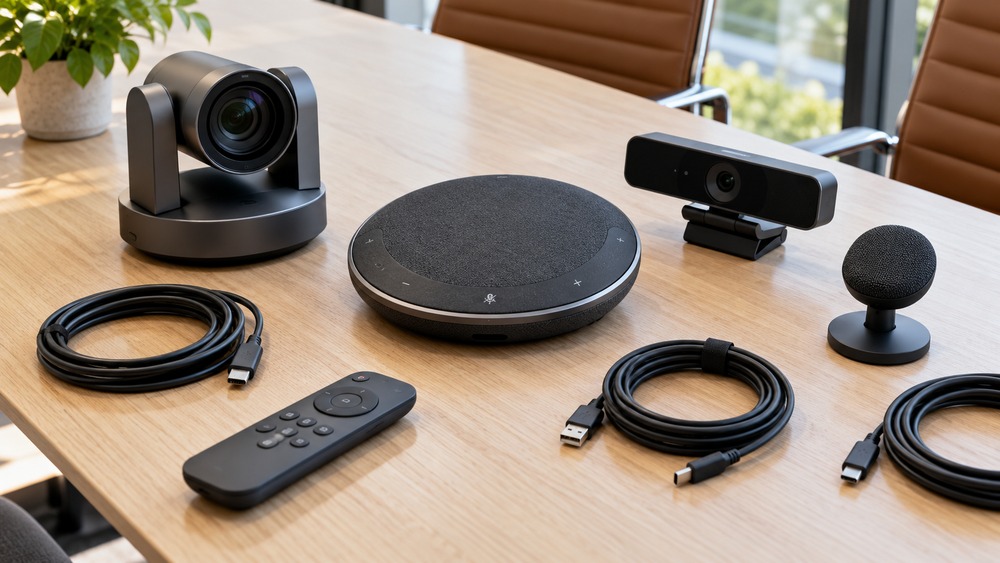
    A speaker handover is a small transition that can have a large effect on how easy a Live VR event is to follow. The remote audience needs to understand who is leaving, who is arriving and whether the next activity is part of the same session. A planned handover preserves continuity without requiring a separate production for every speaker. The key is to coordinate words, sound and movement around the camera's real viewpoint. ## Agree the order and roles in advance Identify who introduces each speaker and who signals when the handover begins. A presenter should know whether to leave immediately, remain for questions or move to another position. These details are easier to coordinate before the event than while several people are trying to interpret the same pause on stage.

    Keep a simple running order available to the team. It should include names, roles and the transitions that affect the audience. A document full of production abbreviations may be less useful than a clear sequence everyone understands. The host needs enough information to explain a change without improvising uncertain details. ## Let the remote audience hear the introduction A venue audience may recognise a person approaching the stage, while a remote viewer may be looking elsewhere within the 360° scene. Say the incoming speaker's name and topic clearly. Brief context helps direct attention without assuming that every viewer has followed the same visual movement.

    If the programme includes a change in location within the room, test whether the camera position still provides a useful view. Avoid planning a transition that depends on a detail outside the supported setup. The team should understand the difference between moving a speaker and changing the broadcast viewpoint before advertising the event format. ## Test audio changes during rehearsal Different speakers may use different microphones or stand in different places. A handover can sound smooth in the venue while creating an abrupt level change for remote listeners. Include those changes in the rehearsal and ask a headset tester to follow them. Their experience provides more useful information than checking only that the next microphone switches on.

    Decide who handles questions during the transition. A question directed at the departing speaker can easily interrupt the introduction of the next. The host can close one section clearly, explain what will happen to any remaining questions and then begin the next. Simple boundaries help both audiences understand the programme. ## Keep pauses intentional and explained A short pause may be necessary for equipment or presentation material. Tell the audience what is happening if the delay is noticeable. Avoid filling the gap with uncertain promises that the next section will begin in a few seconds when nobody has checked. A calm, accurate update is better than repeated guesses.

    For longer changes, consider whether the programme needs an actual interval. The event listing and opening can explain that structure. The practical plan should suit the people and equipment available, rather than assume automatic transitions or audience messaging that have not been confirmed for the setup. ## Rehearse the whole transition once Ask the outgoing speaker, incoming speaker and host to practise the handover together. Include the last sentence, movement, introduction and first line of the next section. Small ambiguities often become obvious when the sequence is performed rather than discussed. Record the few changes needed and confirm who owns them.

    Explore OowOah's Live VR host information when planning a multi-speaker event. Bring the proposed running order and venue arrangement to the conversation. A useful handover is one the audience can follow comfortably while the speakers concentrate on the content they are there to share.

    Explore the next step

    How Can You Rehearse a Live VR Event Before Inviting Your Audience?

    For current audience preparation and supported viewing requirements, read OowOah’s viewing guide. Explore Live VR event information for published event details as they become available.

    Discuss your plans through OowOah’s contact page or email info@oowoah.com.

  • How Do You Turn a Quantum Leap Walkthrough into a Useful Follow-Up List?

    How Do You Turn a Quantum Leap Walkthrough into a Useful Follow-Up List?

    A Quantum Leap walkthrough becomes more useful when observations lead to clearly owned follow-up work. The live first-person view can help people discuss the same physical situation, but the conversation alone does not establish who will act. A concise list should identify what was seen, what remains uncertain and what needs to happen next. This keeps the value of the walkthrough available after the VR meeting has ended. ## Record the object or location precisely Begin each item with an identifier that the team can recognise later. A room name, equipment reference or agreed location is more useful than the place we looked at near the end. The person completing the follow-up may not have attended the walkthrough, so the list should stand independently of everyone's memory.

    Include the relevant version or date where the situation may change. A prototype, display or area of work can look different by the next discussion. Clear references help prevent a valid observation from being applied to the wrong stage. This is ordinary project discipline supported by the live view, rather than a feature the camera supplies automatically. ## Separate observation from interpretation An observation describes what the group could actually see or hear. An interpretation suggests what it might mean. A follow-up action identifies how to check or respond. Keeping those stages distinct prevents a possible explanation from becoming a confirmed fact simply because it appears in a neatly formatted list.

    For an illustrative review, the group might observe that a label was not readable through the stream. The action could be to obtain the relevant reference information separately. That is clearer than recording that the equipment was unlabelled, which the view may not have established. Small wording choices make the record more reliable. ## Give each item one accountable owner An action assigned to the team can be overlooked because everyone assumes somebody else will handle it. Name the person responsible for the next step and confirm that they understand what is needed. They may consult others, but the list should show who will bring the result back to the group.

    Specify the expected output. Check the issue may mean different things to different people. Asking for a photograph, a document reference or confirmation of an arrangement gives the owner a clearer task. Keep the request appropriate to their role and the organisation's normal process rather than inventing authority during the walkthrough. ## Match urgency to the actual circumstances Some follow-up points may be necessary before another decision; others can wait for a later review. Record that difference without turning every observation into an emergency. If the matter requires the site's established escalation process, use it. A meeting action list should support existing responsibilities rather than replace them.

    Choose a realistic review point for each important item. The deadline should relate to the work that depends on it. A list full of arbitrary urgent dates can become less credible than a shorter set of properly prioritised tasks. Ask the owner what information or access they need to complete the action. ## Confirm the list before closing the discussion Read back the key observations, open questions and owners. Give the person on location an opportunity to correct context that remote observers may have misunderstood. Agree where the record will be kept and how updates will be shared. This helps the walkthrough lead to a coordinated next step rather than several private interpretations.

    Explore OowOah's Quantum Leap and VR Meeting Rooms information when planning your review. Prepare a simple follow-up template beforehand so the group knows what it needs to capture. A useful live view becomes more valuable when the resulting work is clear enough to carry out.

    Explore the next step

    How Can Quantum Leap Help a Team Review a Prototype Remotely?

    See how the shared discussion environment works in OowOah VR Meeting Rooms, then describe your intended live-viewing task when enquiring.

    Discuss your plans through OowOah’s contact page or email info@oowoah.com.

  • How Can You Measure Whether a VR Pilot Is Worth Repeating?

    How Can You Measure Whether a VR Pilot Is Worth Repeating?

    A VR pilot is worth reviewing against a defined task, rather than only asking whether participants enjoyed using a headset. A positive first impression is useful, but it does not establish that a meeting, event or remote review achieved its purpose. Choose a small number of questions before the trial, collect practical observations and decide what to change. That gives the next decision a firmer basis than novelty or an assumed saving. ## Define what the pilot is testing Be clear about the OowOah experience involved. A VR Meeting Room discussion, a Quantum Leap first-person review and a Live VR event have different aims. Combining them under one general VR score can hide important differences. Choose a particular task and explain what a useful result would look like for that task.

    An illustrative meeting pilot might test whether a client group can compare material and agree the next step. A live-event rehearsal might test whether a remote viewer can follow the programme. Those questions are more actionable than asking whether VR is better than every alternative. A bounded trial can provide a meaningful answer without pretending to settle the whole subject. ## Record the preparation as well as the session Note the work needed to arrange accounts, devices, content and the people involved. Preparation time belongs in the review, even when the actual discussion feels smooth. At the same time, distinguish first-time learning from tasks that would repeat every session. Otherwise, a one-off setup burden may be mistaken for the permanent operating cost.

    Keep estimates clearly labelled. If participants say the meeting might have replaced a journey, record it as a possibility until the comparison is established. A pilot becomes less useful when hoped-for savings are presented as measured outcomes. Actual time, expenses and completed tasks provide a clearer basis for review. ## Ask participants about specific moments Find out whether joining was understandable, the material was readable and the discussion was easy to follow. Ask where someone lost context or needed help. Practical feedback gives the team something to adjust. A broad statement that the experience was impressive may be sincere while still leaving the next action unclear.

    Give space to less enthusiastic responses too. Someone may have found the format uncomfortable or unsuitable for their circumstances. That does not have to invalidate every use, but it matters to the choice of task and participation arrangements. The review should help the organisation decide where the format fits, not require everyone to report the same reaction. ## Check the outcome against the original question Did the group reach the intended decision, identify the necessary follow-up or understand the event content? Look at the resulting record as well as the discussion. A session that felt engaging but left the main task unresolved may need a change in facilitation or preparation rather than simply another demonstration.

    Compare with a realistic alternative where you have enough information. The alternative may be a short video call, an in-person meeting or a different presentation approach. Avoid constructing an unnecessarily expensive comparison to make the pilot look successful. The useful question is which format supports this task for these people. ## Decide what happens next Choose whether to repeat the same setup, adjust the task or stop the trial. Record the reasons and the changes needed before another session. A pilot does not need to become a large commitment merely because equipment has been tried. Its value lies in helping the team make a more informed choice.

    Explore OowOah's product pages and discuss a specific pilot with the team. Bringing a clear purpose and a practical review method makes the demonstration easier to evaluate and the next step easier to justify.

    Explore the next step

    How Can a VR Meeting Help a Client Compare Priorities Before a Project Starts?

    For a project review involving a real location, explore Quantum Leap’s first-person viewing approach alongside the meeting-room information.

    Discuss your plans through OowOah’s contact page or email info@oowoah.com.

  • How Should You Explain an Interval to a Live VR Audience?

    How Should You Explain an Interval to a Live VR Audience?

    An interval needs a clear explanation for a Live VR audience because a quiet stage or an empty camera view can look like an interruption. People inside the venue may see a bar opening, a programme notice or the host preparing the next section. Remote viewers do not automatically have the same context. A short announcement can explain what is happening, approximately when the programme will resume and what viewers should expect in the meantime. ## Include the break in the advertised programme If an interval is planned, mention it in the event information and opening introduction. This helps viewers understand the overall commitment before joining. It also gives the host an established reference when the break arrives. The programme should make sense as a complete experience rather than leaving gaps for the audience to interpret on their own.

    Keep timings realistic. An approximate return time is useful when the event can support it, but a confident promise becomes confusing if the team is not ready. Decide how any changes will be communicated through the actual arrangements available. Do not assume an automatic notification feature unless it has been confirmed for the event setup. ## Announce the pause before the room changes Tell both audiences that the current section has ended and the interval is beginning. Explain what follows after the break. A remote viewer may be looking around the 360° scene rather than watching a particular gesture, so spoken information helps establish the transition without relying only on something displayed in the venue.

    The announcement can be brief. It should not repeat the entire event description or overwhelm the programme with technical detail. The useful information is that the pause is intentional, what the audience can expect next and where they should look for any confirmed updates. Clear language is more important than a theatrical announcement. ## Decide what the camera will show A 360° camera may continue to show the room during a pause, depending on the agreed production plan. Consider what that view includes and whether it remains appropriate. Staff should not assume that an interval automatically means a broadcast or recording has stopped. Establish the technical state and responsibilities before the audience arrives.

    If a different pause arrangement is required, discuss it with the team supporting the event. Do not promise a holding screen, music or another feature merely because those are familiar from conventional broadcasts. Plan around the supported setup and any permissions needed for material used during the break. ## Give the host responsibility for the restart Identify who checks that the next speaker and equipment are ready, and who welcomes viewers back. A restart can be missed if the programme resumes with an unexplained quiet conversation on stage. A clear reintroduction helps people return their attention to the content and understand which section is beginning.

    If the interval runs longer than expected, offer an accurate update through the agreed route. Avoid a sequence of guesses about whether the session will resume immediately. Viewers can plan more comfortably when the information is honest and specific, even if the new timing is less convenient than the original estimate. ## Rehearse the pause as part of the event Test the last words before the break and the first words afterwards. Ask a remote tester whether the transition is understandable without a physical programme. Check sound levels at the restart as well. The next section should not become difficult to follow because a microphone was changed during the interval without a broadcast check.

    Explore OowOah's Live VR host information when preparing the programme. An interval is part of the audience experience, not simply a period when the performance stops. Planning a clear pause and return helps the event feel coherent from its opening through to its final section.

    Explore the next step

    What Should a Speaker Say at the Start of a Live VR Session?

    For current audience preparation and supported viewing requirements, read OowOah’s viewing guide. Explore Live VR event information for published event details as they become available.

    Discuss your plans through OowOah’s contact page or email info@oowoah.com.

  • How Can You Split a Project Review Between a VR Meeting and a Live Site View?

    How Can You Split a Project Review Between a VR Meeting and a Live Site View?

    A project review can combine a discussion in an OowOah VR Meeting Room with a Quantum Leap view from a real location. The two parts serve different purposes. The meeting provides a shared place to discuss documents and decisions, while the live first-person stream brings current physical context into that discussion. Planning the transition between them helps the team use both without turning the session into an unfocused tour. ## Decide what each part needs to achieve Identify the questions best addressed through prepared material and those that need a live view. A drawing may explain an intended arrangement clearly, while someone on location can show how the current situation compares. Neither source should be expected to answer every question. Their value comes from the relationship between the planned information and the physical context.

    In an illustrative fit-out review, the group could first agree the relevant drawing and then look at a particular area. That keeps the discussion anchored to a known reference. The example describes a possible review format rather than a claim that a particular project has already used OowOah or achieved a measured result. ## Prepare the shared material first Make sure the documents have clear names, dates and versions. Display only the material relevant to the planned review rather than opening a large collection and searching through it during the meeting. Participants should understand which reference they will compare with the live view before the on-location person begins moving.

    Explain the decision the session is intended to support. If the review is gathering information for a later approval, make that clear. A live image can make a conversation feel immediate, but it does not change the group's formal authority. The meeting should not quietly become a sign-off that nobody had agreed to undertake. ## Introduce the person and place on the live stream When Quantum Leap begins, establish who is on location and what the group is seeing. Give the person time to explain orientation and any limits on the planned walkthrough. This makes later questions easier to follow and avoids starting with several remote participants asking for different details at once.

    Quantum Leap brings the first-person view into the VR meeting environment. It does not automatically give every participant an independent physical viewpoint or turn the location into an interactive model. The group should coordinate the requests made to the on-location person and work within the agreed review plan. ## Return to discussion at a defined point After the relevant views have been shown, pause the movement and summarise what they established. Compare the observations with the prepared material. Identify any difference that needs clarification, and separate a confirmed observation from a possible explanation. This is where the meeting part can turn visual context into a clearer project conversation.

    A defined return point also helps the person on location understand when the walkthrough task has finished. They should not be left waiting indefinitely while a separate discussion develops. Plan their involvement according to the questions that genuinely need their local knowledge rather than keeping everyone connected for every part of the agenda. ## Close with one coordinated record Bring the document discussion and live observations into the same summary. Record conclusions, uncertainties and the next action owner. If another review is needed, specify what it should resolve instead of arranging a repeat of the entire session. A useful combined format makes the next step smaller and clearer.

    Explore OowOah's Meeting Rooms and Quantum Leap pages for current information. Describe the project review you want to conduct when enquiring. Starting with a bounded question makes it easier to judge whether combining prepared discussion and a real-world view will be useful for your team.

    Explore the next step

    How Can Quantum Leap Help Teams Prepare a More Focused Site Visit?

    See how the shared discussion environment works in OowOah VR Meeting Rooms, then describe your intended live-viewing task when enquiring.

    Discuss your plans through OowOah’s contact page or email info@oowoah.com.
  • How Can You Decide Which Parts of a Seminar Suit Live 360° Viewing?

    How Can You Decide Which Parts of a Seminar Suit Live 360° Viewing?

    A seminar may contain several different experiences: a talk, a demonstration, audience discussion and material that needs close reading. Not all of them benefit from the same camera view. To decide what suits Live 360° viewing, consider what the remote audience needs to notice and hear during each section. OowOah Live VR is designed to convey a real event through a compatible 360° camera, so the programme should work with that viewing format. ## Identify the main experience in each section A speaker addressing the room may be straightforward to follow when the voice is clear and the camera has a useful position. A small object held briefly in the hand presents another challenge. A group conversation may depend on questions from several directions. Listing these differences helps you plan the seminar rather than assuming one setup automatically suits everything.

    For an illustrative professional event, separate the keynote, a physical demonstration and the final discussion. Ask what makes each section useful to attend. The answer may involve a person, a shared atmosphere or a detail that needs another presentation method. This review can improve the physical programme as well as the remote experience. ## Distinguish atmosphere from essential information A 360° view can help convey a room and its surroundings, but the audience still needs the central content to be understandable. A viewer enjoying the venue atmosphere should not miss the reason a demonstration matters. Explain important observations aloud and give activities a clear introduction rather than relying entirely on visual context.

    Detailed slides need particular attention. Test the actual display from the chosen camera position with a headset viewer. A slide that is readable from a venue seat may not work equally well through the stream. Simplify what needs to be seen or agree another suitable route to supporting material before advertising it as part of the experience. ## Review activities that depend on physical participation An exercise requiring people to handle materials or move between tables may not translate directly into remote viewing. Decide whether headset attendees will observe, follow an adapted activity or join a separate supported interaction. Describe the actual arrangement clearly. A broadcast audience should not be promised the same participation merely because both groups are attending the same event.

    There may still be value in watching a practical activity. A clear introduction and commentary can help remote viewers understand what they are seeing. The decision should depend on the lesson or experience being offered, rather than an assumption that every physical activity must either be reproduced exactly or removed completely. ## Check questions and discussion A seminar discussion can lose meaning remotely if only the answers are audible. Plan how venue questions will be captured or repeated. If remote submissions are offered, explain their real route and selection process. The host should understand which contributions are expected from each audience before the session begins.

    Consider pacing as well. A long period of unstructured room discussion may be harder to follow than a moderated conversation. That is a programme choice rather than a requirement to script every moment. A few clear prompts can preserve spontaneity while helping remote viewers understand the direction of the exchange. ## Build the listing around the confirmed experience Describe what headset attendees will see, the equipment they need and any participation or replay arrangements actually included. Avoid treating a future possibility as a confirmed feature. A useful event description helps people decide whether the format suits them without needing to guess what immersive means in this particular programme.

    Explore OowOah's Live VR host and viewing pages for the current setup information. Bring a short running order when enquiring. Thinking section by section can reveal a stronger event plan than choosing a camera first and hoping every part of the seminar will fit it.

    Explore the next step

    What Should an Event Brief Explain About the Remote VR Audience?

    For current audience preparation and supported viewing requirements, read OowOah’s viewing guide. Explore Live VR event information for published event details as they become available.

    Discuss your plans through OowOah’s contact page or email info@oowoah.com.

  • What Should an Event Brief Explain About the Remote VR Audience?

    What Should an Event Brief Explain About the Remote VR Audience?

    An event brief should explain the remote VR audience clearly enough that speakers, venue staff and organisers understand the same experience. A phrase such as livestreaming the event leaves important questions unanswered. OowOah Live VR is designed around immersive 360° viewing of a real event through compatible headsets. The brief should connect that format with the programme, audience information and practical responsibilities rather than assume the technology explains itself. ## Describe who the event is for Identify the people you hope will attend remotely and why the event is relevant to them. They may be existing supporters, professional learners or people interested in a particular speaker. A worldwide audience is a possibility for reach, not a substitute for knowing who is likely to care about the programme.

    Explain whether remote attendance is the main offer or an additional option alongside the physical event. That distinction affects introductions, question handling and promotion. The team should not discover during the rehearsal that one person planned a venue-first seminar while another advertised an interactive online workshop with different expectations. ## State the actual viewing and access format Include the compatible headset requirements and a link to OowOah's current audience guide. Explain what viewers will experience rather than relying on the word virtual. A 360° event view is different from joining an avatar-based meeting room, and the brief should keep those products distinct.

    Use current official information for booking and access. If the public app, registration or event listing is not yet available for the planned date, agree the preparation process with OowOah before publishing instructions. A brief can identify a detail as awaiting confirmation without turning a future intention into a feature already open to the audience. ## Explain how the programme reaches remote viewers Identify the presentation, demonstrations, questions and intervals that need particular attention. Name who will welcome the remote audience and who will make programme updates. A venue announcement may need to be repeated clearly for the stream, especially if it comes from a position the broadcast setup does not capture well.

    Discuss supporting material too. Slides, small objects and written notices may not be equally readable through the camera. The brief should name what needs testing and how the team will respond if a section is difficult to follow. A clear issue list is more useful than a broad promise that everything in the room will look perfect. ## Assign responsibilities without assuming features Name the people responsible for the programme, technical checks and audience communication. If remote questions are included, record the supported route and the person who manages it. If a replay is included, confirm the actual arrangement and permissions. Avoid adding those elements merely because they are familiar from another kind of event.

    The brief should also explain how changes will be communicated within the team. A revised running order needs to reach the host and technical support, not only the person editing the ticket description. Clear ownership helps the published promise and the delivered event remain aligned. ## Review the brief against the audience listing Before promotion, compare the brief with what a prospective attendee will read. Check the format, date, time zone and what the booking includes. Remove any implication the team cannot support. This final comparison can prevent a carefully organised event from being described inaccurately in a short promotional message.

    Explore OowOah's Live VR host and audience information when preparing your brief. A strong document explains the people and experience behind the broadcast, giving the whole team a practical picture of what they are helping to deliver.

    Explore the next step

    How Can You Rehearse a Live VR Event Before Inviting Your Audience?

    For current audience preparation and supported viewing requirements, read OowOah’s viewing guide. Explore Live VR event information for published event details as they become available.

    Discuss your plans through OowOah’s contact page or email info@oowoah.com.

  • Could You Host a Christmas Quiz in a VR Meeting Room?

    Could You Host a Christmas Quiz in a VR Meeting Room?

    Explore VR Meeting Rooms

    A Christmas quiz is a simple way to give colleagues something to talk about beyond deadlines and the next project. In an OowOah VR meeting room, the host could bring the questions onto a presentation screen while the group shares the same virtual space.

    Keep the rounds varied

    Mix festive films, food, music and general knowledge. Include questions that people from different backgrounds can enjoy rather than making every answer depend on knowing British television from one particular decade. A picture round prepared in a presentation can add variety without requiring complicated game software.

    Ask someone to host and keep the score manually. Do not assume the meeting room provides automatic quiz scoring, buzzers or a dedicated games mode. The entertainment comes from the questions and conversation you organise.

    Make room for the unexpected answer

    Keep rounds short and give people time to discuss their guesses. A cheerful tie-break question can settle the result without turning the afternoon into a serious competition. You could invite each person to contribute one question in advance, keeping the answers with the host.

    Every participant needs a Meta Quest 3 or Meta Quest 3S. The business creates the meeting and adds attendees in its admin panel, and OowOah sends the invitations. Confirm equipment and access before promising a session for the whole team.

    Plan a manageable first event

    A seated meeting supports up to 12 participants. Choose a group size that suits both the room format and your organisation’s access arrangements, then leave a few minutes at the start for first-time users. A friendly introduction makes it easier for everyone to enjoy the quiz.

    Contact OowOah to discuss your festive meeting or live VR event idea.