Author: oowoah

  • What Is the Difference Between Video Conferencing and Web Conferencing?

    What Is the Difference Between Video Conferencing and Web Conferencing?

    Video conferencing and web conferencing often describe overlapping services. Video conferencing emphasises live audio and camera communication. Web conferencing is a broader term often used for online presentations, shared material and discussion. The label alone is not a reliable feature checklist.

    Why do the terms overlap?

    Many modern meeting tools combine video, audio, screen sharing and chat. The same appointment may reasonably be described using either term. A browser-based meeting can include video, while an installed app can support the same online collaboration tasks.

    Check what the session needs

    Will attendees discuss a document, watch a presentation or mainly listen? Decide which sharing and participation functions are essential. Then check the exact product, subscription and joining route rather than choosing based only on terminology.

    Do not confuse a webinar with every web meeting

    A webinar usually has a presentation-led format, though its participation options depend on the service. A small collaborative meeting has different needs. Explain the attendee’s role in the invitation so people understand what to expect.

    Where do VR rooms fit?

    A VR meeting adds a headset-based digital environment to remote collaboration. OowOah Live VR viewing is another distinct format for audiences watching a physical event. Clear descriptions of the experience are more useful than treating every online session as the same thing.

    Related guide: What Is the Best Online Meeting Platform?.

  • Why Do We Love Seeing How Things Are Made?

    Why Do We Love Seeing How Things Are Made?

    A piece of wood becomes a bowl. Separate ingredients become a meal. A sketch becomes something you can hold. Watching that change can be surprisingly absorbing, especially when somebody explains the decisions along the way.

    The process gives the finished object context

    A demonstration can reveal time, skill and judgement that a product photograph hides. A maker may adjust a tool, reject a material or change direction. Those choices give an audience something to notice beyond the final result.

    Explain the decision, not every movement

    A useful host tells viewers why an action matters. Constant commentary can overwhelm the demonstration, while no explanation can leave newcomers lost. Choose a few important moments and give the audience space to watch between them.

    Show the detail people came to see

    A wide camera view can establish the workshop, but fine work may need a close-up. Test whether viewers can actually see the process. Do not assume that a 360-degree capture is the best tool for every tiny detail.

    Keep the invitation realistic

    Watching an expert is different from being trained to use their equipment. Make safety boundaries and the purpose of the session clear. A studio visit or remote demonstration can be an invitation to appreciate a craft without pretending one evening turns every viewer into a skilled maker.

    Curious about bringing people together remotely? Explore Live VR Events with OowOah.

  • Your Event. A Worldwide Audience.

    Your Event. A Worldwide Audience.

    A great speaker can connect with people far beyond the walls of a venue. OowOah is being built to help speakers and event organisers share live experiences with audiences in different locations through 360° VR.

    One event, many places

    A speaker might be presenting from a studio, conference room or live venue, while viewers join from their homes or other locations. The audience is no longer limited to those who can physically attend.

    You set the ticket price

    OowOah gives speakers and organisers control over the price of their tickets. The platform model allocates 85% of ticket revenue to the speaker or organiser, with a 15% OowOah platform fee and no upfront platform fee.

    An opportunity to experiment

    Live VR does not have to replace in-person events. It can extend them, creating a new way for people to attend and for speakers to grow their reach.

    Speaker registration opens 10 November 2026. Start thinking about the event you would like to share with the world.

  • What Happens If an OowOah Live VR Event Is Cancelled?

    What Happens If an OowOah Live VR Event Is Cancelled?

    Explore Live VR events

    If a booked Live VR event changes, start with the organiser’s message and your confirmation email. Keep the event name and booking reference together so the organiser can identify your purchase.

    Who handles the cancellation?

    OowOah’s published refund policy assigns event cancellations and refund decisions to the Event Organiser. The organiser should tell ticket holders about a cancellation, postponement or significant change and arrange the response.

    How do I request a refund?

    Use the organiser’s contact details in the listing or confirmation. Ask what options apply to your booking. The policy says approved refunds should cover the amount paid, including platform fees; it does not promise an automatic refund for every request or a fixed processing time.

    What should I keep?

    Save your confirmation, payment reference and correspondence. Check any replacement date before agreeing to attend. If you cannot identify the organiser, contact OowOah for help finding the right person.

    Read the current policy and the event’s terms for the full details. This article summarises the published process and does not replace those terms.

  • Who Can Access Our OowOah Meeting Recordings and Transcripts?

    Who Can Access Our OowOah Meeting Recordings and Transcripts?

    Explore VR Meeting Rooms

    Before recording an OowOah meeting, agree who should be able to use the recording and transcript afterwards. These are useful meeting resources, but attendance alone should not be treated as proof that somebody has permission to receive or share every record.

    Start with your organisation’s administrator

    OowOah’s meeting-room service includes meeting recordings, searchable transcripts and AI meeting notes. Its organisation accounts allow administrators to manage users, permissions and meeting access through a central dashboard.

    Ask your organisation’s administrator to confirm who will be able to view the recording and transcript for your session. Confirm the arrangements before promising access to a colleague, client or external guest.

    Agree the arrangements before recording

    Tell attendees whether you intend to record and explain the intended use. Decide who needs the record, what information should be excluded and who will answer questions afterwards. Make these arrangements clear to everyone taking part.

    Ask specifically whether a guest can view the recording, how a transcript will be shared and whether any proposed download or onward distribution is permitted. Where the answer is unclear, confirm it with OowOah before relying on it.

    Keep business meetings separate from Live VR replays

    Live VR events have their own recording and replay arrangements. Do not assume the rights attached to a ticketed replay describe access to a confidential business meeting.

    Read the privacy policy for the platform’s published information-handling arrangements. For the permissions on your specific meeting, use your administrator and OowOah support as the route to a confirmed answer.

  • How Do Invited Guests Join Their First OowOah Meeting?

    How Do Invited Guests Join Their First OowOah Meeting?

    Explore VR Meeting Rooms

    An OowOah invitation starts with the business hosting the meeting. The organiser creates the session in the admin panel and adds attendees, after which the system sends email invitations. If you are an invited client, partner or guest, your first step is to read that message and prepare your headset.

    What does a guest need?

    Every participant needs a Meta Quest 3 or Meta Quest 3S. The meeting takes place in VR, so a laptop or phone is not a substitute for the headset. Prepare a comfortable space and charge your device before the agreed start time.

    The business provides the meeting invitation. You do not need to buy a separate business subscription simply because a company has invited you. Follow the access instructions supplied for your invitation rather than using somebody else’s login.

    Install the app before the meeting

    Use the download link on the official meeting-room page and follow the installation guidance. Leave time to complete any necessary device updates and check your internet connection.

    Keep the invitation available so you can refer to the meeting details. If something is unclear, ask the organiser before the start time. They can confirm which email address they added and whether you are included in the intended meeting.

    What if the invitation has not arrived?

    Check your junk folder, then ask the organiser to verify your email address and attendee entry. Do not assume that a colleague’s message automatically gives you the same access.

    For a first session, ask for a short introduction to the controls and how the meeting will run. You can also tell the host whether you would prefer to participate seated.

    If you need further help, use OowOah’s contact page. Describe the problem clearly, but keep passwords and private invitation details out of public messages.

  • How Do I Set Up My First OowOah Meeting in the Admin Panel?

    How Do I Set Up My First OowOah Meeting in the Admin Panel?

    Explore VR Meeting Rooms

    Your first OowOah meeting begins with the business organiser. The organiser sets up the meeting in the admin panel, adds the attendees and lets the system send their email invitations. Guests can be invited by the business; they do not each need to purchase a separate business subscription.

    Prepare the meeting before inviting people

    Decide what the meeting is for, when it will take place and who needs to attend. Check email addresses carefully, particularly for clients outside your organisation. A correct invitation is only useful if it reaches the intended person.

    Everyone joining needs their own Meta Quest 3 or Meta Quest 3S. Tell first-time attendees about the headset requirement before arranging the session, so they have time to prepare.

    Set up the session and add attendees

    Use the business sign-in page to enter your organisation’s admin panel. Create the meeting using the options shown, enter the meeting details and add the intended attendees. Check the information before completing the setup.

    OowOah sends an email invitation to the attendees added to the meeting. Ask a first-time guest to check that it has arrived, including their junk folder if necessary. Use the invitation and current admin interface as the source for joining details rather than forwarding guessed instructions.

    Get your material ready

    Prepare the presentation, documents or other material you want to discuss. Keep the first session focused: a short introduction, one clear task and time for questions can help people get comfortable with the shared environment.

    OowOah supports meetings with up to 12 seated participants or 30 standing participants. Plan the appropriate format and confirm your organisation’s access arrangements before sending a larger invitation list.

    For help with setup, contact OowOah. Include the stage you reached and any error message, without sending passwords or private meeting content.

  • How Do I Install OowOah on My Meta Quest 3 or 3S?

    How Do I Install OowOah on My Meta Quest 3 or 3S?

    Explore VR Meeting Rooms

    To prepare for an OowOah business meeting, start with a Meta Quest 3 or Meta Quest 3S and the official OowOah meeting-room app. Each participant needs their own compatible headset, including clients and guests invited by the business.

    Use the official meeting-room download

    Visit the OowOah VR Meeting Rooms page and follow its app download link. It leads to the OowOah VR Meeting Room & Quantum Leap listing on Meta. Use that official route so you reach the correct app rather than a similarly named product.

    Follow Meta’s installation instructions for your headset. Charge the device, connect it to a stable internet connection and allow time for any headset or application updates before the meeting. Installing software for the first time just as a client arrives leaves little room to resolve a problem.

    Keep your meeting invitation ready

    The business organises the meeting through its admin panel and adds attendees. OowOah then emails invitations. Keep that message available and follow its joining instructions; installing the app alone does not tell you which business meeting to attend.

    If the invitation or app access is unclear, ask the organiser to confirm your attendee details. You can also use OowOah’s contact page for help. Do not share your password with another participant.

    Is this also the Live VR audience app?

    Business meetings and attending Live VR events have separate access instructions. The How to Watch page explains the audience route and describes the public Live VR app as available from the Meta Store when released. Follow the instructions for the service you are using rather than assuming one download covers both journeys.

  • What Does VC Mean in Meetings and Interviews?

    What Does VC Mean in Meetings and Interviews?

    In an invitation about meetings or interviews, VC commonly means video conference or video conferencing. Context matters: the same initials can mean something else in another industry. If an invitation is unclear, ask the organiser which service and joining method they intend.

    What does a VC meeting involve?

    It usually means joining a live conversation remotely through a video meeting service. You may need to speak, appear on camera or view shared information. The initials alone do not tell you the platform, duration or whether an account is required.

    What does it mean for an interview?

    A VC interview is generally an interview held by video rather than at the employer’s premises. Check the link, appointment time, time zone and any preparation instructions. Test your microphone and camera before the scheduled start.

    What should an invitation include?

    It should name the service, provide the joining link and explain the meeting’s purpose. External guests also need to know whether there is a waiting room, an account requirement or any material to prepare.

    Is VC the same as VR?

    No. Video conferencing and virtual reality describe different things. A headset-based OowOah meeting needs its own supported equipment and access. If an organiser says “virtual meeting”, check whether they mean an ordinary video call or a meeting inside VR.

    Related guide: What Is the Best Online Meeting Platform?.
  • How can speakers plan a series of live VR events?

    How can speakers plan a series of live VR events?

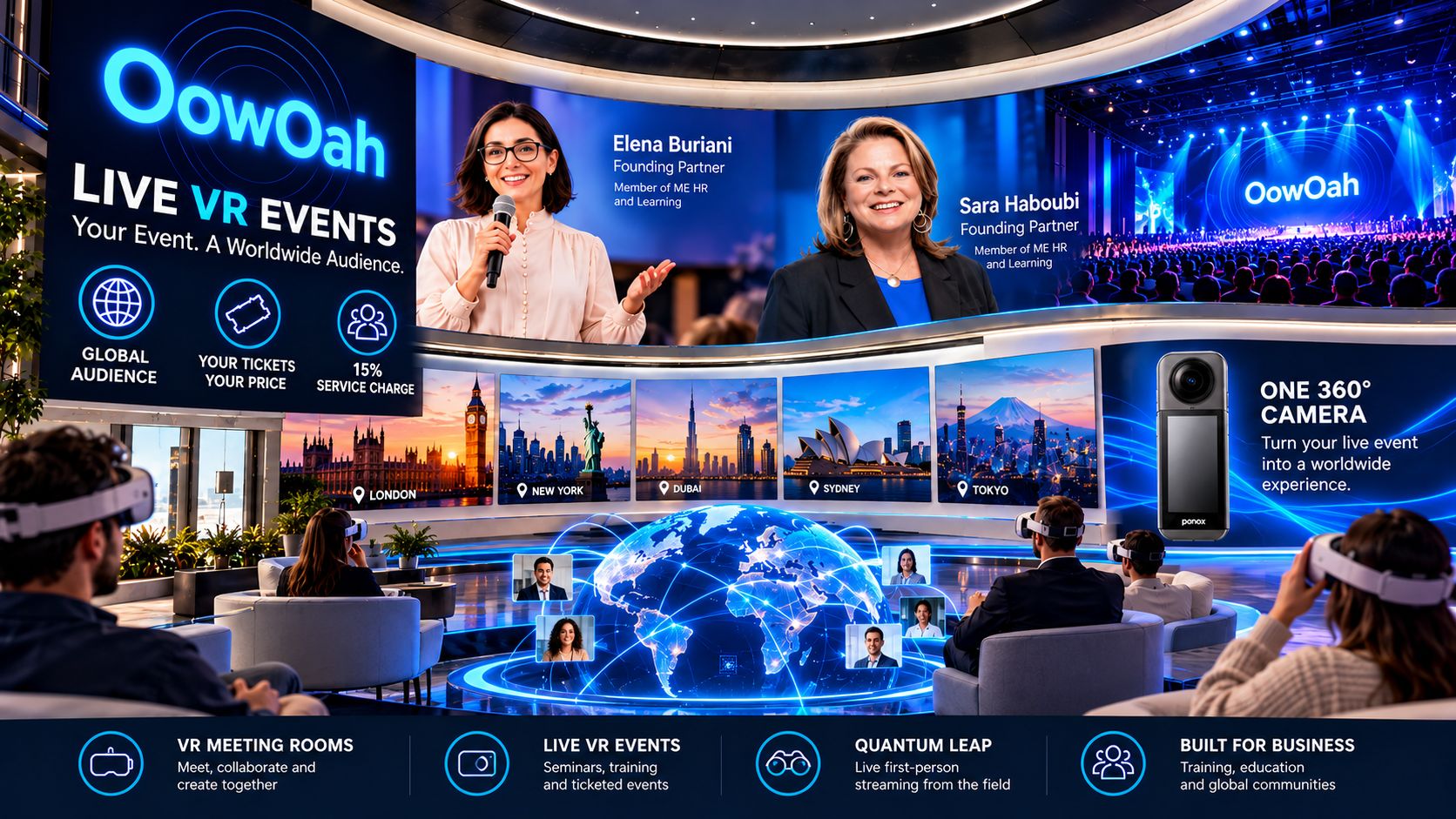
    A series works best when each event has a clear purpose and the audience understands the progression. A speaker can consider OowOah Live VR for recurring broadcasts of real talks or seminars, while treating each advertised event as a specific offer.

    How should the programme be organised?

    Choose an overall theme and give each session a distinct question or outcome. Plan a pace the speaker and production arrangement can sustain. A series should make sense to a first-time buyer as well as someone returning after an earlier session. State any expected prior knowledge plainly.

    How should tickets be described?

    Describe the booking offer actually available for each event. Do not assume subscriptions, series passes or bundled tickets exist simply because several sessions are planned. Ordinary organisers offer paid tickets, and free events are reserved for OowOah ambassadors. Make any replay arrangements clear for the relevant session.

    What should stay consistent?

    Use recognisable event titles, clear time zones and the same supported headset information. Keep a repeatable camera and sound check while reviewing the content of each session separately. Use feedback from the first broadcast before committing to a large programme. Consistency should make attendance easier without causing the sessions to repeat the same material.

    Where can I find out more?

    How your audience attends in VR. Visit explore hosting live vr events for the relevant service information.

  • How can organisers collect useful feedback after a live VR event?

    How can organisers collect useful feedback after a live VR event?

    Useful feedback separates the event content from the experience of attending through VR. Someone may enjoy the speaker while finding the joining instructions confusing, or understand the setup while wanting a different programme. Asking about both helps the organiser choose a practical improvement.

    Which questions should be asked?

    Ask what the attendee expected, what worked well and what made the experience harder to follow. Include the joining process, sound, camera view and content. Give people space to describe a specific moment rather than relying only on a single overall rating.

    How should the feedback be collected?

    Use the organiser's chosen feedback method, such as an existing survey or follow-up message. Do not assume OowOah automatically provides a survey feature. Keep the request short and explain why the answers will be useful. The aim is to learn enough to improve the next event without creating a lengthy task for attendees.

    What should change as a result?

    Choose a small number of clear actions. A camera adjustment, clearer time-zone wording or a more focused programme may be easier to address than a general request to make an event better. Revisit those actions during the next rehearsal. Keep track of whether the changes actually answer the concerns people raised.

    Where can I find out more?

    How your audience attends in VR. Visit explore hosting live vr events for the relevant service information.

  • What should a live VR event confirmation email include?

    What should a live VR event confirmation email include?

    A confirmation should help the buyer recognise the event and prepare to attend. It should connect the booking they have just made with the next practical step, using the same title, date and timing as the event page.

    Which details should appear first?

    Show the event title, date, start time and time zone. Include the relevant booking information and a clear link to the viewing guide. Explain the supported headset requirement before the attendee reaches the day of the event. Keep the most important joining information easy to find.

    How should account access be explained?

    Tell attendees to use the audience account associated with the booking when accessing the public VR app. The booking appears in My Events. Avoid mixing public event instructions with the separate process for guests invited to a business VR meeting.

    What else might the organiser communicate?

    Give an appropriate contact route and explain any event-specific preparation. Only describe replay access that is actually included in the offer. If timing changes, send a clear update rather than leave conflicting information in circulation. These are recommendations for a useful confirmation, not a claim that every suggested field is automatically inserted by the platform.

    Where can I find out more?

    How your audience attends in VR. Visit explore hosting live vr events for the relevant service information.

  • How can event organisers explain live VR tickets to first-time buyers?

    How can event organisers explain live VR tickets to first-time buyers?

    Explain a live VR ticket as access to watch a particular real-world event through a compatible headset. The buyer needs to understand the programme and equipment before the idea of immersion becomes useful. Use direct language rather than relying on technical terms.

    What should the explanation include?

    State that OowOah Live VR broadcasts an event in 360°, so viewers can look around the captured scene. Give the date, start time and time zone, the presenter and the content included. Make clear that a Meta Quest 3 or Meta Quest 3S is required.

    How is booking different from a meeting invitation?

    Live VR viewers use an audience account for their event booking and access. A business guest invitation to a VR Meeting Room is a separate process. Do not tell a public ticket buyer that the business-account-only rule for meetings means they can skip the audience booking setup.

    What expectations should the organiser avoid?

    Do not promise unrestricted walking through the venue, private conversations with a speaker or replay access that has not been included. Ordinary organisers offer paid tickets; free events are reserved for ambassadors. A clear explanation of the actual experience is more useful than a broad promise that viewers can do everything a person at the venue can do.

    Where can I find out more?

    How your audience attends in VR. Visit explore hosting live vr events for the relevant service information.

  • Can training providers offer paid live VR masterclasses?

    Can training providers offer paid live VR masterclasses?

    Yes. A training provider can consider OowOah Live VR for a paid broadcast of a real masterclass or seminar. The programme needs to work for viewers watching through Meta Quest 3 or Meta Quest 3S headsets, with clear explanations and an appropriate camera position.

    What type of lesson suits the format?

    A structured talk, expert interview or visible demonstration can provide a focused programme. Explain the intended learning outcome and the level of prior knowledge needed. Plan the pacing around remote viewers and test whether the material can be followed from the broadcast position.

    Does a VR ticket include a qualification?

    Do not imply a qualification merely because a lesson is delivered through VR. The provider must describe the learning and any assessment or certification it actually offers. Watching a demonstration is also different from showing that a learner can perform a practical task. Keep the booking description specific.

    How does the commercial arrangement work?

    Ordinary organisers sell paid tickets, with free events reserved for OowOah ambassadors. OowOah's service charge is 15% of ticket and replay sales. Plan the price around the programme and production costs, and describe replay availability separately. Do not assume that every live ticket automatically includes a recording.

    Where can I find out more?

    How your audience attends in VR. Visit explore hosting live vr events for the relevant service information.

  • Can businesses broadcast a product launch to a live VR audience?

    Can businesses broadcast a product launch to a live VR audience?

    Yes. A business can consider OowOah Live VR for a real product launch, allowing a remote headset audience to watch the event in immersive 360°. This is useful where the launch itself contains a presentation, interview or demonstration that has value beyond the people at the venue.

    What should the broadcast show?

    Plan the camera position around the presentation and the product. Make sure the speaker's explanation is understandable and that important material can be followed remotely. If a demonstration depends on a very small detail, test its visibility before assuming the audience will see it clearly.

    Is Live VR the same as a private sales meeting?

    No. A Live VR broadcast is an event-viewing experience. OowOah VR Meeting Rooms support a shared meeting conversation and use a different invitation arrangement. Choose according to the purpose: presenting a staged launch to an audience or discussing a proposal with a smaller invited group.

    Can a business make its launch free?

    Ordinary Live VR organisers offer paid tickets. Free events are reserved for OowOah ambassadors. A business considering a launch should assess whether a paid broadcast suits the audience and programme. State the offer clearly, including the supported headset requirement, before promoting a booking link.

    Where can I find out more?

    How your audience attends in VR. Visit explore hosting live vr events for the relevant service information.