Author: oowoah

  • Can You Run a Training Workshop in a VR Meeting Room?

    Can You Run a Training Workshop in a VR Meeting Room?

    A VR meeting room can provide a setting for a trainer-led workshop when its presentation and discussion tools fit the lesson. It is different from commissioning a bespoke training simulation. Begin with the learning objective and design an activity that the supported room can deliver.

    Choose an appropriate objective

    A discussion of a workplace scenario, a review of a proposal or an explanation followed by questions may suit a shared room. Practical skills requiring physical equipment need a different plan. Do not assume a virtual setting recreates hands-on experience.

    Prepare a small sequence

    Introduce the task, show readable material and let learners explain their decisions. Keep activities short enough for people to follow comfortably. Give participants a separate introduction to the headset and room before assessing learning.

    Check participation arrangements

    Confirm the equipment, accounts and simultaneous access required. Plan how learners ask questions and how you notice someone needs help. Use another route where VR is unsuitable. A trainer still needs to facilitate the session rather than relying on the environment to create engagement.

    Evaluate what learners understand

    Use a relevant task or discussion afterwards to check understanding. Ask about comfort and clarity as well as enjoyment. OowOah VR Meeting Rooms can support a suitable workshop, while purpose-built simulations, automated assessment or specialist training content need their own confirmed requirements.

    Related guide: What Is the Best Online Meeting Platform?.
    Explore Quantum Leap first-person collaboration.

  • What Should You Look for in VR Collaboration Software for Business?

    What Should You Look for in VR Collaboration Software for Business?

    Choose VR collaboration software around a real task and the people who need to take part. A convincing virtual room is only one part of the decision. Equipment access, readable material, administration and comfort determine whether the software is practical for your business.

    Start with the workflow

    Describe a typical review, presentation or workshop. Check how participants join, view information and contribute. Ask for a demonstration using your actual material rather than assuming every product supports interactive 3D models or specialist simulation.

    Check access and administration

    Confirm supported headsets, account arrangements and the number of people who can use the service at the same time. Review user management and any recording or transcription requirements. A feature described as “secure” still needs to meet your organisation’s specific policies.

    Plan for comfort and alternatives

    Include people with different levels of VR experience in a short trial. Ask about readability, control and physical comfort. Arrange another way to contribute if a headset is unsuitable; equipment should not become a barrier to an important decision.

    Measure the result

    Agree what would make the test worthwhile before starting. Compare clarity, contribution, setup effort and total cost with a familiar format. OowOah VR Meeting Rooms are one option to assess through that practical process, rather than choosing on a feature count alone.

    Related guide: What Is the Best Online Meeting Platform?.
  • How Do Microsoft Teams Rooms and Zoom Rooms Compare for Hybrid Offices?

    How Do Microsoft Teams Rooms and Zoom Rooms Compare for Hybrid Offices?

    Microsoft Teams Rooms and Zoom Rooms are designed to support meetings in physical spaces with remote attendees. Compare the platform your organisation uses, compatible equipment and room management requirements. The best choice for one office may create unnecessary complexity in another.

    Start with your existing environment

    If staff and guests already use one service heavily, its room workflow may be easier to adopt. Test external invitations as well as internal calls. Do not assume every cross-platform meeting retains the same features as a native call.

    Compare complete room proposals

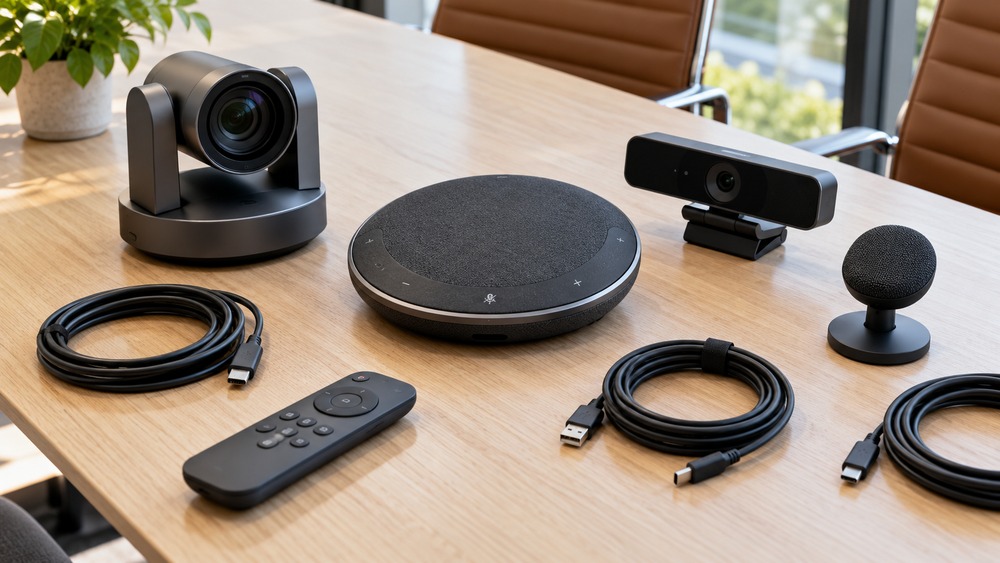
    Ask for a room-appropriate camera, microphone coverage, display arrangement, controller and installation plan. Check the equipment against the provider’s current compatibility guidance. Compare support and management needs, not just a device bundle’s headline price.

    Check the licence and guest experience

    Room software and individual user accounts are different purchases. Editions and included functions vary. Request current UK pricing and clarify hardware, tax, installation and recurring charges before treating two quotes as comparable.

    Consider whether a physical room is the right investment

    A team that already gathers in an office may benefit from a dedicated room system. Distributed people may also consider a headset-based VR meeting space. OowOah provides that different experience; it is not a hardware bundle that turns a boardroom into Teams Rooms or Zoom Rooms.

    Decision Teams Rooms Zoom Rooms
    Primary environment Teams meeting workflows Zoom meeting workflows
    Hardware Check supported devices for your room Check supported devices for your room
    Costs Compare licence, hardware, installation and support Compare licence, hardware, installation and support
    Guest calls Test the exact invitation and joining route Test the exact invitation and joining route

    Official references, checked 16 October 2026: Microsoft Teams Rooms, Zoom Rooms.

    Related guide: What Is the Best Online Meeting Platform?.
  • How Much Does a Video Conference Room Setup Cost?

    How Much Does a Video Conference Room Setup Cost?

    A video conference room setup has several costs: equipment, installation, recurring software and ongoing support. There is no single reliable price without knowing the room and requirements. Compare complete proposals so a cheap-looking kit does not conceal important missing work.

    List the one-off work

    Include displays, cameras, microphones, speakers, a controller or host computer, mounts and cabling as needed. Add network preparation, installation, configuration and testing. Reusing equipment may reduce costs, but only when it is appropriate and compatible.

    Include recurring costs

    Check room licences separately from individual user subscriptions. Ask about support, maintenance and replacement arrangements. Request current pricing, tax treatment and contract terms from the supplier rather than treating an online headline as a complete quotation.

    Use a transparent example

    Suppose a planning exercise allows £900 for equipment, £300 for installation and £150 for network work. The one-off total is £1,350. These are illustrative figures, not market quotations. Recurring charges and any applicable tax must be added separately.

    Compare the type of room

    Physical Teams Rooms or Zoom Rooms equipment serves people gathered in a venue. A VR meeting room serves participants through headsets. OowOah’s published meeting price is £12.99 per simultaneous headset space per month, with compatible headsets purchased separately. They are different investments, so compare around the work rather than the shared word “room”.

    Illustrative allowance Amount
    Equipment £900
    Installation and configuration £300
    Network work £150
    One-off example total £1,350
    Subscriptions, support and tax Assess separately

    Official references, checked 16 October 2026: Microsoft Teams Rooms, Zoom Rooms.

    Related guide: What Is the Best Online Meeting Platform?.

  • What Are the Best Virtual Event Platforms?

    What Are the Best Virtual Event Platforms?

    The best virtual event platform depends on what the audience is meant to experience. A webinar, a networking conference and live 360° viewing of a physical event are different products. Start by deciding what people should be able to do before comparing platforms.

    Match the format to the programme

    For a presentation-led event, investigate webinar tools such as Zoom Webinars or a suitable Teams or Zoho offering. Check audience capacity, host controls and the precise edition. A platform suitable for a small discussion may not fit a large public broadcast.

    Define participation explicitly

    Do viewers mainly watch, submit questions or talk with one another? Check networking, breakout and moderation arrangements individually. Do not assume “virtual event” means every attendee can move around, speak to a presenter or access backstage content.

    Consider live VR as an additional audience

    OowOah Live VR is designed to add headset viewers to a physical event using compatible 360° capture. It is distinct from an avatar networking conference. Explain the viewpoint, access requirements and ticket offer clearly.

    Compare the complete delivery cost

    Include platform charges, equipment, internet, production and support. Test from the attendee’s position before selling access. Keep the physical audience’s experience intact when adding a remote one, and agree success measures such as attendance, viewing quality and useful feedback.

    Event need What to investigate
    Presenter-led session A webinar edition with suitable capacity and moderation
    Collaborative workshop Meeting tools and a clear facilitation plan
    Networking conference Verified conversation and networking capabilities
    360° view of a venue event A compatible Live VR broadcast and headset access

    Official references, checked 16 October 2026: Zoom Meetings.

  • What Is the Best Video Conferencing Software for a Small Business?

    What Is the Best Video Conferencing Software for a Small Business?

    For a small business, the best video conferencing software is often the one clients can join easily and staff can manage consistently. Start with the work you do: quick calls, presentations and paid events do not all need the same setup.

    Make a short requirements list

    Write down typical meeting length, headcount and the number of people who host sessions. Decide which tools are essential and which would merely be nice to have. Include guest access, device compatibility and any organisational data requirements.

    Compare existing subscriptions

    Zoom, Teams, Google Meet and Zoho Meeting offer different account structures and editions. Check whether your existing business software already includes the capability you need. Compare the right paid plan with the right paid plan rather than relying only on free-account limits.

    Try a client invitation

    Ask someone outside your business to join using an ordinary device. Test the actual presentation and conversation. Check whether the host can manage the session without technical support and whether guests can contribute comfortably.

    Consider specialist formats separately

    OowOah VR Meeting Rooms provide a shared headset-based environment for suitable discussions. Live VR is an add-on for physical event audiences. Assess those against a specific use case, including equipment and access, rather than asking one service to replace every kind of business conversation.

    Official references, checked 16 October 2026: Zoom Meetings, Teams free meetings, Google Meet limits, Zoho plans.

    Related guide: What Is the Best Online Meeting Platform?.
  • What Is the Best Online Meeting Platform?

    What Is the Best Online Meeting Platform?

    The best online meeting platform is the one that lets your particular group do its work comfortably. A short client call, a remote workshop and a ticketed event have different requirements. Start with the participants and the task before comparing feature lists.

    Compare the meeting you actually run

    List the number of attendees, typical duration and whether guests need to contribute or mainly watch. Decide whether you need shared documents, recordings or a presentation. Include the devices people will use, rather than assuming everyone joins from an office computer.

    Make a practical shortlist

    Zoom, Microsoft Teams, Google Meet and Zoho Meeting are established video meeting options. Their plans, guest access and administration differ. If you already use a business software suite, check its included meeting tools before adding another subscription.

    Consider when a virtual room fits

    OowOah VR Meeting Rooms provide avatar-based collaboration through supported headsets. That is a different experience from a browser video call and introduces equipment and comfort considerations. It may suit a planned discussion, while a quick call may need a simpler joining process.

    Test before committing

    Run the same short task with a small group in your shortlisted tools. Ask whether guests joined easily, material was readable and the group reached its decision. Compare the total cost, including setup and equipment. A platform that looks impressive in a demonstration still needs to work for your own meetings.

    Official references, checked 16 October 2026: Zoom Meetings, Google Meet limits, Zoho plans.

  • Are We Taking Too Many Photos and Missing the Moment?

    Are We Taking Too Many Photos and Missing the Moment?

    The song begins, and a forest of phones rises. You want a memory of the evening. You also want to see the actual evening. Somewhere between those two wishes sits the question: when does recording become the main activity?

    A picture can be part of the pleasure

    Taking a photo is not automatically a distraction. It might capture friends together or a detail you want to remember. The issue is personal: are you enjoying the experience, or spending most of it checking whether the recording looks good?

    Try choosing your moments

    You could take a few pictures when you arrive, record a brief moment where permitted and put the phone away for a favourite song. There is no need to make the evening a test of perfect behaviour. A small boundary may leave more room to enjoy it.

    Remember the people behind you

    A bright screen or raised arm can affect somebody else’s view. Follow venue rules and consider whether your recording is getting in the way. If a performer asks for a particular moment to be phone-free, decide before attending whether that suits you.

    Let a memory stay a memory

    Not every enjoyable moment needs to become content. For organisers, official photos or a clearly explained replay may reduce the pressure guests feel to capture everything themselves. The best record of a night may be a picture, a conversation or simply remembering how it felt.

    Curious about bringing people together remotely? Explore Live VR Events with OowOah.

  • What If the Best Seat in the House Was Your Sofa?

    What If the Best Seat in the House Was Your Sofa?

    Imagine taking your place in the front row of a live event without leaving your living room. With OowOah Live VR Events, a compatible VR headset can put you closer to the experience while you stay comfortable at home.

    A different kind of front-row seat

    Traditional events often involve travelling, booking accommodation and finding the right seat. Live 360° VR experiences offer another option: join remotely and look around the event environment as it happens.

    More than another flat video

    A live VR event is designed to give you a sense of presence. Rather than simply watching a small rectangle on a screen, you can explore the view around the camera and feel more connected to the room.

    For audiences and speakers

    For attendees, the appeal is convenience and access. For speakers and organisers, it is the opportunity to welcome people who might never be able to travel to the venue.

    OowOah speaker registration opens on 10 November 2026. Keep an eye on our news for the next chapter.

  • What Makes a Great Host?

    What Makes a Great Host?

    A good host can make a room feel welcome before the main event begins. They help people understand what is happening, keep the evening moving and know when to let somebody else take the spotlight.

    Explain the basics without making a speech

    Tell guests what to expect, how long the session will last and how questions work. Remote participants may need different instructions from people in the room. A short, clear welcome prevents confusion without delaying the reason everybody arrived.

    Listen to the answer

    In an interview or panel, the best next question may come from what the speaker just said. A prepared list is useful, but reading it regardless of the conversation can miss something interesting. Leave room for a follow-up that brings the audience with you.

    Handle the awkward moments calmly

    A late speaker, a microphone fault or a long answer can unsettle an event. A host needs a practical plan and a little judgement. Keep guests informed, avoid blaming people publicly and know who can help behind the scenes.

    Make participation feel possible

    Give newcomers enough context and invite questions without putting individuals under pressure. A good host does not measure engagement only by how loudly people respond. Whether guests join in person or remotely, the job is to help them feel included in the evening.

    Curious about bringing people together remotely? Explore Live VR Events with OowOah.

  • Why Do Some Events Sell Out While Others Struggle?

    Why Do Some Events Sell Out While Others Struggle?

    Two events can have similar venues, similar prices and very different results. There is rarely one magic explanation. But looking at the invitation from a potential guest’s point of view can reveal where interest turns into hesitation.

    Can people explain what they are buying?

    A clear promise beats a long list of features. Who is the event for, what will happen and why should someone care? A title, picture and short description should answer those questions before the visitor starts hunting through a page.

    The practical details can decide the sale

    Dates, finishing times, travel, accessibility and equipment requirements all affect a decision. For remote tickets, explain how access works and whether a recording is included. Uncertainty can stop someone buying even when the subject interests them.

    Reach the audience that fits

    A specialist workshop may need a small, interested audience rather than a huge general following. Think about where suitable attendees already gather and what they need to know. Promotion works better when it matches the event instead of merely repeating that tickets are available.

    Learn from actual behaviour

    Look at enquiries, page visits, sales and feedback together. Ask what made buyers say yes and what stopped interested people attending. Selling out is useful, but capacity and pricing matter too. A smaller room selling out does not automatically mean an event is more successful or more profitable.

    Curious about bringing people together remotely? Explore Live VR Events with OowOah.

  • Could a Village Hall Become an International Stage?

    Could a Village Hall Become an International Stage?

    A village hall may have a modest stage, mismatched chairs and a kettle that has seen better days. It can also have something a huge venue cannot manufacture: a community with its own stories, talent and sense of humour.

    Local does not mean uninteresting

    A choir, a storyteller or a conversation with a local expert might interest former residents and specialist audiences elsewhere. Begin with the event’s distinctive character. A generic show is harder to explain than an evening people can immediately picture.

    Find the audience before the equipment

    Ask existing supporters who might enjoy joining remotely. Former locals, family abroad or members of a shared-interest group could be useful starting points. A camera creates access; it does not create demand by itself.

    Keep the room working for its guests

    Position equipment so it does not block views or create hazards. Check sound and connectivity, agree permissions with performers and explain filming to attendees. The people in the hall should get a good event while remote guests receive a considered version of it.

    Try one evening and learn

    Set a realistic audience target and account for production and support costs. Ask remote viewers what worked and what they missed. The ambition can be wider than the postcode without losing the personality that makes the hall worth visiting in the first place.

    Curious about bringing people together remotely? Explore Live VR Events with OowOah.

  • Can VR Meetings Make Remote Conversations Feel More Natural?

    Can VR Meetings Make Remote Conversations Feel More Natural?

    A VR meeting can give remote participants a shared sense of place. Appearing as avatars in a room is different from looking at faces arranged on a flat screen. Whether that feels more natural depends on the people, the app and how the conversation is organised.

    What might help?

    A shared setting and spatial audio can provide context for where people are and who is speaking. Presentation material can become a common reference within the room. These features may be useful, but they do not guarantee comfortable turn-taking or better understanding.

    What still feels different?

    Avatars do not necessarily reproduce every facial expression or gesture. Participants remain physically separate, and unfamiliar controls can interrupt a discussion. Headset comfort also affects how long someone wants to stay in the meeting.

    Help the conversation flow

    Introduce the group, explain how contributions will work and keep the first session manageable. Give people time to respond and check whether anyone is struggling to follow. Good facilitation matters just as much as the environment.

    Ask the group afterwards

    Compare the experience with a familiar video meeting on a similar task. Ask about comfort, clarity and contribution. OowOah VR Meeting Rooms offer an alternative setting; participants should decide whether that setting helps their particular conversations.

    Read more about OowOah VR Meeting Rooms.

  • What Are the Disadvantages of Meeting in VR?

    What Are the Disadvantages of Meeting in VR?

    VR meetings can provide a shared digital setting, but they introduce practical trade-offs. Before choosing one, consider equipment, comfort, access and the task itself. A fair comparison includes the people for whom VR is inconvenient or unsuitable.

    Equipment and preparation

    Each OowOah VR Meeting Room participant needs a supported Meta Quest 3 or Quest 3S headset. Buying, charging and managing equipment takes time and money. Guests may need an introduction before they can concentrate on the discussion.

    Comfort and accessibility

    Not everyone can or wants to wear a headset. Some people may find a session uncomfortable or need shorter periods and breaks. Ask privately about practical requirements and provide another way to contribute without requiring personal explanations.

    Working with detailed information

    Long documents, small text and extensive typing may suit another setup better. Test the actual material in the headset. A large virtual screen is useful only when participants can read and work with what it shows.

    Choose a proportionate use

    A two-minute clarification may not justify entering VR. A focused project discussion may be worth testing. Do not present VR as a replacement for every video call or physical meeting; use it where the experience and outcome justify the effort.

    Read more about OowOah VR Meeting Rooms.

  • Can You Build Trust Without Meeting Face to Face?

    Can You Build Trust Without Meeting Face to Face?

    Yes, relationships can develop without people meeting physically, but trust needs more than frequent calls. Colleagues and clients judge whether you listen, keep commitments and explain decisions. A meeting is an opportunity to demonstrate those behaviours.

    Make commitments clear

    Agree what will happen, who is responsible and when to expect it. Follow through or explain changes promptly. An attractive presentation cannot compensate for missed promises or unclear answers.

    Give people space to question

    Invite concerns and respond directly. Avoid using silence as agreement. In a remote conversation, check understanding and allow people to speak without having to fight for a turn.

    Use a format that feels comfortable

    Video may provide a familiar view of faces. A VR room may suit a shared discussion when all participants want to use it and have supported equipment. Avatars and immersion do not automatically create trust, and unfamiliar technology can distract from an important conversation.

    Know when to meet in person

    Some relationships or negotiations benefit from physical contact when it is practical. Others can develop remotely over time. Choose around the people and circumstances, and remember that what you do after the meeting is part of the relationship too.

    Read more about OowOah VR Meeting Rooms.