Author: oowoah

  • Which Types of Meeting Work Best Remotely?

    Which Types of Meeting Work Best Remotely?

    Meetings work best remotely when their purpose can be achieved through conversation and shared information. They become more difficult when participants need physical access to objects, a location or one another. Start with what the group must accomplish.

    Focused updates and decisions

    A brief progress check, clarification or approval can often suit remote attendance. Share the background beforehand and name the decision required. If no discussion is needed, a written update may be more useful than any meeting.

    Reviews and presentations

    Remote groups can examine proposals or discuss a presentation when the material is readable and everyone has access. Video offers familiar entry; a VR room may provide another shared setting. Technical diagrams still need careful preparation in either format.

    Meetings that need more thought

    A sensitive conversation, relationship-building session or complex negotiation may require extra time and a format comfortable for everyone. Remote participation is possible, but the choice should reflect the people and the stakes.

    Tasks that remain physical

    Hands-on training and certain inspections need direct access. A live demonstration can help remote colleagues observe, but cannot always replace touch or qualified examination. Choose remote meetings where they solve a practical problem, not as a blanket rule.


    Read more about OowOah VR Meeting Rooms.

  • What Is Missing from a Video Meeting Compared with Meeting in Person?

    What Is Missing from a Video Meeting Compared with Meeting in Person?

    A video call can carry a useful conversation, but it shows only part of the occasion. The view is framed by cameras and screens, while much of a physical meeting happens through movement, informal exchanges and the context around the table.

    The view is narrower

    Participants may see faces and hear voices while missing gestures, posture or activity outside the camera. A room camera can make remote attendees feel distant from a physical group. Good audio and clear introductions help, but cannot capture every cue.

    Informal moments are different

    People often speak before a meeting starts or after it ends in person. On video, the conversation may stop when the host closes the call. Those moments need deliberate space if they matter to the relationship.

    Shared physical work is limited

    A demonstration, prototype or sample may be difficult to examine remotely. Screens can show material, but do not let viewers touch it or assess every detail. Some tasks still require a physical visit.

    Can VR provide part of the setting?

    A virtual room can offer a shared spatial context with avatars and presentation screens. It does not reproduce touch, every expression or the whole physical occasion. Choose the elements your meeting needs rather than expecting one format to recreate everything.

    Read more about OowOah VR Meeting Rooms.

  • Why Do Remote Teams Struggle to Feel Connected?

    Why Do Remote Teams Struggle to Feel Connected?

    A team can exchange messages all day and still feel disconnected. Frequent communication is not always meaningful contact. Remote colleagues may miss the informal explanations, shared experiences and small signs of support that happen more naturally when people work together.

    Notice what is missing

    New employees may not know whom to ask, while experienced staff may hear about decisions too late. Messages can become purely transactional. Ask people about the situations in which they feel out of the loop instead of assuming they simply need more meetings.

    Give conversations a purpose

    Create space for questions, introductions and discussion of work in progress. Keep factual updates available in writing so shared time is not consumed by reading reports aloud. Rotate contributions without forcing personal disclosure or compulsory social activities.

    Consider the meeting setting

    A video call can provide familiar access. A VR room may offer a shared setting for a group that wants to try it and has suitable equipment. Neither fixes unclear responsibilities, poor management or a culture that ignores remote colleagues.

    Build connection between meetings

    Follow through on questions, make information easy to find and recognise contributions from every location. Belonging grows from repeated considerate behaviour. An occasional virtual gathering can support that work, but cannot substitute for it.

    Read more about OowOah VR Meeting Rooms.

  • Are Online Meetings as Effective as Face-to-Face Meetings?

    Are Online Meetings as Effective as Face-to-Face Meetings?

    Online meetings can be effective for many tasks, but there is no single answer that applies to every conversation. A short factual update and a difficult negotiation have different needs. Judge effectiveness by the outcome rather than the distance between participants.

    Where can online meetings work well?

    Updates, document reviews and focused decisions can suit remote attendance when everyone has the necessary context. An agenda and readable material help the group use its time. Avoided travel may make a short appointment more practical.

    Where can physical presence help?

    Hands-on work, detailed physical inspection and some relationship-building occasions benefit from being together. In-person contact can offer richer social cues and informal conversation. It still needs a clear purpose: travelling to an unfocused meeting does not make it productive.

    What about a virtual room?

    A VR meeting offers another setting for remote discussion. Avatars and shared screens may suit some groups, while headset access or comfort may make another format preferable. Do not treat immersion as a guaranteed improvement in results.

    Compare the same task

    Try similar discussions in appropriate formats and ask whether the required decision was reached, understood and acted upon. Include participation, preparation, time and cost. The best choice may differ from one meeting to the next.

    Read more about OowOah VR Meeting Rooms.

  • What Are the Advantages and Disadvantages of Virtual Meetings?

    What Are the Advantages and Disadvantages of Virtual Meetings?

    Virtual meetings bring people together without requiring them to travel to the same place. That can make collaboration more practical, but it also changes how people communicate. The advantages and disadvantages depend on the task, the participants and the technology.

    What are the advantages?

    Remote attendance can reduce journeys and make it easier to involve colleagues in different locations. People can discuss shared information without booking the same physical room. These benefits are strongest when the appointment would otherwise require a genuine trip.

    What are the disadvantages?

    Connections, audio and unfamiliar controls can interrupt the conversation. People may have fewer informal exchanges and a restricted view of social cues. Distractions, poor facilitation and inaccessible equipment can also make it harder to contribute.

    How does VR change the balance?

    VR offers a shared digital setting rather than only a grid of faces. It introduces headset requirements, comfort considerations and setup work. It is an option to assess, not proof that the disadvantages of remote meetings disappear.

    How should you choose?

    Match the format to the decision and the people. Use in-person meetings when physical presence matters, video when simple access is the priority, and test VR for tasks where a shared setting may be useful.

    Read more about OowOah VR Meeting Rooms.

  • How Do You Turn a Real-World Demonstration into a Remote Discussion?

    How Do You Turn a Real-World Demonstration into a Remote Discussion?

    A demonstration often raises questions that a written report cannot answer immediately. Remote colleagues may need to see a detail, ask the demonstrator to repeat a step or compare what is happening with an agreed plan. A live first-person view can support that discussion.

    Give the group a shared question

    Explain what the demonstration should show and what viewers need to decide. Prepare the person on location and check that filming is permitted. Choose a safe demonstration area and keep confidential material outside the view where necessary.

    Bring the real view into the meeting

    OowOah Quantum Leap is designed to stream a person’s live first-person perspective into an OowOah VR Meeting Room. Participants can discuss the same view rather than relying only on descriptions. Confirm the capture equipment and supported setup before arranging the session.

    Make requests specific

    Ask for a particular component or step, allow the demonstrator to stop safely and check whether the detail is visible. A live image may still miss scale, texture or a fault that requires hands-on assessment.

    Record what remains unresolved

    Agree the observations, decisions and any physical inspection still required. A remote demonstration can improve the information available to a meeting; it does not automatically replace qualified judgement or a necessary site visit.

    Read more about OowOah Quantum Leap.

  • How Do You Test VR Meetings Without Buying Headsets for the Whole Company?

    How Do You Test VR Meetings Without Buying Headsets for the Whole Company?

    Start with a small group and one clearly defined meeting. You do not need to equip an entire workforce to decide whether VR suits a particular discussion. You do need legitimate access to suitable headsets and a plan for evaluating the experience.

    Choose the participants carefully

    Invite a few colleagues with different roles and levels of familiarity with VR. Include someone who can assess the meeting’s practical value, not only enthusiasts. Make participation voluntary and provide another format where needed.

    Check equipment and access

    Use supported equipment already available, or investigate borrowing or hire arrangements. Do not assume OowOah supplies loan headsets. Every simultaneous VR participant needs suitable access; passing one headset around does not allow a whole group to meet together.

    Keep the first task small

    Prepare a short project discussion or presentation with a clear decision. Give everyone a separate introduction to joining and basic controls before the trial. This makes it easier to distinguish unfamiliarity from problems with the meeting itself.

    Review before expanding

    Ask whether the group achieved the task comfortably and whether the costs make sense. Check current subscription and trial terms directly with OowOah. Expand only when the evidence supports a useful role for VR meetings.

    Read more about OowOah VR Meeting Rooms.

  • How Do You Measure Whether a VR Meeting Was Worthwhile?

    How Do You Measure Whether a VR Meeting Was Worthwhile?

    A worthwhile meeting helps people achieve something that needed their attention. It is not measured by how unusual the setting looked. To judge a VR meeting, agree what you want to improve and compare the result with a familiar alternative.

    Choose a useful task

    Pick a discussion with a clear outcome: review a proposal, resolve a question or agree a plan. Record the number of people, preparation time and meeting length. A vague goal such as “better engagement” is difficult to assess without defining what it means.

    Look at the outcome

    Did the group reach the required decision? Could participants explain it afterwards? Were actions and responsibilities clear? Collect short feedback about readability, contribution and comfort, including from people who found the format difficult.

    Include the effort and costs

    Count setup time, support, headsets and subscriptions as well as travel actually avoided. A trip saved is useful, but not every saved hour becomes additional revenue. Compare like-for-like tasks rather than a casual video update with a carefully prepared VR workshop.

    Decide where it fits

    Use the findings to choose which future meetings suit VR and which do not. A small trial can reveal a useful role for OowOah without requiring every appointment to move into a headset.

    Read more about OowOah VR Meeting Rooms.

  • What Should You Do If Someone Cannot Use a VR Headset?

    What Should You Do If Someone Cannot Use a VR Headset?

    If someone cannot use a VR headset, the meeting still needs to include their contribution. The reason may be comfort, accessibility, equipment or personal preference. Start by discussing a practical alternative rather than asking them to justify their situation publicly.

    Ask privately what would help

    Find out which format the person can use comfortably. They may prefer a video call, telephone discussion or written feedback. You do not need a detailed account of a medical condition to arrange a reasonable way to contribute.

    Check the actual product requirements

    OowOah VR Meeting Rooms require supported headsets for participants. Do not promise that someone can join the same room through a browser or phone unless that capability is confirmed. Arrange an alternative meeting or another route for their input.

    Keep decisions inclusive

    Share the same relevant documents, questions and context. If input is collected separately, bring it into the main discussion before a decision is made. Sending someone the result afterwards is not the same as letting them influence it.

    Choose another format when needed

    If the group’s purpose requires everyone to talk together, use a format everyone can access. The advantages of a virtual room do not outweigh excluding a colleague or client from an important conversation.

    Read more about OowOah VR Meeting Rooms.

  • Can a Client Presentation Feel Personal When You Cannot Meet Face to Face?

    Can a Client Presentation Feel Personal When You Cannot Meet Face to Face?

    A remote presentation can feel personal when the client’s questions shape the conversation. It becomes less personal when the presenter delivers the same slides regardless of who is listening. Video and VR both need preparation that starts with the client.

    Ask before you present

    Find out what decision the client needs to make, who will attend and what concerns they already have. Build the presentation around those questions. Explain the agenda and leave space for discussion instead of treating questions as an interruption.

    Use examples they recognise

    Show a relevant workflow or situation rather than a generic feature list. Keep names, figures and claims accurate. Invite the client to correct your understanding so the conversation becomes a joint examination of their needs.

    Match the format to the guests

    A familiar video link may be the simplest choice. A VR room may suit a planned discussion when participants have supported headsets and feel comfortable using them. Do not make access to a headset a barrier to speaking with your business.

    Finish with a clear next step

    Summarise the client’s priorities and confirm the next action. OowOah can provide a shared virtual meeting setting, but attention, preparation and follow-through are what make the presentation feel personal.

    Read more about OowOah VR Meeting Rooms.

  • How Do You Welcome a New Employee Who Has Never Visited Your Office?

    How Do You Welcome a New Employee Who Has Never Visited Your Office?

    A remote employee can know their login details and still have no idea who to ask for help. A good welcome builds useful relationships and explains how the business works. A meeting format is only one part of that process.

    Make the first conversations personal

    Arrange short introductions with the manager, immediate colleagues and a named contact for everyday questions. Explain each person’s role instead of presenting a long list of unfamiliar names. Give the new employee time to ask questions privately.

    Show how work happens

    Use a real example to explain decisions, handovers and communication habits. Tell the employee where information is kept and when people are available. Avoid making informal office knowledge something they must discover by accident.

    Use VR when it adds something

    A virtual room may provide a shared setting for introductions or a small team discussion when everyone has suitable access. Introduce the technology before the important conversation. A new employee should not have to learn their job and unfamiliar controls simultaneously.

    Follow up after the welcome

    Check what remains confusing after the first week. Pair the employee with someone who can help them settle in. Belonging grows through repeated, considerate contact; a single impressive welcome meeting cannot provide it on its own.

    Read more about OowOah VR Meeting Rooms.

  • Could a VR Meeting Help You Explain a Complicated Idea?

    Could a VR Meeting Help You Explain a Complicated Idea?

    A complicated idea becomes easier to discuss when people can follow its parts and ask questions at the right moment. A VR meeting could provide a shared setting for that conversation, but changing the room does not automatically improve the explanation.

    Build the explanation in stages

    Start with the problem, show one simple example and add detail gradually. If you are explaining a business process, follow a single item through it before introducing exceptions. Avoid filling a presentation with every technical term at once.

    Use the setting deliberately

    Shared screens can give the group a common reference. Point people towards the relevant section and pause before moving on. Check supported presentation options rather than promising interactive objects, simulations or 3D models that have not been confirmed.

    Ask for understanding

    Invite someone to explain the idea back in their own words. Ask what remains unclear. Agreement, silence and understanding are different things, whether the meeting is in person, on video or in VR.

    Choose a practical format

    If the material requires detailed reading or a participant cannot use a headset, another format may work better. Test one explanation with a small group and compare what they understand afterwards, rather than judging only how impressive the room looks.

    Read more about OowOah VR Meeting Rooms.

  • How Do You Run a Design Review When Everyone Is Somewhere Else?

    How Do You Run a Design Review When Everyone Is Somewhere Else?

    A remote design review needs more than showing a drawing and asking whether everyone likes it. People need to understand the brief, examine the same version and leave knowing which changes have been agreed. Those basics matter on video and in VR.

    Start with the decision

    Explain the design’s purpose, constraints and the questions that need answering. Share the relevant version before the meeting. Distinguish a concept discussion from a review intended to approve work, because each needs a different level of detail.

    Make the material readable

    Use a few focused views rather than an entire crowded document. Check text and detail from the attendee’s viewpoint. A large virtual screen does not automatically make a small drawing legible, and a presentation screen is not proof of native 3D model support.

    Separate feedback from preferences

    Ask reviewers to connect comments to the brief. Does a layout meet the user’s needs? Is a requirement missing? Give quieter participants time to contribute and record conflicting opinions without pretending everyone agrees.

    End with a precise record

    Identify the version reviewed, approved points, requested changes and the next review date. OowOah VR Meeting Rooms can provide a setting for this discussion, but clarity comes from the process and the material you bring.

    Read more about OowOah VR Meeting Rooms.

  • What Is the Difference Between Zoom Rooms, Teams Rooms and VR Meeting Rooms?

    What Is the Difference Between Zoom Rooms, Teams Rooms and VR Meeting Rooms?

    The word “room” can describe very different things. Zoom Rooms and Microsoft Teams Rooms generally equip physical meeting spaces for video collaboration. A VR meeting room is a digital place that participants enter through a suitable app and headset.

    Physical rooms connect a venue

    A physical room system combines meeting software with equipment such as cameras, microphones, speakers and displays. People sitting together can meet remote colleagues. Room design and audio quality affect how well everyone can participate.

    Virtual rooms connect people in a digital setting

    In a VR room, participants can appear as avatars around shared presentation material while remaining in separate physical locations. They do not need to travel to the same conference room, but they do need the appropriate equipment and access.

    Their strengths are different

    A physical room system can suit teams already together in an office. A virtual room may be worth exploring when a distributed group wants a shared setting. Neither removes the need for good facilitation, readable content or inclusive access.

    Compare complete costs and requirements

    Look at hardware, subscriptions, setup and the people attending. OowOah VR Meeting Rooms require Meta Quest 3 or Quest 3S headsets. Check current product requirements rather than assuming all services described as “rooms” provide the same experience.

    Read more about OowOah VR Meeting Rooms.

    Further reading: Zoom Rooms, Microsoft Teams Rooms.

  • What Is the Difference Between a Webinar and a VR Meeting?

    What Is the Difference Between a Webinar and a VR Meeting?

    A webinar usually centres on presenters delivering information to an audience. A VR meeting centres on people working together inside a shared virtual setting. Neither format is automatically better: their usefulness depends on whether the session needs presentation, discussion or both.

    When does a webinar fit?

    A briefing, public talk or product introduction may suit an audience-led format. Webinar platforms can provide questions, polls and other participation tools, depending on the setup. An audience watching a presenter is still different from a small group making decisions together.

    When does a VR meeting fit?

    A project discussion or client review may suit a virtual room where participants appear as avatars and examine shared material. Supported headsets and access are required. Allow for comfort and an alternative for anyone unable to use VR.

    Do not confuse the two OowOah products

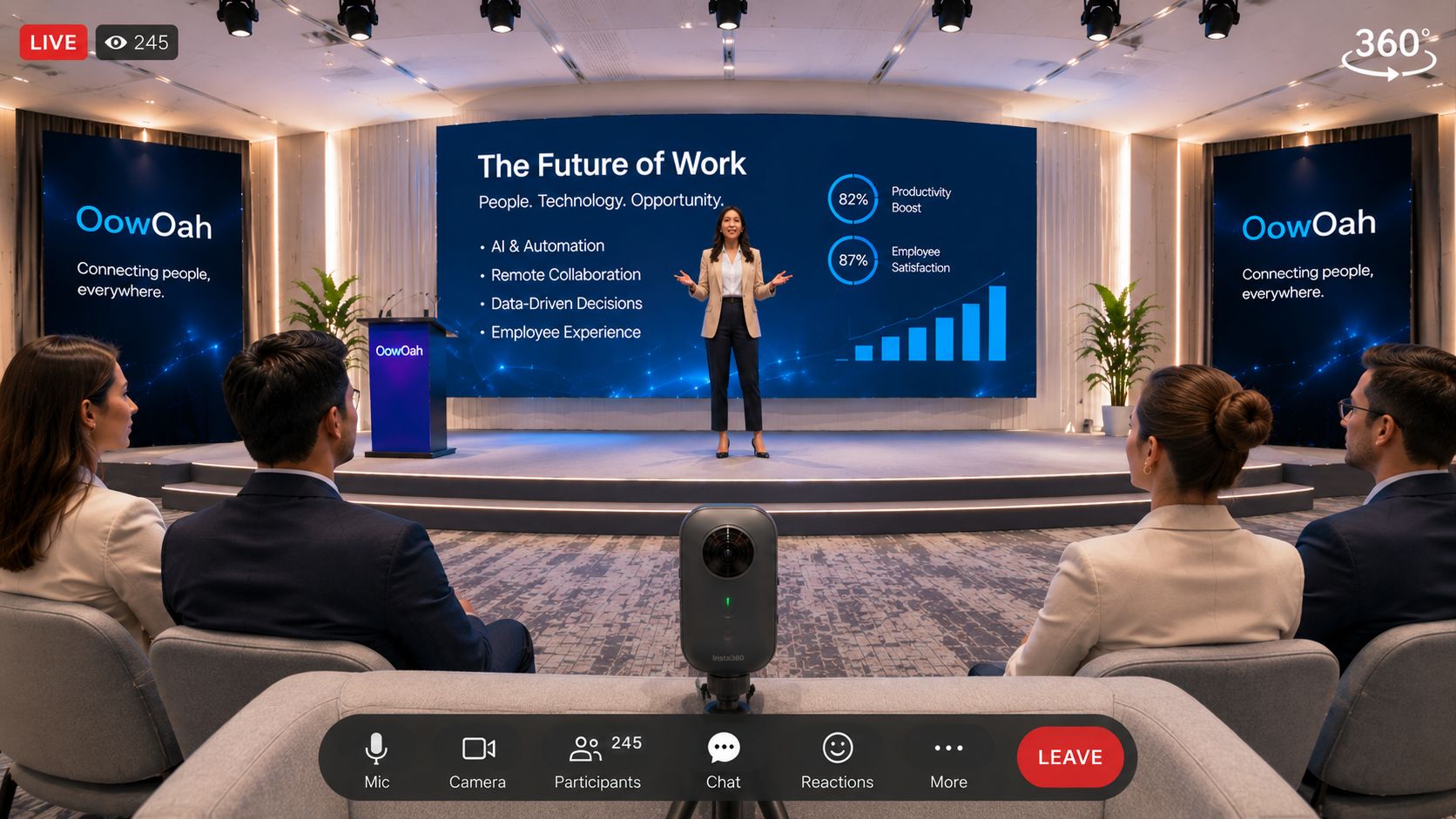
    OowOah VR Meeting Rooms are for collaboration. OowOah Live VR adds headset viewers to a physical event through live 360° capture. Watching a captured event does not automatically provide the same participation as joining an avatar meeting.

    Choose the audience’s role first

    Write down what attendees should do: listen, ask questions, discuss options or agree actions. Then select the format and explain its participation arrangements. A clear invitation prevents people expecting a workshop when they have booked a presentation.

    Read more about OowOah VR Meeting Rooms.

    Further reading: Zoom meetings and webinars.