Category: VR Meetings

  • What Does VC Mean in Meetings and Interviews?

    What Does VC Mean in Meetings and Interviews?

    In an invitation about meetings or interviews, VC commonly means video conference or video conferencing. Context matters: the same initials can mean something else in another industry. If an invitation is unclear, ask the organiser which service and joining method they intend.

    What does a VC meeting involve?

    It usually means joining a live conversation remotely through a video meeting service. You may need to speak, appear on camera or view shared information. The initials alone do not tell you the platform, duration or whether an account is required.

    What does it mean for an interview?

    A VC interview is generally an interview held by video rather than at the employer’s premises. Check the link, appointment time, time zone and any preparation instructions. Test your microphone and camera before the scheduled start.

    What should an invitation include?

    It should name the service, provide the joining link and explain the meeting’s purpose. External guests also need to know whether there is a waiting room, an account requirement or any material to prepare.

    Is VC the same as VR?

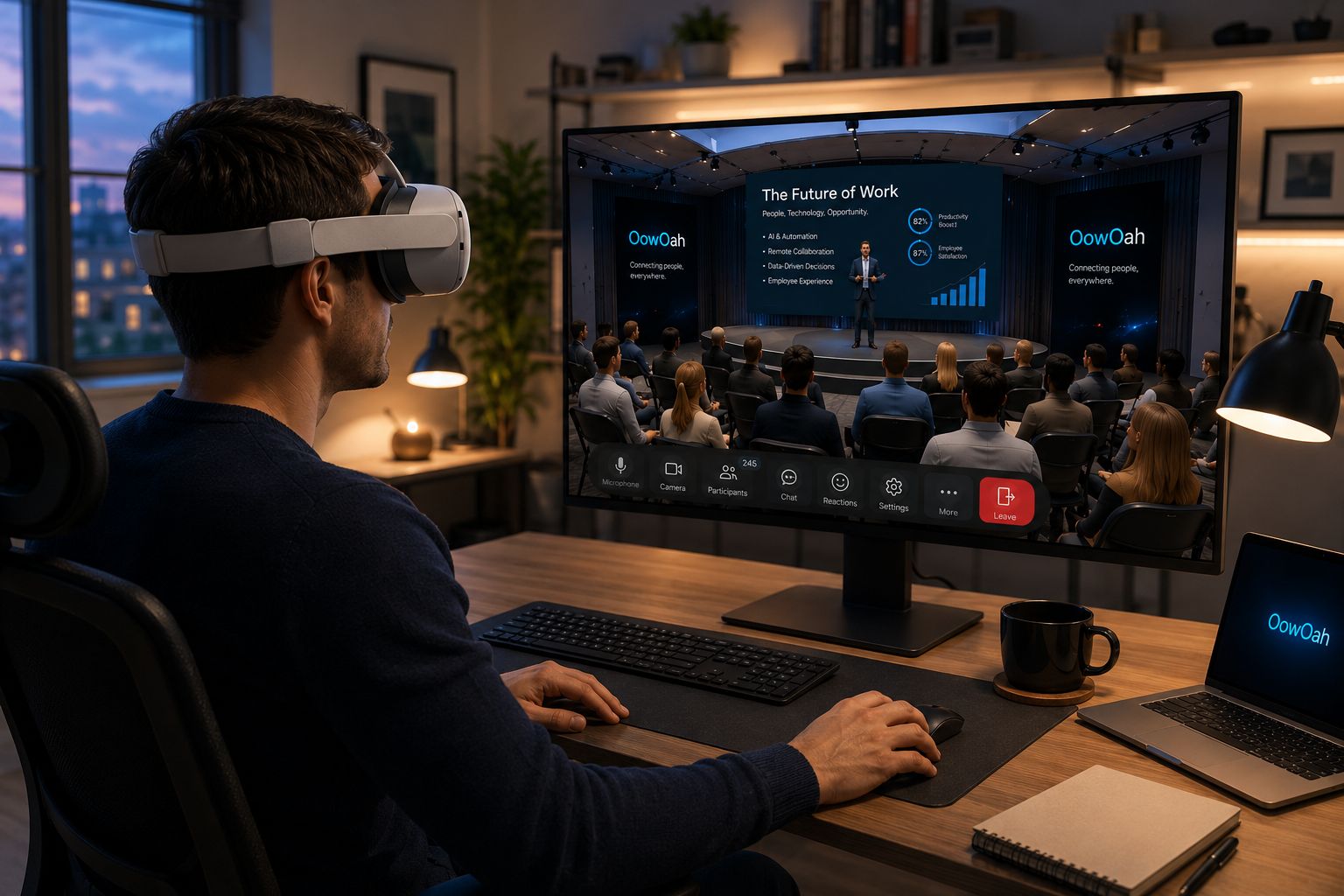
    No. Video conferencing and virtual reality describe different things. A headset-based OowOah meeting needs its own supported equipment and access. If an organiser says “virtual meeting”, check whether they mean an ordinary video call or a meeting inside VR.

    Related guide: What Is the Best Online Meeting Platform?.
  • How can charities use VR meeting rooms for trustee meetings?

    How can charities use VR meeting rooms for trustee meetings?

    A charity can consider OowOah VR Meeting Rooms for a trustee discussion when its participants have compatible headsets. Reports, presentations and a shared conversation can provide the basis for reviewing a proposal. The charity should first check that its chosen meeting arrangements fit its own governance requirements.

    How could the meeting be structured?

    Circulate the agenda and approved papers beforehand. During the session, refer to the current versions and give trustees time to ask questions. State each decision and any follow-up clearly. Technology can support the discussion, but the charity still needs its own process for recording and approving the outcome.

    What access does each trustee need?

    Every participant needs a Meta Quest 3 or Meta Quest 3S. The hosting business account creates the meeting in the admin panel and adds attendees, after which the system emails invitations. A seated room accommodates 12 people, and a standing room accommodates 30.

    Can AI notes become the official minutes?

    OowOah supports AI meeting notes and summaries, and meetings can be recorded. These can support preparation of the meeting record, but trustees should review the wording through their normal approval process. Do not assume an automatically generated summary captures the exact decision or replaces the charity's own agreed minutes.

    Where can I find out more?

    How VR meetings differ from video calls. Visit explore vr meeting rooms for the relevant service information.

  • How can consultants use VR meeting rooms for client workshops?

    How can consultants use VR meeting rooms for client workshops?

    Consultants can use OowOah VR Meeting Rooms to bring a client group into a shared space for a structured discussion. A workshop might concern a process change, a project brief or the choices behind a business proposal. The purpose is to work through a question together, with relevant material visible during the conversation.

    What could a workshop look like?

    Begin with the decision the client needs to make. Show the proposal or PowerPoint presentation, invite each person to explain their priorities and use notes to capture the points that need follow-up. Keep the first session focused on one useful outcome rather than demonstrating every feature. A short introduction helps guests learn how the meeting works before the discussion begins.

    How do clients receive their invitations?

    The business sets up the meeting in its admin panel, adds the attendees and lets the system send email invitations. Only the business needs an OowOah account for this meeting invitation arrangement. Every participant still needs a Meta Quest 3 or Meta Quest 3S. Confirm equipment before promising a workshop format to a client.

    What should the consultant follow up afterwards?

    Use the agreed decisions and any outstanding questions to prepare the next action. AI meeting notes and summaries can support that review, and meetings can be recorded for later viewing. Review the record before treating an interpreted comment as a client instruction. The value comes from the decisions reached and the clarity of the follow-up.

    Where can I find out more?

    How VR meetings differ from video calls. Visit explore vr meeting rooms for the relevant service information.

  • How can franchise businesses bring their branch managers together in VR?

    How can franchise businesses bring their branch managers together in VR?

    A franchise business can use OowOah VR Meeting Rooms for discussions between branch managers in different locations. The meeting can centre on a common presentation, a service issue or the priorities for the next period. The aim is to give the managers a shared conversation with a clear purpose.

    What should the meeting cover?

    Choose an agenda that benefits from discussion across branches. Invite managers to explain local experience, compare a proposal and identify questions that need follow-up. Use presentation material to keep the conversation anchored in the same information. Avoid turning the session into a long list of updates that people could read beforehand.

    How many people can attend?

    OowOah accommodates 12 people in a seated room or 30 in a standing room. Choose the format around the group and its purpose. Every participant needs their own Meta Quest 3 or Meta Quest 3S. For a large network, plan which managers need to join a particular discussion rather than assuming an unlimited room.

    How are invitations and actions managed?

    The business creates the meeting and adds attendees through its admin panel. The system emails the invitations. Finish by confirming the actions and who owns them. AI notes, summaries and recordings can support the follow-up, but the group should still state the decisions plainly before leaving.

    Where can I find out more?

    How VR meetings differ from video calls. Visit explore vr meeting rooms for the relevant service information.

  • Can mentors and mentees meet regularly in VR?

    Can mentors and mentees meet regularly in VR?

    Yes. OowOah VR Meeting Rooms can give a mentor and mentee a shared setting for regular conversations. The format can support reviewing progress, discussing a challenge and agreeing a next action without requiring both people to travel to the same place.

    How can the sessions stay useful?

    Choose a consistent structure: review the previous action, discuss the current question and agree what to try next. Use a presentation or relevant material when it helps the discussion. Keep the first meeting simple so the relationship and the purpose of the conversation remain more prominent than the technology.

    What needs to be set up?

    The hosting business arranges each meeting in the admin panel, adds the attendees and lets the system email invitations. Participants need Meta Quest 3 or Meta Quest 3S headsets. The business account and guest invitation arrangement means the mentee does not need to purchase a separate business account merely to be invited.

    Do mentoring conversations have to be recorded?

    No recording should be assumed simply because the platform supports it. Agree the approach before the conversation and make clear what notes will be kept. AI meeting notes and summaries can help review a session, but the mentor and mentee should confirm the actions they have actually agreed before finishing.

    Where can I find out more?

    How VR meetings differ from video calls. Visit explore vr meeting rooms for the relevant service information.

  • How can recruitment agencies use VR meeting rooms for candidate briefings?

    How can recruitment agencies use VR meeting rooms for candidate briefings?

    A recruitment agency can use an OowOah VR Meeting Room for a candidate briefing or a conversation about a role. The format is most useful when the people involved already have access to compatible headsets and want a shared space to discuss the opportunity and supporting material.

    What could the briefing include?

    Explain the role, the employer's requirements and the next stage of the process. A PowerPoint presentation can provide a common reference, while the recruiter leaves time for questions. The session should help the candidate understand the opportunity rather than test their familiarity with a headset without warning.

    How are candidates invited?

    The business creates the meeting in its admin panel and adds attendees. OowOah sends the email invitations. Only the business needs an OowOah account under this arrangement, and every participant needs their own Meta Quest 3 or Meta Quest 3S. Confirm the equipment requirement before choosing VR for a candidate conversation.

    What about notes and recordings?

    OowOah supports AI meeting notes and summaries, and meetings can be recorded for later viewing. Agree how those tools will be used before a conversation involving personal information. Keep the briefing focused on relevant material and give candidates a clear next step. VR attendance should not be presented as evidence of suitability for an unrelated role.

    Where can I find out more?

    How VR meetings differ from video calls. Visit explore vr meeting rooms for the relevant service information.

  • Can business networking groups hold meetings in VR?

    Can business networking groups hold meetings in VR?

    Yes. A business networking group can use an OowOah VR Meeting Room for introductions, a member presentation or a focused discussion. Everyone joins the shared virtual room through a supported headset, so the organiser needs to check access before offering the format to a group.

    What could a first networking meeting include?

    Start with short introductions and one useful topic. Give members an opportunity to explain what they do and what sort of connection they are seeking. A member can present using PowerPoint, with time afterwards for questions. A straightforward agenda lets the organiser assess whether VR suits the group's conversations.

    What are the practical limits?

    The seated room accommodates 12 people and the standing room accommodates 30. Each attendee needs a Meta Quest 3 or Meta Quest 3S. Only the hosting business needs an OowOah account for inviting guests. These requirements should be stated before members commit to the session.

    How does the organiser invite members?

    Create the meeting in the admin panel and add the attendees. The system sends the email invitations. Send a clear agenda and explain how long the discussion will last. Do not promise automatic introductions, contact exchange or other networking tools that have not been confirmed. End by explaining how members can follow up through the group's usual channels.

    Where can I find out more?

    How VR meetings differ from video calls. Visit explore vr meeting rooms for the relevant service information.

  • Can VR meeting rooms support project handover meetings?

    Can VR meeting rooms support project handover meetings?

    Yes. A project handover can take place in an OowOah VR Meeting Room, bringing the people responsible for delivery and ongoing operation into one discussion. Presentations, documents and meeting notes can give the group a shared reference as responsibilities move from one team to another.

    What should the handover cover?

    Build the agenda around what the receiving team needs to understand. Explain the current position, the outstanding items, the documents that matter and the next points of contact. Show the relevant material when discussing it. Ask the receiving team to explain any areas of uncertainty rather than treating silence as acceptance.

    Can a live demonstration be included?

    OowOah supports PowerPoint presentations and one RTMP feed at a time. Quantum Leap can also bring a live first-person view into a meeting. Choose the format that answers the handover question and test it beforehand. A live view can support a conversation but does not replace the underlying documents or required checks.

    How can the record help afterwards?

    Meetings can be recorded and reviewed later, and AI notes and summaries are available. These can help colleagues revisit an explanation, but the handover should still identify the approved documents and agreed actions clearly. State which items remain open and who is responsible for resolving them before the meeting ends.

    Where can I find out more?

    How VR meetings differ from video calls. Visit explore vr meeting rooms for the relevant service information.

  • How can remote teams review several documents in one VR meeting?

    How can remote teams review several documents in one VR meeting?

    OowOah's multiple screens let a team refer to more than one piece of material during a discussion. That can be useful when a decision involves a proposal, a report and a presentation that need to be considered together. Prepare the material around the decision so participants understand why each item is being shown.

    Which documents should the team prepare?

    Choose the current versions and give them clear names. Explain which document provides the main reference and which items supply background. For a project review, that might mean a proposal alongside the related figures and next steps. Avoid filling the room with material that does not help the group decide anything.

    Does that mean several live RTMP feeds can run together?

    No. OowOah supports one RTMP feed at a time. Multiple presentation screens should not be described as multiple simultaneous live streams. If the meeting includes live content, plan when the single feed will be used and which documents participants need to discuss alongside the presentation.

    How should the team record its conclusion?

    End the review by stating the chosen version, decision and next owner. Personal notes and AI meeting notes can support the record. If the meeting is recorded, it can also be watched afterwards. A clear final recap helps prevent people leaving with different interpretations of the same documents.

    Where can I find out more?

    How VR meetings differ from video calls. Visit explore vr meeting rooms for the relevant service information.

  • Can business coaches run group sessions in VR?

    Can business coaches run group sessions in VR?

    Yes. OowOah VR Meeting Rooms can provide a shared setting for a coach and a group of participants. The format suits discussion, explanation and reflection where people benefit from hearing one another. It gives the coach a different delivery option for an existing session rather than requiring an entirely new coaching method.

    How could a group session be organised?

    Choose a clear theme, such as preparing for a difficult business conversation or setting priorities for the next month. Introduce the activity, give each participant time to contribute and show supporting slides where useful. Plan the discussion so quieter members have an opportunity to speak. Leave enough time to agree what people will do after the session.

    What does the coach need to arrange?

    The hosting business creates the meeting and adds attendees in the admin panel. Email invitations are sent by the system. All participants need their own supported headset: Meta Quest 3 or Meta Quest 3S. A seated room accommodates 12 people, while a standing room accommodates 30. Choose a group size that allows meaningful participation.

    Should every coaching session be recorded?

    OowOah supports meeting recording, but the coach should agree the approach with participants before the session. Some conversations may be better without a recording. Explain how notes will be used and which actions participants should take away. Do not assume that the availability of a feature makes it appropriate for every coaching relationship.

    Where can I find out more?

    How VR meetings differ from video calls. Visit explore vr meeting rooms for the relevant service information.

  • What happens if my internet disconnects during an OowOah VR meeting?

    What happens if my internet disconnects during an OowOah VR meeting?

    You can rejoin the same OowOah meeting after your connection is restored. A disconnection does not mean that you must arrange an entirely new meeting to return to the conversation.

    What should I do when I return?

    Let the group know that you missed part of the discussion and ask for the current point to be recapped. If you were presenting, confirm where the explanation should resume. A short recap helps everyone work from the same information again.

    Does rejoining guarantee no content is missed?

    No. Being able to rejoin is different from uninterrupted access. The conversation may have continued while you were disconnected. If the session was recorded, it can be reviewed afterwards, and meeting notes may support the follow-up.

    What should the organiser prepare?

    Ask attendees to check their connection before an important session and agree another way to communicate if someone has trouble. Avoid promising automatic reconnection or a particular recovery time: the confirmed capability is that participants can rejoin the same meeting.

    Where can I find out more?

    How VR meetings differ from video calls. Visit explore vr meeting rooms for the relevant service information.

  • Can I record an OowOah VR meeting and review it afterwards?

    Can I record an OowOah VR meeting and review it afterwards?

    Yes. OowOah meetings can be recorded and watched afterwards. This can help a participant revisit an explanation or review the discussion after the live session has finished.

    When might a recording be useful?

    A product explanation, project handover or training presentation may contain details someone wants to see again. Plan the meeting so important material and conclusions are explained clearly. A recording is more useful when the original session has a sensible structure.

    What should be agreed before recording?

    Tell participants that a recording is planned and agree how it will be used. Follow the organisation's relevant arrangements for the discussion and its content. Do not assume every conversation should be recorded simply because the feature is available.

    Does meeting recording mean every Live VR ticket includes a replay?

    No. VR Meeting Rooms and public Live VR events are separate experiences. Event replay availability depends on the offer for that event. Describe the confirmed access rather than transferring an assumption from a business meeting feature to a public event ticket.

    Where can I find out more?

    How VR meetings differ from video calls. Visit explore vr meeting rooms for the relevant service information.

  • Can OowOah create meeting notes and summaries?

    Can OowOah create meeting notes and summaries?

    Yes. OowOah provides AI meeting notes and summaries. These can help participants review what was discussed and prepare the follow-up after a VR meeting.

    What are they useful for?

    A summary can help someone revisit the main themes and identify points that need attention. It can support preparing a follow-up message or reviewing an explanation. The team should still state its actual decisions clearly during the meeting rather than leave them for the system to infer.

    Should the notes be checked?

    Yes. Review important wording, names and actions before using them as an approved record. This is especially useful where a decision depends on the exact meaning of a comment. AI notes support the work of the people in the meeting.

    Are other ways of reviewing available?

    OowOah includes personal notes, and meetings can be recorded and watched afterwards. Agree the appropriate use of those features before the conversation. A useful follow-up names the action and owner clearly, regardless of which tool helped prepare it.

    Where can I find out more?

    How VR meetings differ from video calls. Visit explore vr meeting rooms for the relevant service information.

  • Can I take notes during an OowOah VR meeting?

    Can I take notes during an OowOah VR meeting?

    Yes. OowOah includes personal notes as part of the VR meeting experience. They give participants a way to keep their own reminders and points to revisit while the conversation is taking place.

    How are personal notes different from AI notes?

    Personal notes reflect what you choose to capture for yourself. OowOah also provides AI meeting notes and summaries, which support reviewing the conversation. These are useful for different purposes, so decide what you need to record rather than assuming one automatically replaces the other.

    What should I note during a discussion?

    Capture the questions you want answered, any decision you need to check and the action you have agreed to take. A short meaningful note can be more useful than trying to reproduce every spoken sentence while also following a presentation.

    How should notes be used afterwards?

    Review them while the context is fresh and compare important actions with what the group agreed. If the meeting was recorded, it can be watched afterwards. Avoid treating an incomplete reminder as the full record of a decision without checking its context.

    Where can I find out more?

    How VR meetings differ from video calls. Visit explore vr meeting rooms for the relevant service information.

  • Can I display several documents at the same time in OowOah?

    Can I display several documents at the same time in OowOah?

    Yes. OowOah's multiple-screen meeting setup can support discussing several pieces of material during the same session. This is useful when a proposal needs to be considered alongside a report or supporting presentation.

    How can I avoid confusing the group?

    Give the documents clear names and explain which one is the main reference. Show current versions and direct attention to the relevant item while explaining it. The aim is to reduce unnecessary switching, rather than fill every screen simply because it is available.

    Does this include several RTMP feeds?

    No. OowOah supports one RTMP feed at a time. Multiple document or presentation screens should not be described as multiple live broadcast sources. Prepare the meeting around that limit if live content is involved.

    What should be recorded afterwards?

    Confirm which document version the decision refers to and who will act next. Personal notes and AI meeting notes can help preserve the discussion. A recording can also be reviewed later, but the final action should be stated clearly before the session ends.

    Where can I find out more?

    How VR meetings differ from video calls. Visit explore vr meeting rooms for the relevant service information.