Category: Live VR Events

  • Can professional associations offer live VR attendance at member events?

    Can professional associations offer live VR attendance at member events?

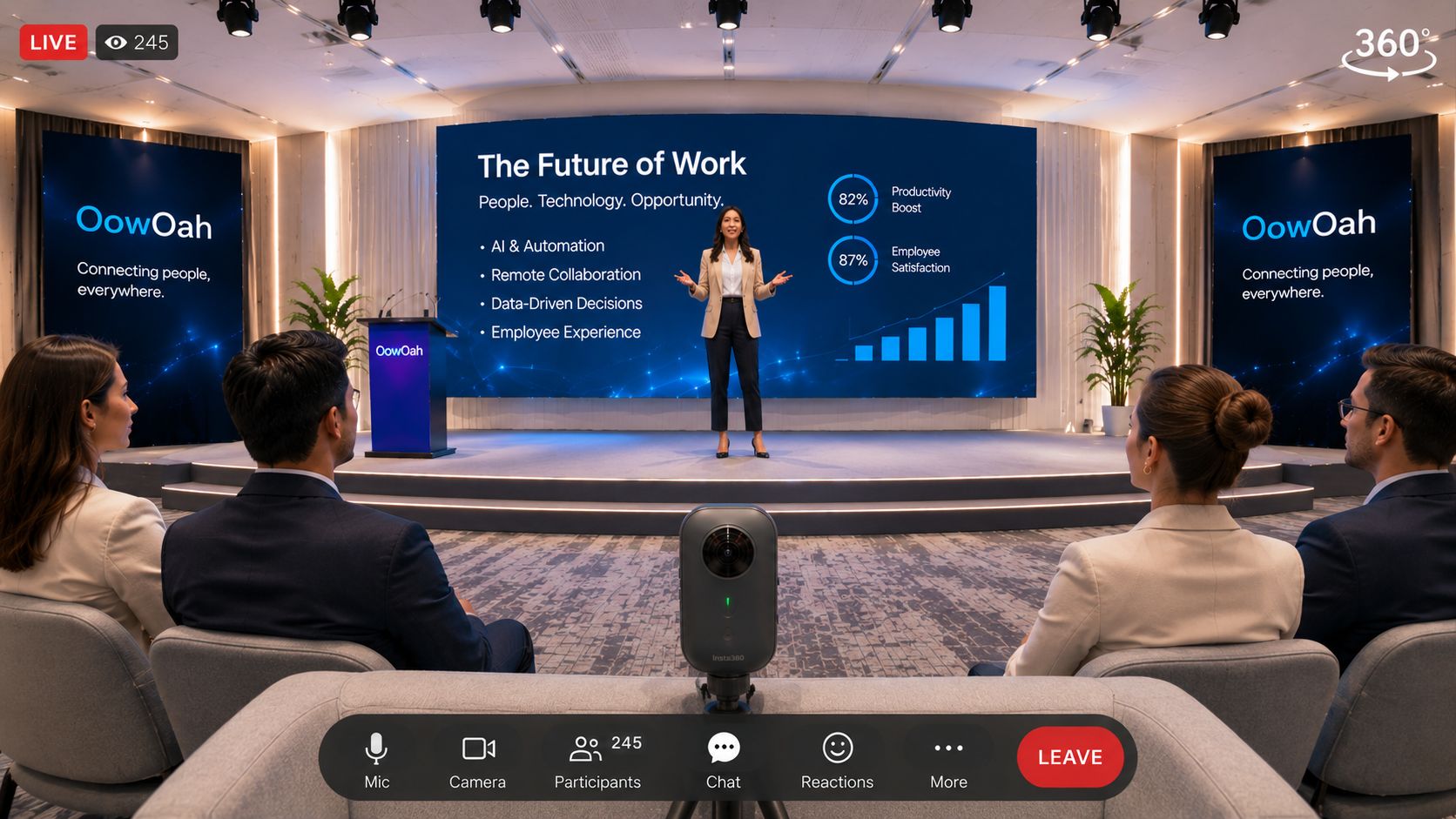
    Professional associations can consider OowOah Live VR as an additional way to attend a physical talk, seminar or conference session. A 360° broadcast lets headset viewers look around the captured setting while the event takes place. Start with an event that already has a clear audience and useful content.

    Which member event makes a sensible first broadcast?

    Choose a talk or panel with a predictable programme and a venue where the camera can have a useful view. Explain what remote members will see and how the session relates to the in-person event. Keep the first production manageable so the association can learn from a complete broadcast and its audience feedback.

    Can members receive free VR tickets?

    Ordinary organisers offer paid tickets on OowOah Live VR. Free events are reserved for OowOah ambassadors, such as Sara and Elena. An association should therefore plan its normal VR offer around a clearly advertised ticket price rather than assume it can publish a free members-only event.

    What should the association explain before booking?

    State the event date, start time and time zone, the content included and the headset requirement. Viewers need Meta Quest 3 or Meta Quest 3S. Describe the broadcast as a live VR viewing experience without promising interactive features that have not been agreed. Confirm camera suitability and the venue arrangements before promoting the session.

    Where can I find out more?

    How your audience attends in VR. Visit explore hosting live vr events for the relevant service information.

  • Can museums broadcast a live guided tour to VR audiences?

    Can museums broadcast a live guided tour to VR audiences?

    A museum can consider a live VR broadcast of a guided talk or a carefully planned tour experience. The idea is to share a real place and its interpretation with people watching remotely in headsets. The format needs to work for the camera position and the way the guide presents the material.

    Should the first event move through the museum?

    A moving tour and a talk from a fixed position are different production choices. Discuss the intended route, connectivity and viewing comfort before deciding. A first event might concentrate on a curator explaining a small collection from one well-chosen position. Avoid promising an unrestricted virtual walk through the building when the audience is watching a broadcast.

    What should the museum check?

    Agree permission for filming the objects, staff and public areas included. Make sure the guide's voice and the relevant exhibits can be followed remotely. Identify areas that should remain outside the camera view. Test the intended experience rather than relying on how the room looks to a visitor standing beside the guide.

    How would tickets work?

    The museum would plan a paid Live VR event under the ordinary organiser arrangement. Free events are reserved for OowOah ambassadors. Explain the ticket price, viewing requirements and programme clearly. If a replay will be offered, describe that separately rather than assume every live booking includes later access.

    Where can I find out more?

    How your audience attends in VR. Visit explore hosting live vr events for the relevant service information.
  • Who helps me prepare my first OowOah live VR broadcast?

    Who helps me prepare my first OowOah live VR broadcast?

    OowOah's team helps approved organisers prepare for their first immersive live event. The starting point is to explain the event, venue, audience and camera arrangement so the preparation addresses the actual production.

    What information should I bring?

    Describe the programme, presenter, intended date and venue. Identify whether you already own a compatible RTMP 360° camera. Share the key questions about connection, sound and the camera position so they can be addressed before the event is promoted.

    What should the preparation cover?

    Agree the event setup and rehearsal, the ticket description and how viewers will be told to attend. Ordinary organisers offer paid tickets, and free events are reserved for ambassadors. Make sure the offer matches the content and production plan.

    What support should I avoid assuming?

    Do not infer a 24-hour helpdesk, on-site operator, guaranteed response time or additional production service from the general offer to help. Discuss the support needed for the particular event with OowOah and confirm the arrangement before relying on it.

    Where can I find out more?

    How your audience attends in VR. Visit explore hosting live vr events for the relevant service information.
  • Can I attend an OowOah live VR event with friends?

    Can I attend an OowOah live VR event with friends?

    You and your friends can plan to watch the same advertised live event. Each person needs their own supported headset and appropriate event booking access. Watching the same broadcast should not be described as an automatically created private social room.

    Does one ticket cover the whole group?

    Do not assume that one booking provides access for several viewers. Each person should follow the event's booking process and check the offer before purchase. Any group arrangement would need to be explicitly confirmed rather than inferred.

    Can we talk together during the broadcast?

    A shared ticketed event and a private VR meeting are different experiences. This article does not promise private voice chat, shared seating or a watch-party feature. If those features are important to your plans, confirm the arrangement with OowOah first.

    How can we prepare together?

    Agree the event, check the time zone and make sure everyone has a Meta Quest 3 or Meta Quest 3S. Read the viewing guide before the day. You can then arrange your own conversation afterwards about the talk or performance you watched.

    Where can I find out more?

    Read the Live VR viewing guide. Visit explore live vr events for the relevant service information.

  • Do I need a 360° camera to host an OowOah live VR event?

    Do I need a 360° camera to host an OowOah live VR event?

    Yes. An immersive 360° Live VR broadcast needs a suitable 360° camera with compatible RTMP live-streaming capability. Organisers can use their own compatible camera or purchase one from OowOah.

    Will any 360° camera work?

    Do not assume a camera that records 360° video can also provide the required live stream. Confirm the particular model and its compatibility before planning the event. Test the actual camera, connection and venue arrangement rather than relying on the product category alone.

    Do audience members need a camera too?

    No. The organiser's camera captures the event. Viewers attend using Meta Quest 3 or Meta Quest 3S headsets with the required audience access. Capture equipment and viewing equipment have different roles.

    What should I do before announcing an event?

    Discuss the intended setup with OowOah and rehearse the broadcast. Check the camera view, presenter audio and programme. This is a live 360° event experience, separate from showing one conventional RTMP feed during a business VR meeting.

    Where can I find out more?

    How your audience attends in VR. Visit explore hosting live vr events for the relevant service information.
  • Can I broadcast an OowOah live VR event from a venue I already use?

    Can I broadcast an OowOah live VR event from a venue I already use?

    Yes, an existing venue can be considered for an OowOah Live VR broadcast. Suitability depends on the intended event, camera arrangement and connection, so the venue should be checked rather than assumed ready.

    What should I discuss with the venue?

    Explain the planned 360° broadcast, camera position, sound requirements and programme. Agree permission to film the relevant areas and people. Ask about the connection available at the intended position and arrange a test.

    Can the physical event continue as usual?

    The aim can be to add a VR audience to an event already taking place. However, the production still needs planning so the remote view and audio work. A rehearsal may identify changes to where a presenter stands or how questions are heard.

    What happens next?

    Confirm a compatible RTMP 360° camera and review the complete setup with OowOah. Ordinary organisers offer paid VR tickets, while free events are reserved for ambassadors. Make the headset requirement and event offer clear when promoting attendance.

    Where can I find out more?

    How your audience attends in VR. Visit explore hosting live vr events for the relevant service information.
  • Can I offer free tickets to an OowOah live VR event?

    Can I offer free tickets to an OowOah live VR event?

    Ordinary organisers cannot offer free Live VR events. Their events use paid tickets. Free events are reserved for OowOah ambassadors, such as Sara and Elena.

    Does free organiser registration mean free audience tickets?

    No. The cost of creating an organiser account and the price of attending an event are different questions. Do not describe an ordinary event as free because a speaker can register without an upfront platform fee.

    How should an ordinary organiser plan an event?

    Choose a paid ticket offer that matches the programme and audience. Explain the date, start time, time zone, presenter and viewing requirements. A buyer should understand what the ticket includes before booking.

    How should ambassador events be described?

    Describe the actual free event and its booking instructions when it is advertised. Do not imply the exception is available to every organiser or that hosting a charity, community or promotional event automatically makes it eligible for free tickets.

    Where can I find out more?

    How your audience attends in VR. Visit explore hosting live vr events for the relevant service information.
  • Can I charge for access to an OowOah event replay?

    Can I charge for access to an OowOah event replay?

    OowOah supports revenue from on-demand event replays. An organiser planning to sell replay access should confirm the replay offer and arrangements for the specific event before advertising it.

    What should the buyer be told?

    Explain whether the offer concerns the live event, the replay or both. State the price and the access actually provided. Do not assume every live ticket includes later viewing or promise unlimited availability without confirmation.

    What should the organiser check first?

    Confirm permission to record and distribute the content, and make sure the proposed replay is part of the agreed production plan. Rights and access arrangements should be settled before a recorded event is offered for sale.

    Does the service charge apply?

    OowOah's stated service charge is 15% of ticket and replay sales. Include that in planning alongside production costs. Use the current published commercial information and event arrangements for any detailed financial decision.

    Where can I find out more?

    How your audience attends in VR. Visit explore hosting live vr events for the relevant service information.

  • How does OowOah’s service charge work?

    How does OowOah’s service charge work?

    OowOah applies a 15% service charge to ticket and replay sales. The charge should be included when an organiser plans the commercial offer for a live VR event or recorded replay.

    What does 15% mean for a ticket sale?

    For a £20 ticket, 15% is £3. That example illustrates the percentage only. A complete event budget should also account for the organiser's own production costs and any other applicable arrangements rather than treating ticket sales as pure profit.

    Does the charge mean an organiser can publish free events?

    No. Ordinary organisers offer paid tickets. Free events are reserved for OowOah ambassadors, such as Sara and Elena. The organiser ticket policy is separate from the percentage service charge.

    What should be checked before setting a price?

    Review the current organiser information and the proposed production setup. Decide what the buyer receives and describe replay access accurately. Avoid using old pricing assumptions when preparing a proposal or a forecast for a new event.

    Where can I find out more?

    How your audience attends in VR. Visit explore hosting live vr events for the relevant service information.

  • Can I host OowOah live VR events regularly?

    Can I host OowOah live VR events regularly?

    OowOah Live VR can be considered for an ongoing programme of real-world events. A regular series still needs clear information and a workable production plan for each session, rather than simply repeating the same booking description.

    What should be consistent?

    Use recognisable event names, clear time zones and straightforward viewing instructions. Keep a repeatable camera and audio rehearsal. An organiser with its own compatible RTMP 360° camera should still check that each venue arrangement works.

    How do tickets fit a regular programme?

    Ordinary organisers offer paid tickets. Free events are reserved for OowOah ambassadors. Describe each offer accurately and do not assume series subscriptions, automatic recurring bookings or bundled passes unless those features have been confirmed.

    How can the programme improve over time?

    Review the content and audience feedback after each event. Change the points that made joining or following the programme difficult. Confirm a manageable schedule before announcing a long series, and explain any replay availability for the relevant event.

    Where can I find out more?

    How your audience attends in VR. Visit explore hosting live vr events for the relevant service information.

  • What permissions should organisers check before broadcasting a performance in VR?

    What permissions should organisers check before broadcasting a performance in VR?

    Before announcing a performance broadcast, ask the people responsible for the content and venue to confirm the intended use. A physical performance and its online VR broadcast can involve different permissions. Treat this as a planning discussion with the relevant rights holders and advisers.

    Which content should be identified?

    List the performance material, music, scripts, artwork and other content that will appear. Identify the performers and the venue arrangements. Explain that the plan concerns a 360° live broadcast, including the potential camera view of the surrounding space. Do not assume that permission for an ordinary event covers every broadcast use.

    Should replay rights be discussed separately?

    Yes. If a recording will be offered later, raise that use explicitly before production. Explain how it will be distributed and sold, and agree the relevant arrangements. This avoids advertising a replay on the assumption that a live performance agreement automatically allows it.

    What should be documented?

    Keep the relevant permissions with the event production information and ensure promotional copy matches the approved scope. Where rights or obligations are unclear, obtain advice for the specific production. This article is a preparation checklist, not a declaration that a particular performance is cleared for broadcast or a substitute for the required agreements.

    Where can I find out more?

    How your audience attends in VR. Visit explore hosting live vr events for the relevant service information.

  • How do I find and book an OowOah live VR event?

    How do I find and book an OowOah live VR event?

    Start from OowOah's Live VR Events page and choose the event you want to attend. Read the programme and practical information before booking so you understand the experience and the equipment required.

    What should I check first?

    Look at the presenter, date, start time and time zone, ticket price and description. You need a Meta Quest 3 or Meta Quest 3S. Make sure the event is something you want to watch through a headset rather than assuming it is an ordinary browser-based stream.

    How does booking work?

    Use an audience account for the booking and complete the relevant ticket process. Ordinary organisers offer paid tickets. Free events are reserved for OowOah ambassadors, such as Sara and Elena. Read the advertised offer for the event you select.

    Where do I prepare to attend?

    Use OowOah's viewing guide for the app and joining steps. This is separate from a guest invitation to a business VR Meeting Room. Do not assume booking a public event follows the business-account-only invitation arrangement.

    Where can I find out more?

    Read the Live VR viewing guide. Visit explore live vr events for the relevant service information.

  • How do I access my OowOah event after buying a ticket?

    How do I access my OowOah event after buying a ticket?

    Use the OowOah audience account associated with your booking in the public VR app. Your booked event is available through My Events, with entry through the event lobby when joining is available.

    What should I prepare beforehand?

    Have your Meta Quest 3 or Meta Quest 3S ready and read OowOah's viewing guide. Check the event date, start time and time zone. Complete the preparation before the event rather than first looking for joining information when the programme begins.

    What if I used a different email address?

    Keep the booking and audience account details consistent. The access process uses the account associated with the booking. If something does not match, use the published contact route to resolve it rather than buying a second ticket on an assumption.

    Is this the same as joining a business meeting?

    No. A Live VR ticket and audience account are different from a business setting up a meeting and emailing guest invitations. Use the instructions for the experience you have booked, and retain the confirmation so the event details are easy to find.

    Where can I find out more?

    Read the Live VR viewing guide. Visit explore live vr events for the relevant service information.

  • Can I attend an OowOah live VR event from another country?

    Can I attend an OowOah live VR event from another country?

    OowOah Live VR is intended to let audiences attend remotely from different countries. Viewers need a supported headset, internet access and valid access to the chosen event. Check the advertised event details rather than assuming every place has identical availability.

    What equipment do I need?

    Use a Meta Quest 3 or Meta Quest 3S and follow OowOah's audience setup and viewing guide. A ticket does not include a physical headset. Prepare the device and your booking details ahead of time.

    Which time should I follow?

    Check the event's stated time zone and convert it to your local time. The event may occur on a different local date for someone far from the venue. Use the confirmation and event page as the reference for the scheduled programme.

    What should I check before purchase?

    Read the ticket offer and any event-specific conditions, including whether a replay is included. If location or availability is unclear, contact OowOah before buying. Do not treat global audience access as a promise about every country's network or every individual event's conditions.

    Where can I find out more?

    Read the Live VR viewing guide. Visit explore live vr events for the relevant service information.

  • Can I watch an OowOah live VR event replay if I miss it?

    Can I watch an OowOah live VR event replay if I miss it?

    You can watch a replay where one is offered with your booking. Replay availability is event-specific, so check the advertised offer before assuming a missed live session will always be available later.

    Where would I find a replay?

    OowOah's viewing guide directs attendees to My Events for a replay offered with their booking. Use the same audience account associated with that booking. Keep the event information so you can check what access was included.

    Does every ticket include a recording?

    No universal replay entitlement should be assumed. Read the event description and booking terms for the session you choose. Live access and later viewing are different parts of an offer, even where an organiser provides both.

    How should I choose an event if timing is difficult?

    Check the time zone and the specific replay information before purchase. If your decision depends on watching later and the listing does not make that clear, ask before booking. That is more reliable than assuming an event must be recorded because it is broadcast online.

    Where can I find out more?

    Read the Live VR viewing guide. Visit explore live vr events for the relevant service information.