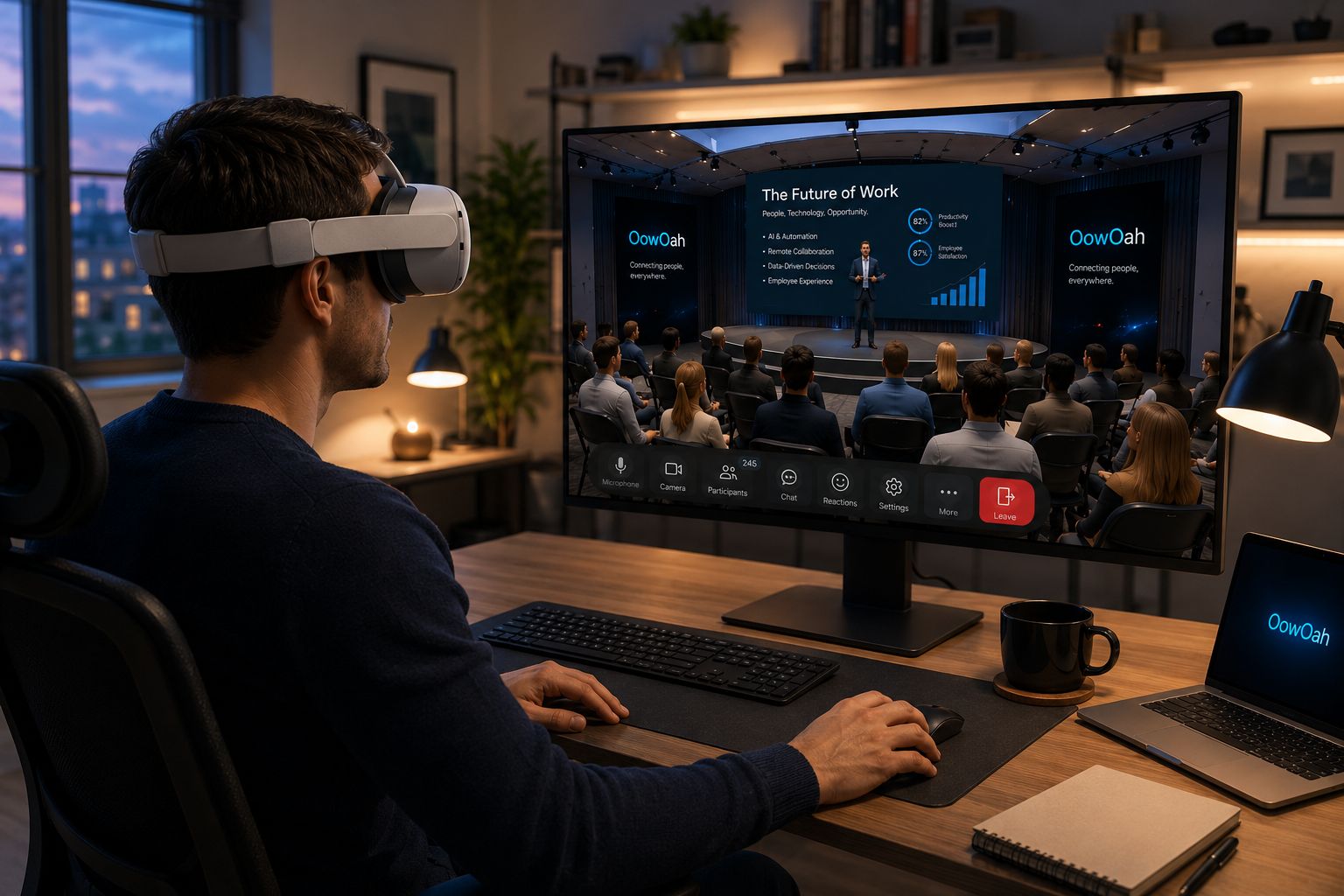
Category: News

  • How Do You Measure Whether a VR Meeting Was Worthwhile?

    How Do You Measure Whether a VR Meeting Was Worthwhile?

    A worthwhile meeting helps people achieve something that needed their attention. It is not measured by how unusual the setting looked. To judge a VR meeting, agree what you want to improve and compare the result with a familiar alternative.

    Choose a useful task

    Pick a discussion with a clear outcome: review a proposal, resolve a question or agree a plan. Record the number of people, preparation time and meeting length. A vague goal such as “better engagement” is difficult to assess without defining what it means.

    Look at the outcome

    Did the group reach the required decision? Could participants explain it afterwards? Were actions and responsibilities clear? Collect short feedback about readability, contribution and comfort, including from people who found the format difficult.

    Include the effort and costs

    Count setup time, support, headsets and subscriptions as well as travel actually avoided. A trip saved is useful, but not every saved hour becomes additional revenue. Compare like-for-like tasks rather than a casual video update with a carefully prepared VR workshop.

    Decide where it fits

    Use the findings to choose which future meetings suit VR and which do not. A small trial can reveal a useful role for OowOah without requiring every appointment to move into a headset.
    Read more about OowOah VR Meeting Rooms.

  • What Should You Do If Someone Cannot Use a VR Headset?

    What Should You Do If Someone Cannot Use a VR Headset?

    If someone cannot use a VR headset, the meeting still needs to include their contribution. The reason may be comfort, accessibility, equipment or personal preference. Start by discussing a practical alternative rather than asking them to justify their situation publicly.

    Ask privately what would help

    Find out which format the person can use comfortably. They may prefer a video call, telephone discussion or written feedback. You do not need a detailed account of a medical condition to arrange a reasonable way to contribute.

    Check the actual product requirements

    OowOah VR Meeting Rooms require supported headsets for participants. Do not promise that someone can join the same room through a browser or phone unless that capability is confirmed. Arrange an alternative meeting or another route for their input.

    Keep decisions inclusive

    Share the same relevant documents, questions and context. If input is collected separately, bring it into the main discussion before a decision is made. Sending someone the result afterwards is not the same as letting them influence it.

    Choose another format when needed

    If the group’s purpose requires everyone to talk together, use a format everyone can access. The advantages of a virtual room do not outweigh excluding a colleague or client from an important conversation.

    Read more about OowOah VR Meeting Rooms.

  • Can a Client Presentation Feel Personal When You Cannot Meet Face to Face?

    Can a Client Presentation Feel Personal When You Cannot Meet Face to Face?

    A remote presentation can feel personal when the client’s questions shape the conversation. It becomes less personal when the presenter delivers the same slides regardless of who is listening. Video and VR both need preparation that starts with the client.

    Ask before you present

    Find out what decision the client needs to make, who will attend and what concerns they already have. Build the presentation around those questions. Explain the agenda and leave space for discussion instead of treating questions as an interruption.

    Use examples they recognise

    Show a relevant workflow or situation rather than a generic feature list. Keep names, figures and claims accurate. Invite the client to correct your understanding so the conversation becomes a joint examination of their needs.

    Match the format to the guests

    A familiar video link may be the simplest choice. A VR room may suit a planned discussion when participants have supported headsets and feel comfortable using them. Do not make access to a headset a barrier to speaking with your business.

    Finish with a clear next step

    Summarise the client’s priorities and confirm the next action. OowOah can provide a shared virtual meeting setting, but attention, preparation and follow-through are what make the presentation feel personal.

    Read more about OowOah VR Meeting Rooms.

  • How Do You Welcome a New Employee Who Has Never Visited Your Office?

    How Do You Welcome a New Employee Who Has Never Visited Your Office?

    A remote employee can know their login details and still have no idea who to ask for help. A good welcome builds useful relationships and explains how the business works. A meeting format is only one part of that process.

    Make the first conversations personal

    Arrange short introductions with the manager, immediate colleagues and a named contact for everyday questions. Explain each person’s role instead of presenting a long list of unfamiliar names. Give the new employee time to ask questions privately.

    Show how work happens

    Use a real example to explain decisions, handovers and communication habits. Tell the employee where information is kept and when people are available. Avoid making informal office knowledge something they must discover by accident.

    Use VR when it adds something

    A virtual room may provide a shared setting for introductions or a small team discussion when everyone has suitable access. Introduce the technology before the important conversation. A new employee should not have to learn their job and unfamiliar controls simultaneously.

    Follow up after the welcome

    Check what remains confusing after the first week. Pair the employee with someone who can help them settle in. Belonging grows through repeated, considerate contact; a single impressive welcome meeting cannot provide it on its own.

    Read more about OowOah VR Meeting Rooms.

  • Could a VR Meeting Help You Explain a Complicated Idea?

    Could a VR Meeting Help You Explain a Complicated Idea?

    A complicated idea becomes easier to discuss when people can follow its parts and ask questions at the right moment. A VR meeting could provide a shared setting for that conversation, but changing the room does not automatically improve the explanation.

    Build the explanation in stages

    Start with the problem, show one simple example and add detail gradually. If you are explaining a business process, follow a single item through it before introducing exceptions. Avoid filling a presentation with every technical term at once.

    Use the setting deliberately

    Shared screens can give the group a common reference. Point people towards the relevant section and pause before moving on. Check supported presentation options rather than promising interactive objects, simulations or 3D models that have not been confirmed.

    Ask for understanding

    Invite someone to explain the idea back in their own words. Ask what remains unclear. Agreement, silence and understanding are different things, whether the meeting is in person, on video or in VR.

    Choose a practical format

    If the material requires detailed reading or a participant cannot use a headset, another format may work better. Test one explanation with a small group and compare what they understand afterwards, rather than judging only how impressive the room looks.

    Read more about OowOah VR Meeting Rooms.

  • How Do You Run a Design Review When Everyone Is Somewhere Else?

    How Do You Run a Design Review When Everyone Is Somewhere Else?

    A remote design review needs more than showing a drawing and asking whether everyone likes it. People need to understand the brief, examine the same version and leave knowing which changes have been agreed. Those basics matter on video and in VR.

    Start with the decision

    Explain the design’s purpose, constraints and the questions that need answering. Share the relevant version before the meeting. Distinguish a concept discussion from a review intended to approve work, because each needs a different level of detail.

    Make the material readable

    Use a few focused views rather than an entire crowded document. Check text and detail from the attendee’s viewpoint. A large virtual screen does not automatically make a small drawing legible, and a presentation screen is not proof of native 3D model support.

    Separate feedback from preferences

    Ask reviewers to connect comments to the brief. Does a layout meet the user’s needs? Is a requirement missing? Give quieter participants time to contribute and record conflicting opinions without pretending everyone agrees.

    End with a precise record

    Identify the version reviewed, approved points, requested changes and the next review date. OowOah VR Meeting Rooms can provide a setting for this discussion, but clarity comes from the process and the material you bring.

    Read more about OowOah VR Meeting Rooms.

  • What Is the Difference Between Zoom Rooms, Teams Rooms and VR Meeting Rooms?

    What Is the Difference Between Zoom Rooms, Teams Rooms and VR Meeting Rooms?

    The word “room” can describe very different things. Zoom Rooms and Microsoft Teams Rooms generally equip physical meeting spaces for video collaboration. A VR meeting room is a digital place that participants enter through a suitable app and headset.

    Physical rooms connect a venue

    A physical room system combines meeting software with equipment such as cameras, microphones, speakers and displays. People sitting together can meet remote colleagues. Room design and audio quality affect how well everyone can participate.

    Virtual rooms connect people in a digital setting

    In a VR room, participants can appear as avatars around shared presentation material while remaining in separate physical locations. They do not need to travel to the same conference room, but they do need the appropriate equipment and access.

    Their strengths are different

    A physical room system can suit teams already together in an office. A virtual room may be worth exploring when a distributed group wants a shared setting. Neither removes the need for good facilitation, readable content or inclusive access.

    Compare complete costs and requirements

    Look at hardware, subscriptions, setup and the people attending. OowOah VR Meeting Rooms require Meta Quest 3 or Quest 3S headsets. Check current product requirements rather than assuming all services described as “rooms” provide the same experience.

    Read more about OowOah VR Meeting Rooms.

    Further reading: Zoom Rooms, Microsoft Teams Rooms.

  • What Is the Difference Between a Webinar and a VR Meeting?

    What Is the Difference Between a Webinar and a VR Meeting?

    A webinar usually centres on presenters delivering information to an audience. A VR meeting centres on people working together inside a shared virtual setting. Neither format is automatically better: their usefulness depends on whether the session needs presentation, discussion or both.

    When does a webinar fit?

    A briefing, public talk or product introduction may suit an audience-led format. Webinar platforms can provide questions, polls and other participation tools, depending on the setup. An audience watching a presenter is still different from a small group making decisions together.

    When does a VR meeting fit?

    A project discussion or client review may suit a virtual room where participants appear as avatars and examine shared material. Supported headsets and access are required. Allow for comfort and an alternative for anyone unable to use VR.

    Do not confuse the two OowOah products

    OowOah VR Meeting Rooms are for collaboration. OowOah Live VR adds headset viewers to a physical event through live 360° capture. Watching a captured event does not automatically provide the same participation as joining an avatar meeting.

    Choose the audience’s role first

    Write down what attendees should do: listen, ask questions, discuss options or agree actions. Then select the format and explain its participation arrangements. A clear invitation prevents people expecting a workshop when they have booked a presentation.

    Read more about OowOah VR Meeting Rooms.

    Further reading: Zoom meetings and webinars.

  • Can AI Meeting Notes Capture Everything That Matters?

    Can AI Meeting Notes Capture Everything That Matters?

    AI meeting notes can give people a useful starting point after a discussion. They are not a guarantee that every decision, qualification or responsibility has been captured correctly. The important step is reviewing the record before anyone acts on it.

    What can a summary help with?

    A concise record can help colleagues revisit key subjects without replaying the entire meeting. Teams and Zoom offer recap or summary tools, with availability depending on the product, licence and settings. OowOah also lists AI meeting notes among its meeting room features.

    What needs a human check?

    A suggestion may be mistaken for an agreement, a conditional date may become a firm deadline, or the wrong person may be assigned an action. Check names, numbers, decisions and responsibilities against what participants actually agreed.

    Make the discussion easier to record

    At the end of each item, state the decision clearly. Ask the action owner to confirm the task and date. If the group has not reached agreement, say so explicitly rather than allowing a tidy summary to hide the uncertainty.

    Share an approved version

    Agree who reviews the notes and how corrections are made. Explain the recording or transcription arrangements before the meeting and follow your organisation’s policies. A useful record supports the team; it does not replace someone taking responsibility for accuracy.

    Read more about OowOah VR Meeting Rooms.

    Further reading: Microsoft Teams recap, Zoom AI Companion.

  • Do You Need to Replace Teams or Zoom to Start Using VR Meetings?

    Do You Need to Replace Teams or Zoom to Start Using VR Meetings?

    No. Trying VR meetings does not mean abandoning the tools your team already uses. A business can keep video calls for everyday contact and use a virtual room for selected discussions. The practical question is which format helps people complete a particular task.

    Keep the useful routines

    A short update, a supplier call or a conversation with someone using a phone may be easiest on Teams or Zoom. Familiar access matters, especially when guests need to join quickly. There is little value in adding headset setup to an appointment that already works well.

    Choose a specific reason to try VR

    A project review or a discussion around shared presentation material may be worth testing in a virtual room. Agree what improvement you are looking for: clearer understanding, useful contributions or a more comfortable conversation. Avoid treating novelty as evidence of better collaboration.

    Compare the whole experience

    VR requires suitable equipment and preparation. Video calls have their own limitations, including a restricted view of other people and distractions on the screen. Ask participants about both the task and the effort required to join.

    Keep the choices separate

    OowOah VR Meeting Rooms provide another meeting option. Do not assume that keeping Teams or Zoom means the services connect directly: any integration must be checked separately. You can choose a different tool for a different appointment without replacing your entire workflow.

    Read more about OowOah VR Meeting Rooms.

  • What Does a Virtual Audience Experience at a Physical Event?

    What Does a Virtual Audience Experience at a Physical Event?

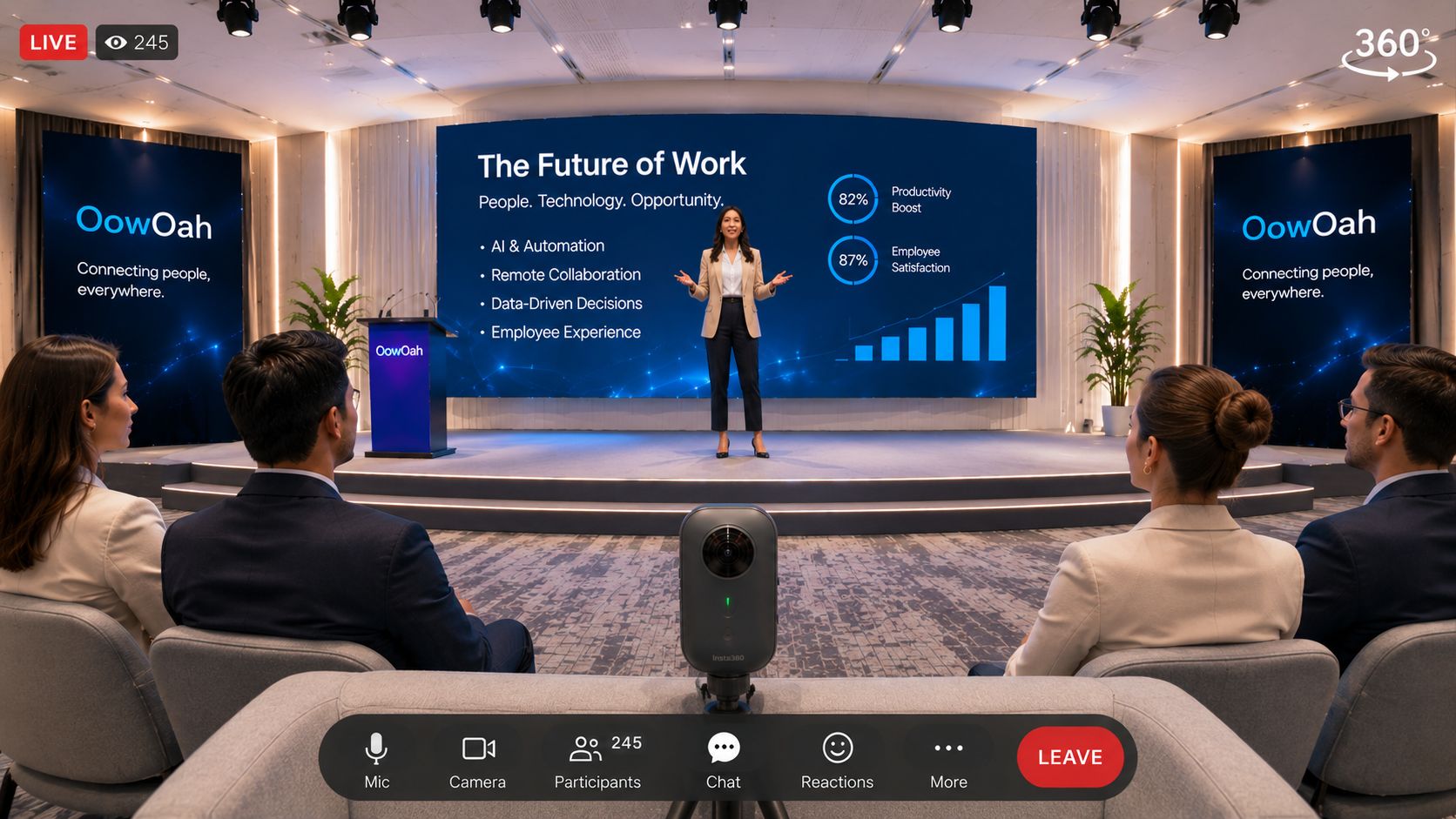
    A virtual audience is a group attending remotely while an event takes place in a venue. Their experience depends on how the event is captured and delivered. With live 360° viewing, the camera’s position becomes the remote attendee’s point of view.

    The camera becomes a seat

    Viewers can look around the captured scene through a compatible headset. They cannot automatically move freely around the building or see behind closed doors. Explain the viewing position so expectations match the ticket.

    Sound makes the event understandable

    A beautiful room is not enough if speech is difficult to hear. Check the presenter’s microphone and how audience questions reach the broadcast. Introduce speakers and explain activity happening outside the camera’s view.

    Participation needs an explicit plan

    Watching in VR is different from joining an avatar meeting. Do not promise two-way conversations, networking or audience interaction unless those arrangements have been confirmed for your event.

    Welcome both audiences

    Give remote attendees clear access instructions and a contact for problems. OowOah Live VR adds headset viewers to an existing physical event. Think of that audience when planning the view, programme and welcome.

    Find out more about OowOah Live VR Events.

  • What Is the Difference Between an AR Meeting and a VR Meeting?

    What Is the Difference Between an AR Meeting and a VR Meeting?

    AR and VR are often mentioned together, but they describe different experiences. Augmented reality adds digital material to a view of your surroundings. Virtual reality places you inside a digital environment. That distinction helps explain what someone might mean by an immersive meeting.

    AR keeps the physical world visible

    An AR experience might show information over a view of a real object or workspace. Exactly how people collaborate depends on the hardware and software. The term alone does not tell you which tools, shared views or remote access are available.

    VR provides a shared digital setting

    In a VR meeting, participants can enter a virtual room and appear as avatars. They remain in separate physical locations while using the app’s meeting features. OowOah VR Meeting Rooms belong to this category.

    Headsets can support different modes

    Some devices combine immersive VR with views of the physical environment. Owning such a device does not mean every app supports both AR and VR meetings. Check the particular app’s requirements and features.

    Choose around a task

    Do you need to inspect a physical object, discuss a presentation or bring remote colleagues together? Start with that question. Ask for a demonstration of your actual task rather than choosing a product because its description includes AR or VR.

    Find out more about OowOah VR Meeting Rooms.

  • Could Your Local Christmas Concert Welcome an Audience Around the World?

    Could Your Local Christmas Concert Welcome an Audience Around the World?

    The village hall is decorated, the choir is ready and someone has brought enough mince pies for a small army. Your Christmas concert may be local, but some of the people who would love to attend live far away. Could an additional Live VR audience help them join the occasion?

    Keep the concert in the hall

    The performers and physical audience remain at the heart of the event. A compatible 360° camera can capture a viewpoint for remote headset viewers alongside the venue performance. Choose a position that shows the stage without obstructing anyone.

    Let the music be heard

    Test the broadcast sound during rehearsal. The audience needs to hear voices and instruments clearly, not only the people talking beside the camera. Agree permission for the music, performers and any recording before offering access.

    Invite people who miss the journey

    Think of former residents, relatives abroad and supporters unable to travel. Make the invitation specific: explain the programme, viewing format, headset requirement and start time.

    Give the remote audience a welcome

    Mention them at the beginning and explain any interval. OowOah Live VR can extend a physical event; it is not a promise that every local concert is already available to watch.

    Find out more about OowOah Live VR Events.

  • Can You Use a Meta Quest as a Business Meeting Room?

    Can You Use a Meta Quest as a Business Meeting Room?

    A Meta Quest can provide access to a business meeting room through a suitable VR app. It does not turn your physical room into an office or make every task suitable for VR. Its value depends on the discussion, the people attending and how comfortably they can participate.

    Think about the meeting itself

    A design discussion or presentation may benefit from a shared virtual setting. Plan what colleagues will look at and what decision they need to make. Avoid putting people in headsets simply to read a long email aloud.

    Give everyone a proper introduction

    Show participants how to join, use audio and view the shared material. Keep the first session short. Ask people to choose a clear, suitable physical space and follow the headset’s safety guidance.

    Separate accounts from equipment

    OowOah VR Meeting Rooms support Meta Quest 3 and Quest 3S. Headsets are purchased separately from the meeting room subscription. Check how many people must attend simultaneously before deciding how many headset spaces you need.

    Judge the result

    Ask whether people could follow the presentation, contribute and leave with clear actions. A useful business meeting is measured by what it achieves. Keep another way to participate available when VR is unsuitable.

    Find out more about OowOah VR Meeting Rooms.

  • What Is a VR Meeting App, and How Does It Work?

    What Is a VR Meeting App, and How Does It Work?

    A VR meeting app lets people join a shared digital room through a headset. Instead of seeing only a grid of faces, participants appear as avatars and can discuss material within the same virtual space. The useful question is what your team wants to accomplish there.

    What happens when you join?

    Participants sign in, enter a meeting and speak with colleagues through the headset’s audio. The room can contain shared presentation screens and places to review information. Each person remains physically in their own location.

    What do you need?

    For OowOah VR Meeting Rooms, each participant needs a Meta Quest 3 or Quest 3S. Allow time to set up access, charge the headset and practise joining before an important appointment.

    What could you use it for?

    Consider a project discussion, client presentation or small workshop. Give the meeting a clear agenda and use readable material. A routine update may still be easier by phone or video call.

    Try a small meeting first

    Invite a few colleagues, agree a short task and check whether the format helps. Headset comfort and a practical alternative for anyone unable to join matter as much as the appearance of the room.

    Find out more about OowOah VR Meeting Rooms.