Tag: Business Technology

  • Your Event Is Sold Out: How Can More People Attend?

    Your Event Is Sold Out: How Can More People Attend?

    A full venue does not mean every interested person is covered

    A sold-out seminar may leave potential attendees on a waiting list. Moving to a larger venue is one option, but it can introduce new costs and arrangements. Remote attendance offers a different way to serve some of that interest while keeping the physical event in its existing location.

    Treat remote access as a defined offering

    Explain what viewers will see and hear, whether questions are possible and whether a replay is included. Remote attendance will not reproduce every part of being at the venue. Be clear about networking, refreshments and demonstrations that are only available in person. Customers need to understand the ticket before purchasing.

    Prepare the production early

    A late decision to stream can leave little time to arrange sound, connectivity and permissions. If demand is likely to exceed capacity, consider the remote format during event planning. Test the feed from outside the venue and check that camera equipment will not obstruct attendees or staff.

    Capacity still needs checking

    Online delivery has practical limits, including the chosen service's capacity, support arrangements and the available connection. Confirm these with the provider rather than describing remote attendance as unlimited. Consider who will help viewers with access while the speaker is presenting.

    Offer an immersive view where appropriate

    OowOah Live VR is designed to add a headset audience to real-world events using 360-degree streaming. A suitable camera position lets viewers look around from a fixed perspective at the venue. Organisers should review current requirements and availability before listing tickets. For the right event, this provides another attendance option when the physical seats are already taken.

    Explore Live VR Events to find out more.
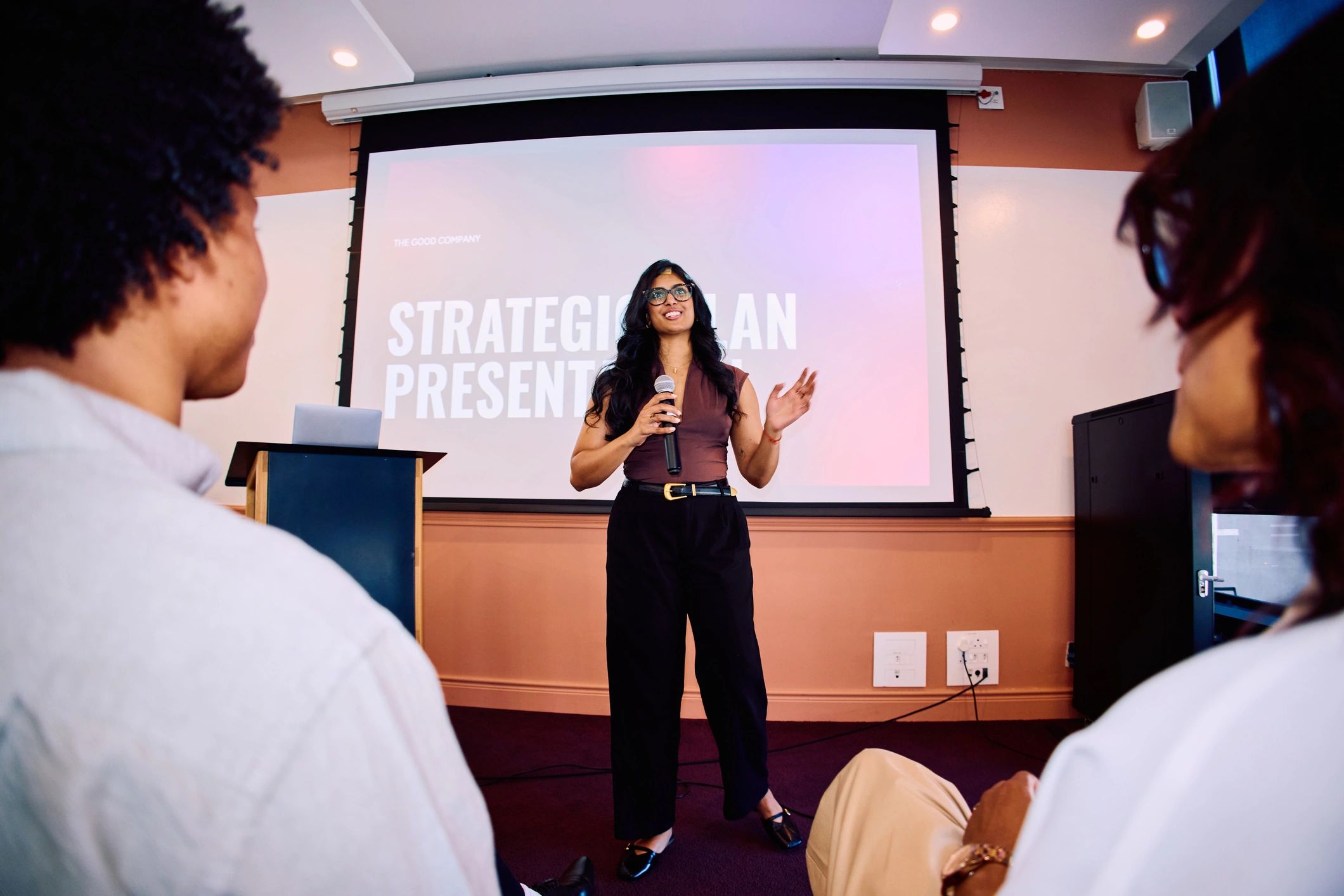
  • How to Earn More from a Seminar You Already Deliver

    How to Earn More from a Seminar You Already Deliver

    Begin with a seminar that already has value

    Additional ticket formats are useful when people want the content. Start with a clear topic, a defined audience and a strong reason to attend. If the seminar is difficult to sell in person, adding a stream will not automatically resolve that problem. Ask existing attendees what others would find useful and who cannot travel to the venue.

    Offer remote tickets with a clear description

    A remote ticket may suit someone who is interested but too far away to attend physically. Explain the broadcast format, access requirements and any participation options. Set a price that reflects what is included. Avoid describing it as the full in-person experience when some activities remain exclusive to the venue.

    Consider a replay as a separate product

    Recorded access can serve people who miss the live session or need a different time. Decide whether the material will still be useful later and confirm permissions before recording. Check the quality of speech and presentation content. State the access period clearly and explain whether a live ticket includes the replay.

    Calculate net income, not just ticket sales

    Compare additional revenue with platform fees, equipment, production, editing and support costs that apply. For an illustrative example, 20 remote tickets at £15 generate £300 in gross sales. That amount is not profit: deduct the relevant costs before deciding whether the extra offering is worthwhile. Use your own pricing and expected demand.

    Choose a format that fits the event

    OowOah Live VR offers a 360-degree format for a remote headset audience. Review its current pricing and equipment requirements when preparing your calculation. Start with one well-planned seminar and assess bookings, viewer experience and the work involved. Build future plans around evidence from the event rather than assuming that remote availability guarantees extra income.

    Explore Live VR Events to find out more.
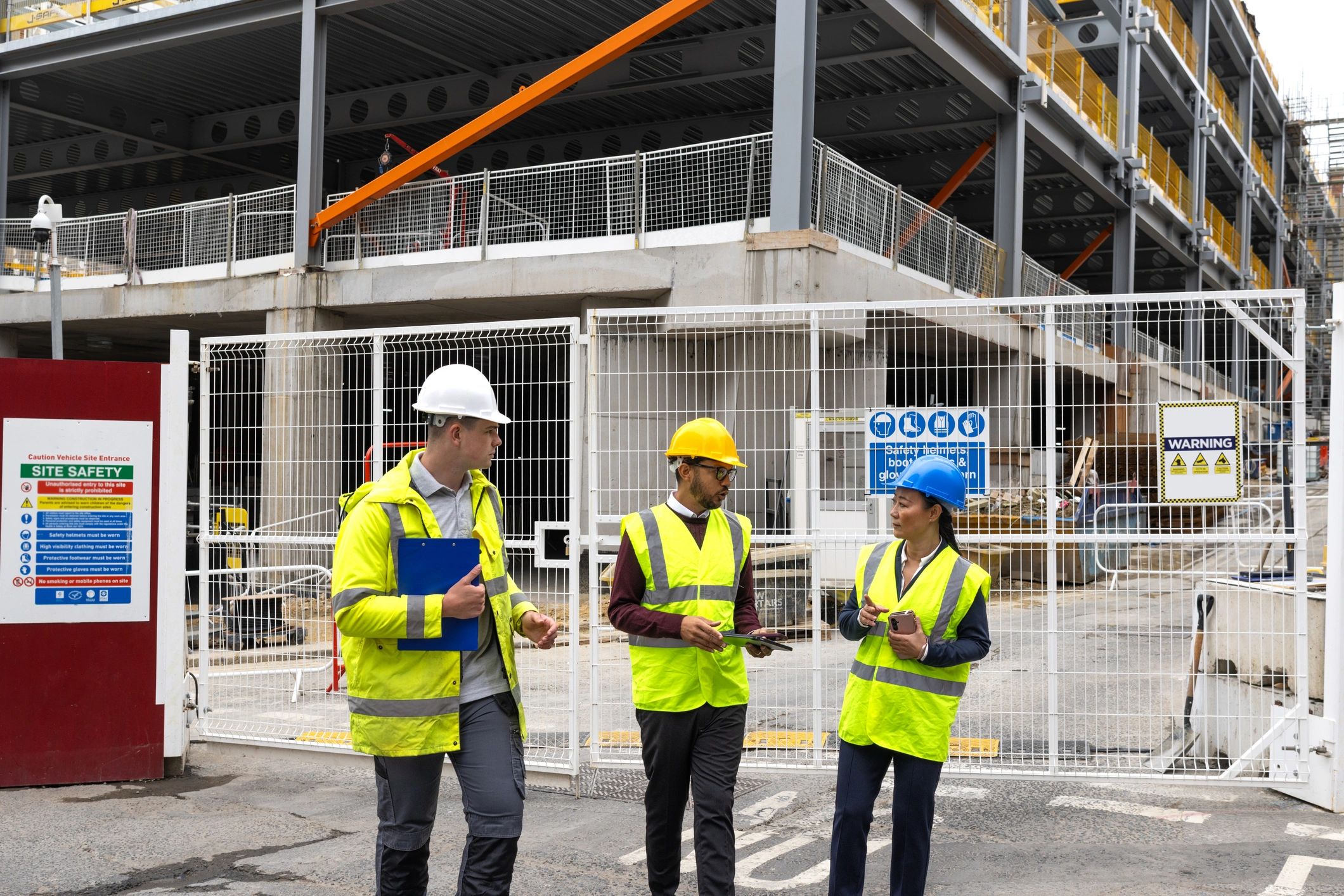
  • Sending an Expert to Site: Could a Remote Visit Come First?

    Sending an Expert to Site: Could a Remote Visit Come First?

    The first question may be easier than the whole problem

    An expert might need to travel simply to establish which equipment is involved or what information is missing. A planned live view from site can sometimes support that initial discussion. It may help the team decide who should attend, what they should bring and which checks are needed.

    Prepare useful information before connecting

    Collect the relevant drawings, equipment details and the question you want answered. Arrange for an appropriate person on site to provide context. Check whether connectivity and lighting are sufficient for a clear view. An unfocused tour may take time without providing the information the expert needs.

    Let the expert guide the visual discussion

    A remote colleague can ask for a different angle or clarification about the surroundings. Record the points that remain uncertain and agree the next step. Seeing equipment through a feed is different from handling, measuring or testing it. Avoid treating visual discussion as confirmation of facts that have not been checked.

    Keep physical work with the right people

    Follow site procedures and make sure the person carrying the device remains aware of the environment. A remote visit does not replace required inspections or specialist tasks. Where access, measurement or direct examination is essential, arrange the qualified in-person work. The useful outcome may be a better-prepared visit rather than no visit at all.

    Connect the site view with the office team

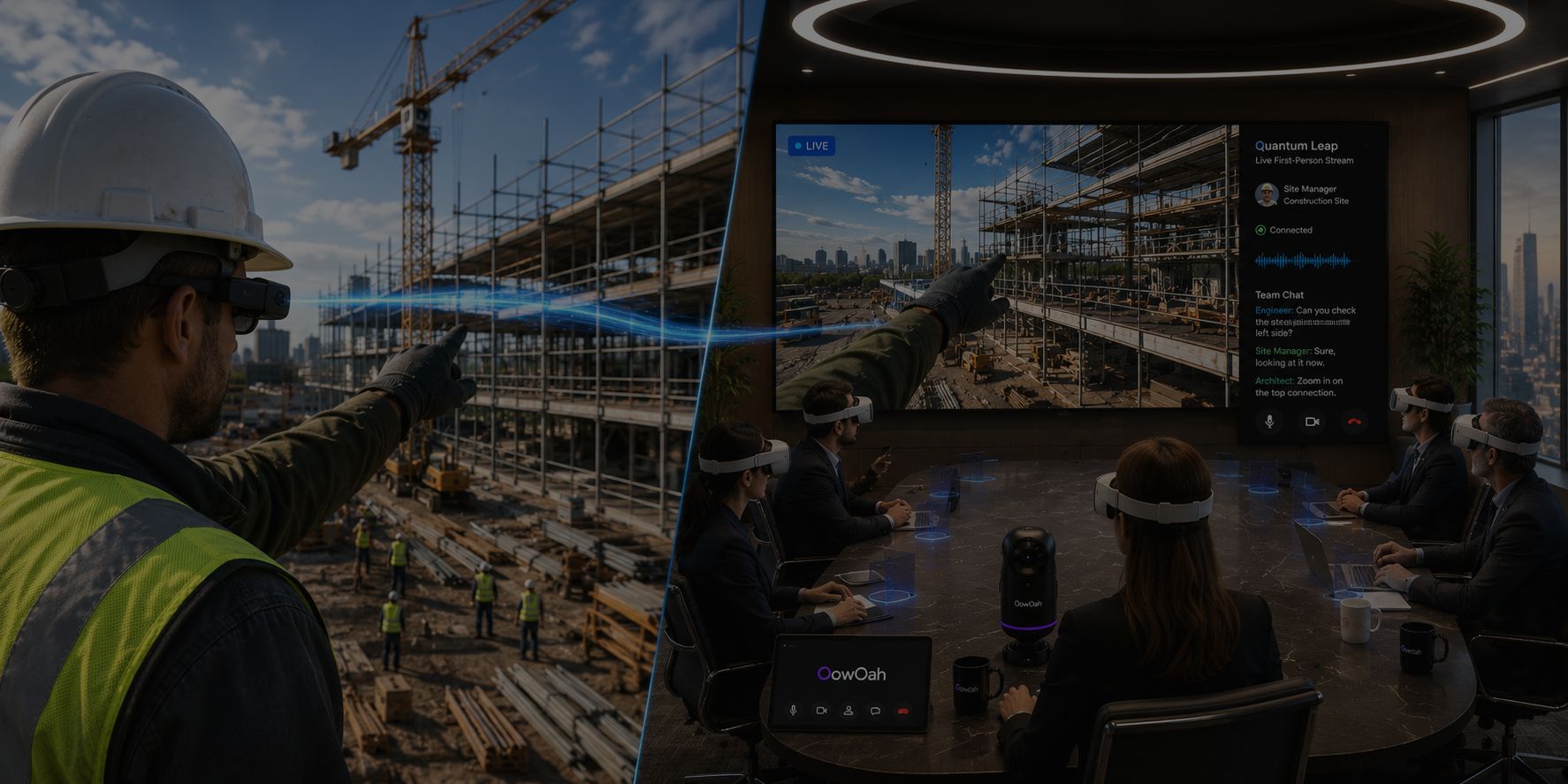
    OowOah Quantum Leap is designed to share a first-person live perspective with colleagues in a virtual meeting room. For a suitable task, this can bring the site and office discussion together. Confirm the current equipment requirements and test the arrangement before relying on it. Assess whether the session improved understanding and made the next action clearer.

    Explore Quantum Leap to find out more.

  • Time Wasted Travelling to Meetings: What Is It Costing Your Business?

    Time Wasted Travelling to Meetings: What Is It Costing Your Business?

    Count the whole journey

    A meeting listed as one hour in the diary may occupy most of the day. Driving to the station, waiting for a train, changing services, finding the venue and returning home all add time. When several colleagues make the journey, the total can be substantial. Look at the combined time across the team, rather than only the duration of the meeting.

    A simple example of staff time

    Imagine six people each travelling two hours to a meeting and two hours home. That is 24 staff hours spent travelling, before the discussion begins. If it happens monthly, the same pattern adds up to 288 hours over a year. These are illustrative figures; use your own journeys for an accurate comparison. Some train time may be productive, so distinguish usable working time from time spent driving, waiting or navigating.

    Other savings to consider

    The potential saving goes beyond train tickets or fuel. Depending on the trip, you may also avoid parking, taxis, hotels, meals and the administration involved in bookings and expense claims. If a meeting requires a separately hired venue, remote attendance may reduce room and catering costs. Recovered staff capacity is different from a cash saving: salaries may remain unchanged, while colleagues have more time available for other work.

    Compare the full alternatives

    Remote meetings have costs too. Include the platform, equipment, setup and support when comparing formats. Video calls may suit a quick update, while a shared VR room may be worth trying for a presentation or collaborative discussion. Physical visits remain useful when the work requires being there. Choose one recurring meeting, calculate its total travel burden and test an alternative against a clear outcome.

    Give the time back a purpose

    Decide how recovered time will be used: completing client work, preparing a proposal or reducing a long working day. A shorter journey does not automatically improve productivity if the diary immediately fills with unnecessary meetings. OowOah VR Meeting Rooms provide one way to meet in a shared virtual environment. Assess the experience and the full cost with your own team.

    Explore VR Meeting Rooms to find out more.

  • How to Reduce the Cost of Bringing Clients Together

    How to Reduce the Cost of Bringing Clients Together

    Start with the purpose of the client meeting

    A proposal review, project update and hands-on demonstration need different arrangements. Before inviting clients to travel, define the result you need. Will they approve a design, choose an option or understand how something works? Clear objectives make it easier to decide who should attend and how.

    Look beyond your own travel bill

    Clients may also spend time and money reaching the venue. An inconvenient journey can make diaries harder to coordinate and delay the discussion. Ask whether a remote session would work for the task. Keep physical meetings for occasions where access, relationship building or practical work makes the trip worthwhile.

    Reduce repeated preparation

    Share the current documents and questions beforehand, using a clear version of each file. Avoid arranging a second meeting because the first one lacked the information needed to decide. A concise agenda, suitable presentation material and a record of the outcome can reduce the effort required from everyone.

    Compare meeting costs realistically

    Include travel, parking, accommodation and any room hire or catering you actually pay for. Then compare those with the remote format's equipment and platform costs. Some expenses disappear immediately; other benefits are time recovered rather than money returned. Do not count a venue saving when your usual meeting room already has no additional charge.

    Try a manageable client session

    OowOah VR Meeting Rooms offer a shared space for presentations and discussion between headset users. Give clients a short introduction before an important meeting and check that the format suits them. Provide another route where needed. A successful trial should make the discussion straightforward and lead to a clear decision, while reducing the practical burden of getting everyone together.

    Explore VR Meeting Rooms to find out more.

  • How to Keep an Online Workshop Interactive

    How to Keep an Online Workshop Interactive

    Give participants something to do

    A workshop should involve working on a question, challenge or skill. If most of the session is a speaker presenting slides, participants have little reason to contribute. State the task in advance and explain what the group should produce: a shortlist of ideas, an agreed process or a plan for action.

    Use a simple sequence

    Begin with a short explanation, allow individual thinking time and then invite contributions. Discuss the suggestions before choosing the next step. This gives people time to prepare and reduces the chance that one confident voice defines the discussion. Choose the number of activities around the time available rather than filling every minute.

    Make contributions visible

    Record ideas in a shared place that attendees can follow. Read out written contributions where useful and offer an alternative for anyone who cannot access the tool. If you use smaller groups, give them a specific question and ask them to return with a concise result. Avoid introducing several unfamiliar applications during one session.

    Choose a suitable environment

    Video platforms can support workshops when the structure and tools fit the task. VR meeting rooms offer a different shared environment for participants using headsets. Test the controls and presentation material before the session. Keep comfort, breaks and access alternatives in the plan. A more immersive setting still needs careful facilitation.

    Finish with an outcome

    Summarise what the group decided and identify who will take each action forward. Send the useful notes afterwards, rather than expecting people to reconstruct the session. OowOah VR Meeting Rooms are an option for teams exploring a shared virtual workshop space. Start with a small session and judge whether it helps the group work together and produce something useful.

    Explore VR Meeting Rooms to find out more.

  • How to Reach an International Audience Without Taking Your Event Abroad

    How to Reach an International Audience Without Taking Your Event Abroad

    Your event can stay in its existing venue

    Taking a seminar abroad involves travel, venue arrangements and a new production plan. Remote attendance offers another route: deliver the event where you already operate and make suitable access available to people elsewhere. The first step is identifying who would benefit from the content and why they would attend.

    Make the invitation understandable

    State the event topic, intended audience, language and time zone clearly. Describe what remote attendees will receive and which equipment they need. If a replay is planned, explain when it will become available and how long access lasts. A distant audience needs confidence in the details before committing.

    Plan around the broadcast experience

    People joining remotely rely on clear sound and a useful view. Check whether they can follow presentation material and understand questions asked in the venue. A 360-degree camera can provide a view around its position for compatible headset users, but it does not give unrestricted movement through the building.

    Global availability is not the same as global demand

    Remote access creates an opportunity to attend; it does not guarantee ticket sales. Build relationships with relevant communities and share the event through channels used by the intended audience. Consider language and time differences when choosing the first markets to approach. Start with a focused group rather than advertising to everyone.

    Add a VR audience alongside the venue audience

    OowOah Live VR is designed for streaming real events in 360 degrees to compatible headset viewers. Organisers need suitable equipment and connectivity, and attendees need compatible access. Review the current service information and launch arrangements before promising a date. A carefully planned remote offering can extend the event's reach while the speaker continues presenting from the original venue.

    Explore Live VR Events to find out more.

  • Meeting Follow-Up: Why Good Ideas Never Turn into Action

    Meeting Follow-Up: Why Good Ideas Never Turn into Action

    Agreement can disappear after the call

    A group may leave a meeting feeling that progress was made, yet discover a week later that nobody acted. Ideas were discussed, but responsibilities were unclear or the notes were never shared. Useful meeting follow-up starts during the conversation, when people can check what has actually been agreed.

    Separate ideas, decisions and actions

    An idea is something to consider. A decision is a choice the group has made. An action is work someone will carry out. Keep these distinct in the record. A suggestion to review a proposal should not become an assumed approval, and a general intention to improve a process needs a specific next step.

    Give every action an owner

    Name the person responsible, describe the task and agree a realistic date. Confirm that they have what they need to proceed. If the work depends on another decision or document, record that dependency. Avoid assigning an action to everyone, which can leave nobody clearly accountable.

    Make notes easy to check

    Send a concise summary with the main decisions and actions. Recordings and transcripts can help recover detail, but they do not replace a checked action list. Where AI produces meeting notes, review names, dates and decisions before treating the summary as authoritative. Participants should be able to correct misunderstandings.

    Use the next meeting to review progress

    Begin with outstanding actions rather than reopening every previous discussion. Ask what is complete, what is blocked and what decision is needed now. OowOah VR Meeting Rooms include meeting support features such as AI notes and searchable transcripts. Their practical value depends on using the information to support a clear follow-up process, with people remaining responsible for the agreed work.

    Explore VR Meeting Rooms to find out more.

  • Back-to-Back Video Meetings: What Microsoft’s Research Found

    Back-to-Back Video Meetings: What Microsoft’s Research Found

    What the research examined

    In April 2021, Microsoft published findings from a small study involving 14 participants. Researchers compared video meeting sessions with and without breaks, using EEG equipment to observe brain activity. The break condition included ten-minute periods of meditation between meetings. It was a specific experiment, rather than a survey of every workplace.

    What Microsoft reported

    Microsoft reported patterns consistent with accumulating stress during consecutive meetings without breaks. The break condition showed different patterns, including indicators associated with better engagement. These findings support taking meeting schedules seriously. They do not establish that every type of break has identical effects, or that changing software alone solves meeting fatigue.

    Put a gap in the diary

    A practical response is to schedule shorter sessions and protect the time between them. State the decision needed, share background material beforehand and finish when the task is complete. Avoid filling a new gap immediately with another call. A break is most useful when colleagues are actually free to step away.

    Apply the lesson to every meeting format

    The same scheduling care should inform in-person, video and VR sessions. Moving to a virtual room does not remove the need for breaks or a manageable workload. If a team trials VR meetings, assess comfort and session length alongside collaboration. Better planning and an appropriate environment should work together.

    Read the original research

    Source: Microsoft WorkLab, Research Proves Your Brain Needs Breaks, 20 April 2021. Read Microsoft’s study summary.

    Explore the next step

    If this is a challenge for your organisation, find out whether a different meeting or event format could help. Explore OowOah VR Meeting Rooms.

  • Is Virtual Reality Just for Gaming? Practical Uses for Business

    Is Virtual Reality Just for Gaming? Practical Uses for Business

    Start with the activity, rather than the headset

    Gaming is a familiar use of virtual reality, but a headset can also provide a shared meeting space, an immersive learning environment or a view of a real event. For a business, the useful starting point is a task that existing methods make difficult. A headset purchase should follow that decision.

    Meetings and shared discussion

    Avatar-based meeting rooms let participants join a virtual environment from different locations. They can discuss material displayed on virtual screens and communicate within that space. These sessions still require preparation, clear audio and an agenda. They suit a different task from an email update or a physical inspection.

    Live events and practical learning

    A live 360-degree broadcast gives a headset viewer a view around the camera’s position at a real venue. It is different from an animated virtual world. Training applications may instead use simulated scenarios designed for practice. Ask which type of experience a provider means before comparing products or discussing results.

    Try one practical use first

    Choose a small group, explain the equipment and allow time to get comfortable. Check whether the activity was useful, whether people could participate and whether another format is needed for some colleagues. OowOah brings meeting rooms, live VR events and remote perspective sharing into its platform. Each service should be considered against a clear business need.

    Explore the next step

    If this is a challenge for your organisation, find out whether a different meeting or event format could help. Explore OowOah VR Meeting Rooms.

  • Do You Need Technical Skills to Use VR for Business?

    Do You Need Technical Skills to Use VR for Business?

    You need an introduction, not a technical qualification

    A new headset can look unfamiliar, especially to someone who has never used VR. The first session should focus on getting comfortable, understanding the basic controls and joining the intended activity. Avoid making an important client meeting someone’s first unassisted experience.

    Prepare the device before the session

    Charge the headset, check the required application and confirm account access. Follow the device instructions for a suitable environment and boundary setup. Give the user a simple joining guide, including who to contact if they need help. Preparation reduces the amount of troubleshooting needed during the meeting.

    Teach only the controls needed

    For an introductory meeting, show how to join, hear others, speak and leave. Explain any presentation or note-taking controls when they become relevant. A short practice session is more useful than a long tour of every feature. Let people ask questions and make adjustments before the scheduled discussion begins.

    Keep participation flexible

    Some people may be uncomfortable in a headset or unable to use one. Plan an alternative and offer breaks. The person arranging business VR needs to understand the access process, but does not need to develop the software. Start with a supported trial, assess the experience and decide whether it suits the team and its work.

    Explore the next step

    If this is a challenge for your organisation, find out whether a different meeting or event format could help. Explore OowOah VR Meeting Rooms.

  • Remote Site Visits: Do You Always Need to Travel to See the Problem?

    Remote Site Visits: Do You Always Need to Travel to See the Problem?

    Some questions need a view of the site

    A photograph can show a component but leave out its surroundings. A live conversation with someone on site can help a remote colleague ask for another angle or understand where the problem is located. Before arranging travel, consider whether that visual discussion could resolve the immediate question.

    Prepare the visit around a clear task

    Tell the person on site what needs to be shown and which documents will help the discussion. Check connectivity and arrange a time that suits the site activity. A remote viewer may need context, measurements or a close view, rather than a general tour. Keep the session focused on the issue being considered.

    Use remote viewing within its limits

    A live feed does not replace measurements, physical testing or qualified inspection where those are required. The person on site should follow local procedures and remain aware of the environment. If the view or information is insufficient, arrange the appropriate in-person work rather than drawing conclusions from an incomplete picture.

    Bring the field and office conversation together

    OowOah Quantum Leap is designed to share a live first-person perspective with colleagues in a VR meeting room. This can support discussion between people on site and those elsewhere. Assess it for a suitable use case, confirm equipment requirements and decide which tasks still need physical attendance. The value lies in seeing enough to make the next informed decision.

    Explore the next step

    If this is a challenge for your organisation, find out whether a different meeting or event format could help. Explore OowOah Quantum Leap.

  • Does VR Training Work? What the PwC Study Found

    Does VR Training Work? What the PwC Study Found

    What PwC studied

    PwC’s 2020 research compared classroom learning, e-learning and VR for a particular soft-skills course involving new managers. The training addressed inclusive leadership and unconscious bias. Understanding that context matters: the results concern a designed learning programme, not a general test of every headset application.

    The findings in context

    PwC reported faster course completion and stronger focus for VR learners in that study. Its UK summary states that VR participants completed the course four times faster than classroom learners and were four times more focused than e-learning participants. These comparisons describe the studied course. They are not promised results for every organisation.

    What a business can take from it

    The research gives businesses a reason to consider immersive learning where practice, attention and realistic scenarios are important. A sensible pilot starts with a defined skill and a way to assess it. Compare understanding, application, learner comfort and the full cost of delivery. Headsets, preparation and content development all belong in that assessment.

    Training, meetings and live events are different uses

    A scenario-based VR course is different from a meeting in a virtual room or a live seminar filmed with a 360-degree camera. The study does not establish the effectiveness of OowOah or prove that VR meetings outperform video calls. It supports informed investigation of a specific training approach. Choose the experience around the actual learning or collaboration task.

    Read the original source

    Read PwC’s summary of its VR soft-skills training study.

    Explore the next step

    If this is a challenge for your organisation, find out whether a different meeting or event format could help. Explore OowOah VR Meeting Rooms.