
Tag: Business Meetings

  • Train Delays and Cancelled Meetings: How to Keep Business Moving

    Train Delays and Cancelled Meetings: How to Keep Business Moving

    A delayed train does not have to cancel the discussion

    When a key participant is delayed, the organiser faces a choice: wait, cancel or continue without them. Each option can disrupt the day. A planned remote alternative gives the group more flexibility. Agree it before the journey, rather than trying to organise accounts and access while someone is standing on a platform.

    Prepare an alternative that people can actually use

    Include a remote joining option in the invitation and share the documents in advance. Check whether the person will have a quiet place and a reliable connection. A moving train is often unsuitable for a detailed discussion. If they cannot participate properly, move the decision to a short follow-up instead of treating a poor connection as meaningful attendance.

    Separate information sharing from decisions

    The attendees who arrive can review the agenda, collect questions and record the points needing input from the missing colleague. Avoid finalising decisions that depend on that person’s expertise. A concise written summary makes the follow-up easier and prevents a second full meeting.

    Make resilience part of meeting planning

    For regular meetings between offices, consider formats that remove the journey entirely. Video calls and VR meeting rooms are possible alternatives, depending on the task and available equipment. Headset access needs organising beforehand; it is not an emergency replacement for someone who has no headset with them. The useful change is having a realistic plan before transport goes wrong.

    Explore the next step

    If this is a challenge for your organisation, find out whether a different meeting or event format could help. Explore OowOah VR Meeting Rooms.


  • How to Bring Teams Together Across Different Office Locations

    How to Bring Teams Together Across Different Office Locations

    Start with a shared reason to meet

    Bringing several offices together can involve travel budgets, conflicting diaries and rooms with different equipment. First decide what needs a live discussion. Routine updates can be shared beforehand, leaving the meeting for questions, decisions and collaborative work. Invite people because their input is needed, rather than because they belong to a particular office.

    Give every location the same information

    Send one agenda, one set of current documents and a clear joining guide. Appoint a facilitator who can check that every location is heard. Where several people share a physical room, make sure remote colleagues can hear individual speakers and see the material being discussed.

    Avoid creating a main office and an audience

    A common difficulty is that one room has most of the people and the conversation, while other offices watch. Ask each location for input at agreed points. Read out questions submitted remotely and summarise local side conversations. If possible, use a format where participants have comparable access to speaking and shared content.

    Test a shared virtual space

    VR meeting rooms can bring headset users from different locations into the same virtual environment. They still need a clear agenda, good audio and confident facilitation. Pilot the format with a small cross-office group, provide an alternative for anyone unable to use a headset and assess whether it supports the particular work you need to do.

    Explore the next step

    If this is a challenge for your organisation, find out whether a different meeting or event format could help. Explore OowOah VR Meeting Rooms.
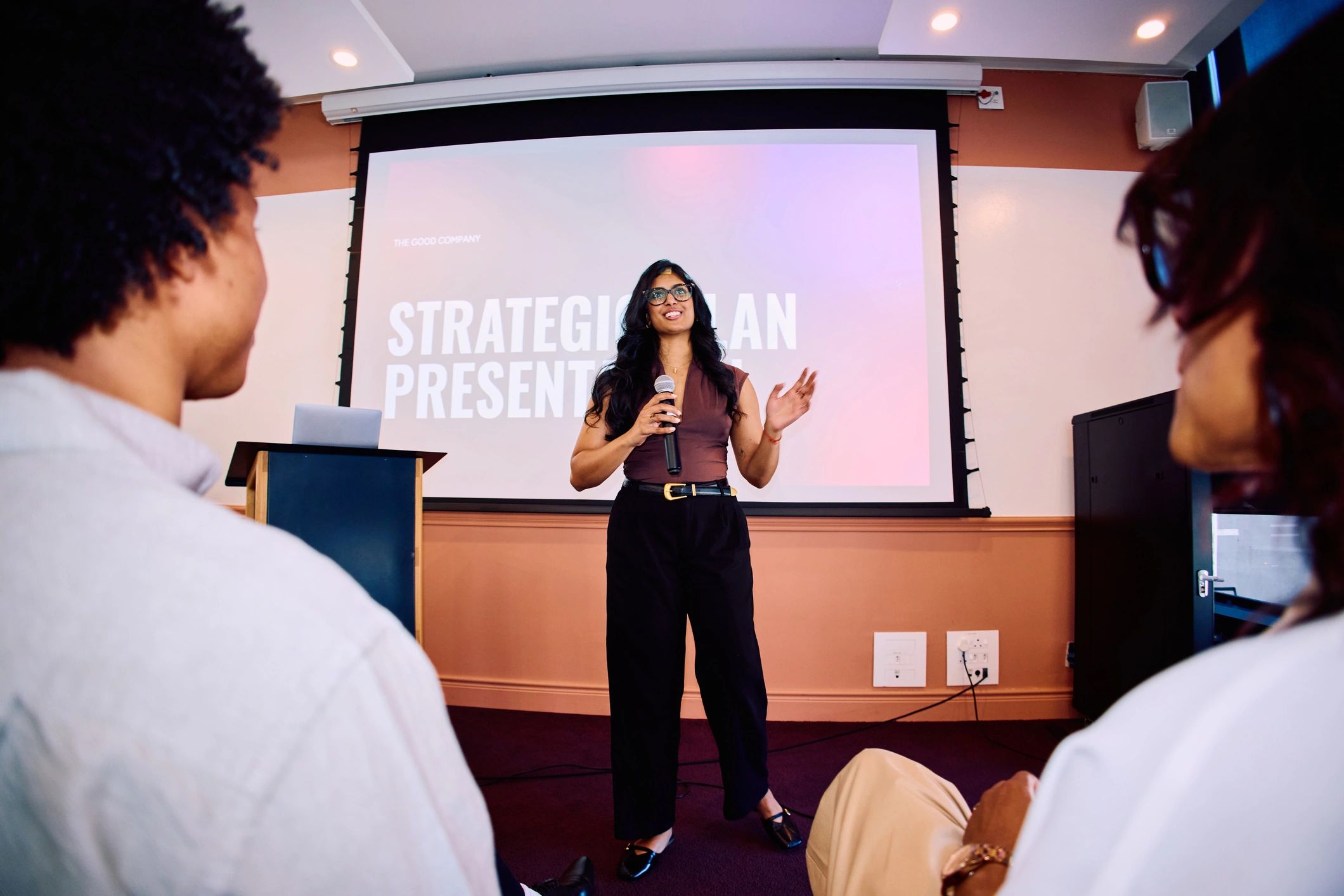
  • Meeting Scheduling Across Time Zones: What Actually Helps?

    Meeting Scheduling Across Time Zones: What Actually Helps?

    Make the time unambiguous

    An invitation saying 10 am is not enough for an international team. Use a calendar invitation with the correct time zone and check the local time for each participant. Seasonal clock changes happen on different dates in different countries, so a familiar time difference may not apply throughout the year.

    Share the inconvenience fairly

    List people’s normal working hours and identify the overlap. If no comfortable slot exists, rotate the less convenient time rather than asking the same office to join early or late every week. Explain why the live meeting is necessary and keep it focused on work that requires people to respond together.

    Use written preparation to shorten the live session

    Send updates and questions in advance. Ask attendees to add comments before a stated deadline, giving everyone enough time in their own working day. Use the meeting to resolve the points that remain. Share a short record afterwards, including decisions, owners and dates, so absent colleagues can follow the outcome.

    Remember that a different platform does not change the clock

    Video calls and VR meetings can remove travel, but neither removes time-zone differences. A virtual room may suit a workshop while written feedback suits a routine update. Choose the format and timing separately. For public events, clearly display the event time zone and explain whether a replay will be available.

    Explore the next step

    If this is a challenge for your organisation, find out whether a different meeting or event format could help. Explore OowOah VR Meeting Rooms.

  • Why Is It So Hard to Brainstorm on Microsoft Teams or Zoom?

    Why Is It So Hard to Brainstorm on Microsoft Teams or Zoom?

    Ideas need more than an open microphone

    A brainstorming call can become a sequence of long speeches, with quieter colleagues struggling to enter the conversation. A shared screen may show the notes while one person controls what is written. Teams and Zoom can support collaborative work, but the session needs a structure that gives everyone room to think and contribute.

    Separate generating ideas from discussing them

    Start with one clear question. Give participants a few minutes to write ideas independently before opening discussion. Collect contributions in a shared place, group similar suggestions and ask people to explain the promising ones. This prevents the first confident suggestion from defining the entire session.

    Make the ideas visible

    Choose a board or note-taking method that participants can access. Name ideas clearly and record the reasoning behind them. If someone cannot use the shared tool, offer another route to contribute. The facilitator should guide the process rather than become the only person allowed to add content.

    Consider another environment when it suits the group

    A VR meeting room can offer a shared setting for discussion and visual material. It may be useful when a team wants to explore a different way of collaborating, but it does not replace facilitation. Trial a short workshop and check whether participants can contribute comfortably, find the notes and agree useful next steps. End by assigning responsibility for the ideas selected.

    Explore the next step

    If this is a challenge for your organisation, find out whether a different meeting or event format could help. Explore OowOah VR Meeting Rooms.

  • Why Do People Stay Silent in Online Meetings?

    Why Do People Stay Silent in Online Meetings?

    Silence can mean several things

    Someone who says little may be listening carefully, unsure when to speak or unclear about what is expected. They may also be dealing with poor audio or a meeting dominated by a few voices. Avoid treating silence as proof of disinterest. Start by checking whether the meeting gives people a useful way to contribute.

    Ask questions people can prepare for

    Send the discussion points in advance and identify where each attendee’s input would help. A specific question is easier to answer than an unexpected request for any thoughts. Allow a pause after asking it. Some colleagues will contribute more clearly through written comments before or after the session.

    Create a fair speaking structure

    Use short rounds for important decisions, without forcing people to disclose personal information or speak just to fill time. Invite contributions from those who have not yet spoken and allow people to pass. A facilitator can acknowledge a question, prevent interruptions and return to an unfinished point.

    Review the experience with the team

    Ask what makes participation easier: smaller groups, better preparation, written input or a different meeting environment. VR meeting rooms are one option for a shared discussion space, but their value should be assessed with the people using them. Equipment familiarity and comfort matter. Measure useful contributions and clear decisions rather than the number of minutes each person speaks.

    Explore the next step

    If this is a challenge for your organisation, find out whether a different meeting or event format could help. Explore OowOah VR Meeting Rooms.

  • Camera-Off Meetings: How Do You Know People Are Engaged?

    Camera-Off Meetings: How Do You Know People Are Engaged?

    A camera setting is not an engagement score

    People may switch their camera off because of bandwidth, privacy, their surroundings or personal comfort. A visible face does not guarantee attention either. The better question is whether attendees understand the discussion and can help move the work forward. Agree sensible expectations for the meeting rather than making assumptions about individual camera choices.

    Look for useful participation

    Ask for feedback on a proposal, a question about the plan or confirmation of an action. Give people several routes to respond, including speech and written comments. Keep these requests relevant to the task. Repeated checks that exist only to prove attendance can make a meeting more difficult to follow.

    Make the meeting worth attending

    Explain the purpose at the beginning and keep shared material readable. Break a long presentation into sections with time for discussion. Invite only the people whose involvement is useful, and send others a summary. When participants know why they are there, it is easier to contribute meaningfully.

    Choose the environment without ignoring comfort

    Avatar-based VR meetings provide a different form of presence from a webcam grid. Participants use headsets to join a shared virtual room rather than showing their home surroundings on camera. This changes the experience, but it does not automatically create engagement. Provide a suitable alternative where needed and judge the meeting by understanding, decisions and follow-through.

    Explore the next step

    If this is a challenge for your organisation, find out whether a different meeting or event format could help. Explore OowOah VR Meeting Rooms.

  • Travelling Two Hours for a One-Hour Meeting: Is There a Better Way?

    Travelling Two Hours for a One-Hour Meeting: Is There a Better Way?

    When the journey becomes the biggest part of the meeting

    A one-hour discussion can take most of a working day once you include getting to the station, waiting, travelling and finding the venue. The ticket price is only one part of the decision. Preparation time, missed work and the journey home also matter. Before booking, ask what the meeting needs to achieve and whether everyone needs to be physically present.

    Choose the format around the task

    An inspection, hands-on demonstration or sensitive conversation may justify meeting in person. A project update or discussion of documents may work remotely. Write down the expected result: an approved proposal, a decision or an agreed plan. This makes it easier to choose between an email, video call, shared virtual room or physical meeting.

    Keep the connection while reducing the journey

    Remote attendance still needs preparation. Share materials beforehand, allow time for questions and make sure everyone can contribute. VR meeting rooms offer another option: participants join a shared virtual space using headsets and can discuss content on virtual screens. Start with one suitable meeting and compare the experience with your usual approach.

    Try a simple travel test

    For your next meeting, add up the travel time for every attendee, identify the tasks that require being there and consider whether a shorter remote session would achieve the same decision. Keep in-person time for activities where it adds clear value.

    Explore the next step

    If this is a challenge for your organisation, find out whether a different meeting or event format could help. Explore OowOah VR Meeting Rooms.

  • Online Presentations: Why Screen Sharing Alone Is Not Enough

    Online Presentations: Why Screen Sharing Alone Is Not Enough

    A shared slide is only the starting point

    Screen sharing makes a presentation visible, but it does not tell you whether people can read it or follow the argument. Dense slides and long monologues can make discussion difficult. Plan around what the audience needs to understand and what they should be able to decide afterwards.

    Prepare for the screen people actually use

    Use clear headings, readable text and one main point per slide. Avoid displaying a full spreadsheet when only two figures matter. Describe the key point aloud and share the document separately when people need to examine details. Check the material on a smaller display before the session.

    Build discussion into the presentation

    Pause at meaningful points and ask a specific question. Explain how attendees can interrupt or request clarification. If you are presenting and managing questions alone, keep the format simple. For a larger session, a colleague can monitor questions while the speaker concentrates on the explanation.

    Match the presentation space to the task

    VR meeting rooms offer virtual presentation screens within a shared environment. This can provide another setting for discussing reports or proposals, but the content still needs to be readable and well organised. Test it in the actual headset experience before inviting clients. A successful presentation leaves people with a clear understanding and agreed next steps, whichever platform you use.

    Explore the next step

    If this is a challenge for your organisation, find out whether a different meeting or event format could help. Explore OowOah VR Meeting Rooms.

  • Hybrid Meetings: How to Include People Joining Remotely

    Hybrid Meetings: How to Include People Joining Remotely

    Two locations can become two different experiences

    People in the meeting room can hear side comments and notice when someone wants to speak. Remote participants may hear a distant microphone and see only the slides. The organiser needs to plan how the two groups will communicate, rather than simply adding a video link to an in-person invitation.

    Check sound before adding complexity

    Ask a remote colleague to test the room audio. Can they hear each speaker clearly? Can people in the room hear them without feedback? Use equipment suited to the room and avoid several nearby devices playing the same call audio. Share documents directly so remote participants are not dependent on a camera pointed at a screen.

    Make someone responsible for remote participation

    A facilitator should monitor questions and bring remote contributions into the discussion. Repeat local comments that were not audible. Avoid continuing important decisions in a room-only conversation after the call ends. Record the agreed outcome in one place that everyone can access.

    Consider a more consistent shared format

    For some discussions, having everyone join individually may produce a clearer experience. A VR meeting room is another possible shared format for participants with suitable headsets. It should be tested with the group and accompanied by an alternative where necessary. The goal is comparable access to information and discussion, not using more technology for its own sake.

    Explore the next step

    If this is a challenge for your organisation, find out whether a different meeting or event format could help. Explore OowOah VR Meeting Rooms.

  • VR Meetings vs Video Calls: What Is Different?

    VR Meetings vs Video Calls: What Is Different?

    The main difference is the shared environment

    A video call usually displays people and shared content on a phone or computer screen. An avatar-based VR meeting places headset users inside a virtual room. Participants look around that environment and communicate with other people represented there. Both formats can support discussion, but they create different experiences.

    Equipment and preparation

    Video calls are familiar to many teams and can often be joined using existing devices. A VR meeting requires compatible headsets, software access and an introduction to the controls. Build that preparation into the plan. Check comfort and provide another route for anyone who cannot use the headset experience.

    Choose around the work

    A short update may be easiest by video or even a written message. A planned workshop or presentation may be worth testing in a virtual room. In-person sessions remain useful for activities that require physical access. Consider the meeting’s purpose, the participants and the material rather than assuming one format is best for everything.

    Compare a real session

    Use the same type of agenda for a small trial and gather feedback afterwards. Could everyone hear, contribute and follow the presentation? Were decisions clear? Did the equipment create difficulties? OowOah VR Meeting Rooms offer a shared environment with presentation screens and meeting support features. Evaluate the practical experience with your team before expanding its use.

    Explore the next step

    If this is a challenge for your organisation, find out whether a different meeting or event format could help. Explore OowOah VR Meeting Rooms.