
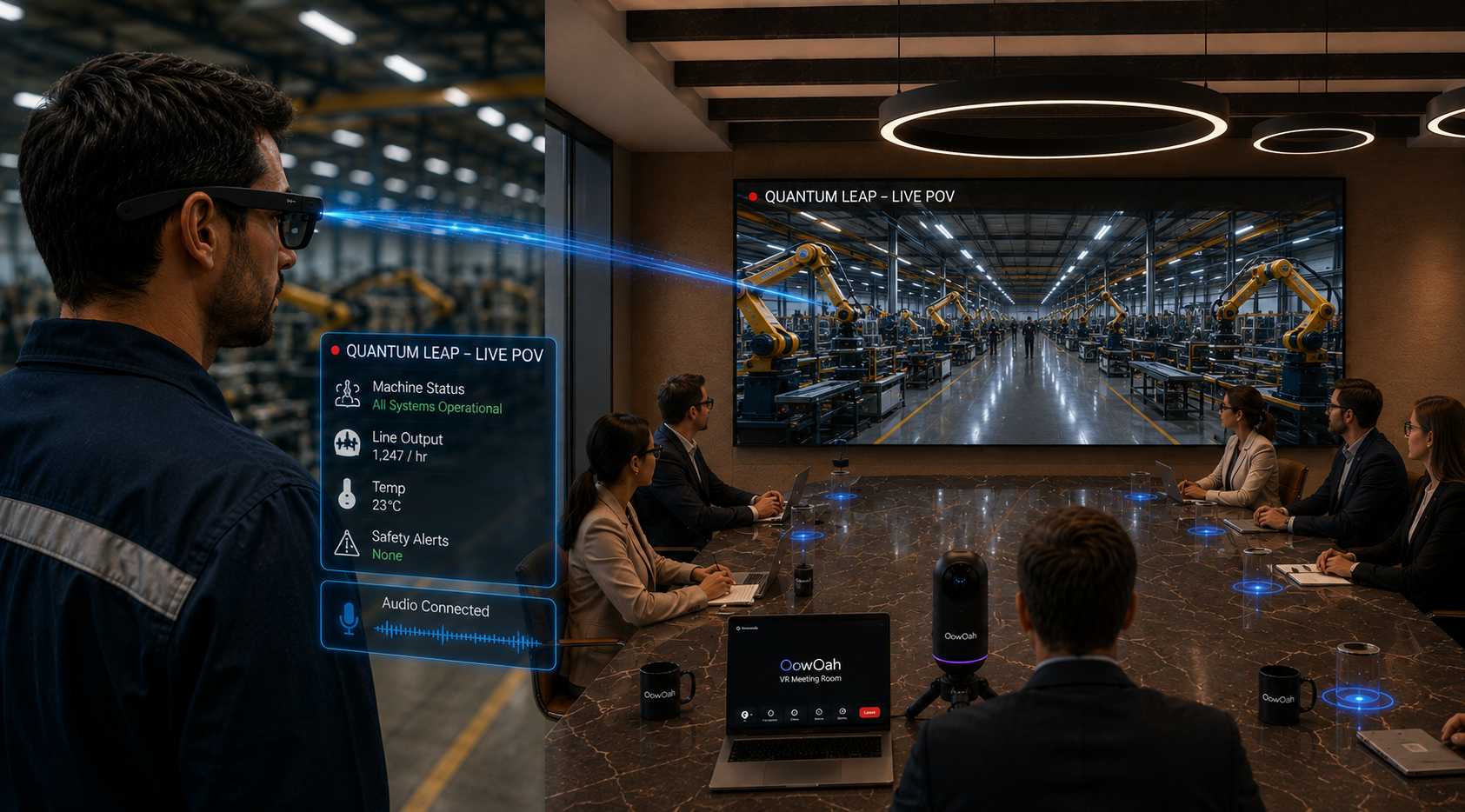
Quantum Leap can bring a live first-person view of a real object into an OowOah VR Meeting Room. For a prototype review, that creates a way for remote colleagues to see the current physical version while speaking with the person beside it. The useful distinction is between viewing the actual object live and discussing a photograph or drawing. A focused review still needs clear questions, suitable visibility and agreement about what can be assessed remotely. ## Identify the prototype and the review purpose Start by confirming which version is being shown. A prototype may have changed since the latest drawing or report. State what is complete, what is temporary and which questions the meeting is intended to address. Otherwise, a useful observation can become confused with a feature that was never meant to represent the final design.
An illustrative review might compare the position of visible controls or the arrangement of components. It should not silently become approval of performance characteristics that require separate testing. Defining the purpose helps the team direct attention to what the live view can genuinely contribute rather than asking it to answer every project question. ## Give the remote group a clear overview first Before moving to details, let viewers understand the object, its surroundings and the orientation of the person showing it. Name the front, back or relevant side where helpful. A close view without context can make a simple feature difficult to place. Establishing that reference reduces repeated requests to work out what everyone is looking at.
Quantum Leap places the real-world view within the virtual meeting environment, for example on a shared screen. It is not the same as giving each viewer an independent interactive model. The group should coordinate what it asks the on-location person to show, rather than assume everybody can select a different physical viewpoint simultaneously. ## Ask one question at a time Several remote experts speaking at once can make the review difficult to conduct. Use a facilitator or an agreed order for questions. Give the person on location time to reposition safely and confirm that the requested detail is visible before the next question begins. Clear communication can matter as much as the camera picture.
Use identifiable references such as the labelled connector or the upper section of the panel. A request to show that part again may be obvious to one observer and unclear to the person holding the viewpoint. Repeat or refine the reference if needed rather than treating uncertainty as a lack of cooperation. ## Separate observations from tests and approvals A live image can show an arrangement or visible condition. It does not automatically establish a precise dimension, material property or test result. If the review requires another measurement or a specialist assessment, record that need. Treat the stream as a source of shared visual context within the wider development process.
The on-location person remains responsible for following the site's procedures and the agreed demonstration plan. A remote request should not cause them to handle equipment or change conditions outside that plan. The point is to improve the discussion, not to make a camera view a substitute for appropriate working arrangements. ## Turn the review into a useful next step Summarise what the group saw, what remains uncertain and which action belongs to whom. Identify the prototype version in the record. This helps prevent a later conversation from attributing an observation to a different object or stage of development. Decide whether another live review, a document update or an in-person task is the appropriate follow-up.
Explore OowOah's Quantum Leap information and discuss your intended prototype review before planning a demonstration. The strongest use is a bounded task where seeing the real object together can answer a meaningful question.
Explore the next step
What Should You Show First During a Quantum Leap Equipment Review?
See how the shared discussion environment works in OowOah VR Meeting Rooms, then describe your intended live-viewing task when enquiring.
Discuss your plans through OowOah’s contact page or email info@oowoah.com.